
sshx
Secure, collaborative, web-based terminal with real-time features and end-to-end encryption.
Verdict
A quick read before you dig into the full page.
- Best if
- You are developers and need: Teaching: Share your terminal with students for interactive lessons
- Pick this when
- Secure, collaborative, web-based terminal with real-time features and end-to-end encryption
Overview
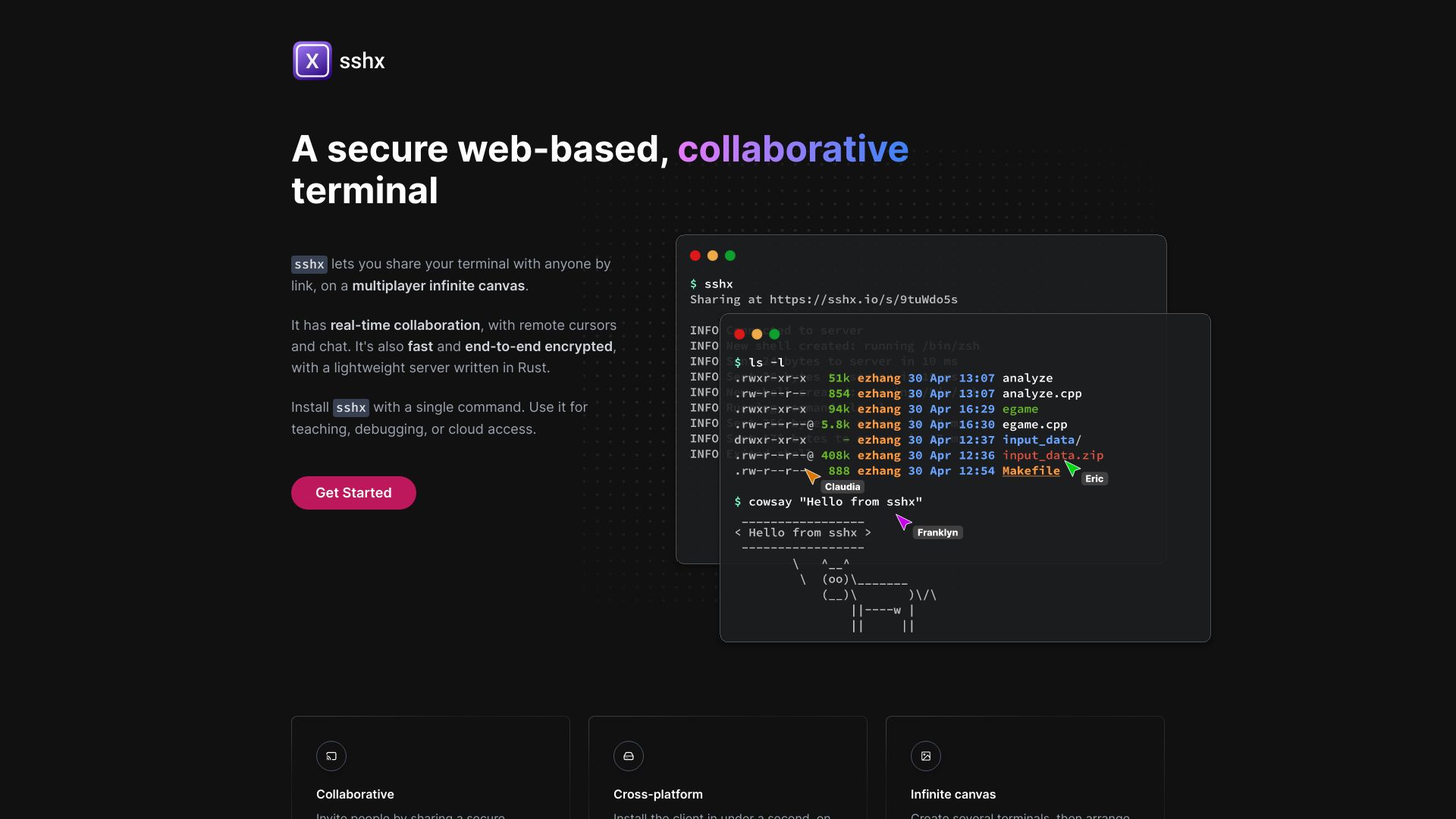
sshx is a secure, web-based, collaborative terminal that allows you to share your terminal with anyone by link, on a multiplayer infinite canvas. It features real-time collaboration with remote cursors and chat. It's also fast and end-to-end encrypted, with a lightweight server written in Rust. It can be used for teaching, debugging, or cloud access.
Best for
Short scenarios where sshx tends to shine.
-
Teaching: Share your terminal with students for interactive lessons.
Best for Developers
-
Debugging: Collaborate with colleagues to troubleshoot issues in real-time.
Best for System administrators
-
Cloud access: Securely access and manage cloud resources from your browser.
Best for Educators
Example outputs 1
Sample generations and before/after results for sshx.
Access & connections
Where you can use sshx.
Platforms
Capabilities
What this tool accepts, produces, and is strongest at.
Highlights
- Real-time collaboration with remote cursors and chat
- End-to-end encryption
- Multiplayer infinite canvas
- Cross-platform support (macOS, Linux, Windows)
- Ultra-fast mesh networking
People also view
Tools that often show up alongside sshx in collections and comparisons.

In the news
Launch coverage and community mentions for sshx.