
Sim Studio
Visual platform for building and deploying AI agents and workflows.
Source rating 5.0
(68)
0 views
0 saves
Unknown
Verdict
A quick read before you dig into the full page.
- Best if
- Visual platform for building and deploying AI agents and workflows
- Pick this when
- Visual platform for building and deploying AI agents and workflows
Overview
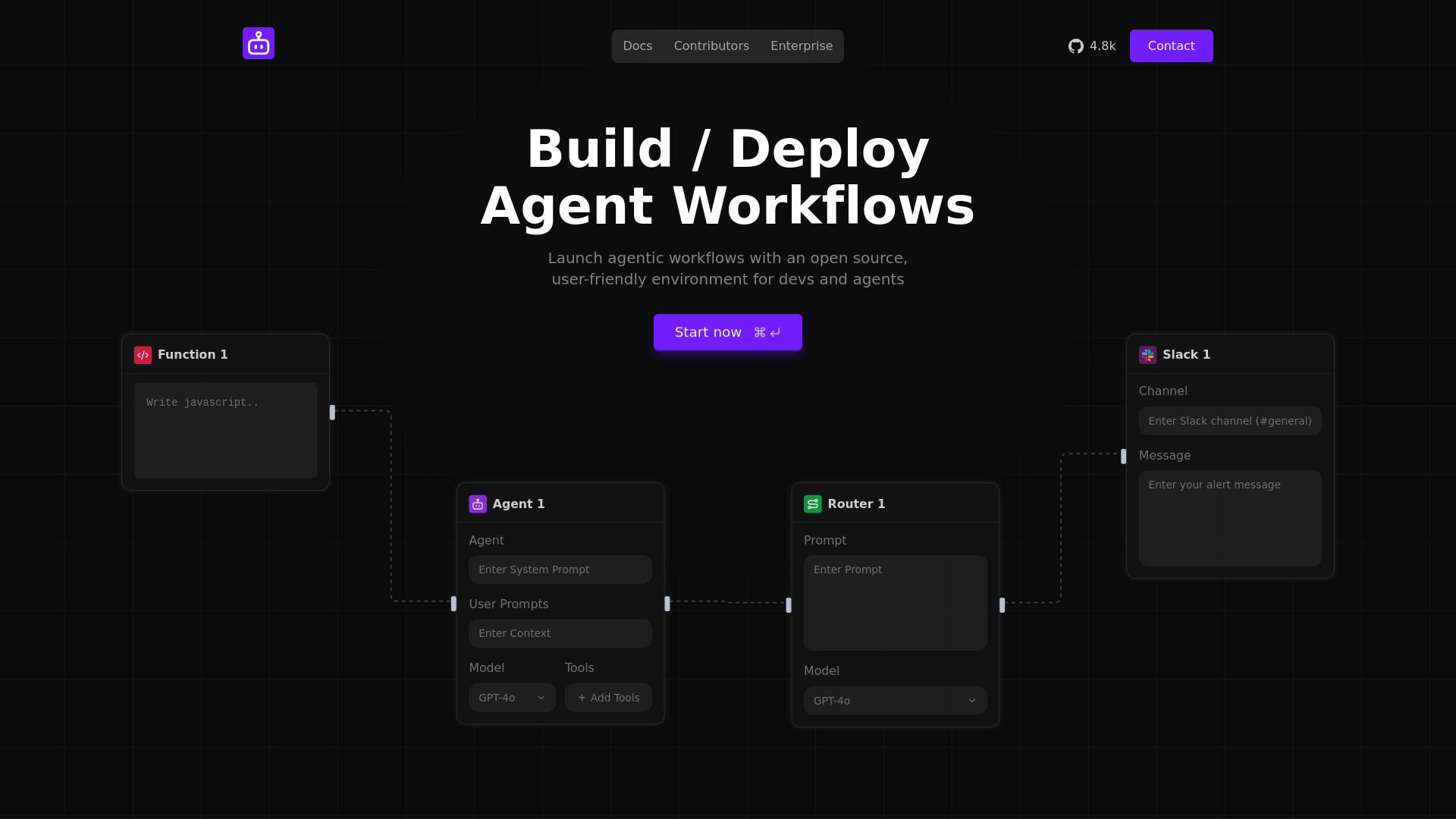
Sim Studio is a platform designed for building and deploying AI agents and automating AI agent workflows. It provides a Figma-like visual canvas that enables users to design, evaluate, and launch intelligent automation workflows. The platform aims to streamline business processes and make AI agent creation accessible to both developers and non-technical users through its drag-and-drop interface and open-source nature.
Access & connections
Where you can use Sim Studio, and what it plugs into.
Platforms
Capabilities
What this tool accepts, produces, and is strongest at.
Highlights
- Figma-like visual canvas for building AI agents and workflows
- Drag-and-drop interface for designing agentic workflows
- Ability to build, write evals, and deploy AI agent workflows
- Open-source environment for developers and agents
- Seamless integration with existing tools and applications
- Ability to sync knowledge by importing data from favorite tools
- Pre-built integrations for automating tasks and triggering actions across apps
- Support for various nodes like Agent, Router, Slack, and custom Functions (e.g., JavaScript)
FAQ 7
What is Sim Studio?
Sim Studio is a platform designed for building and deploying AI agents and automating AI agent workflows. It provides a Figma-like visual canvas that enables users to design, evaluate, and launch intelligent automation workflows. The platform aims to streamline business processes and make AI agent creation accessible to both developers and non-technical users through its drag-and-drop interface and open-source nature.
How to use Sim Studio?
Users can build and deploy AI agents and workflows by utilizing Sim Studio's visual, Figma-like drag-and-drop canvas. The interface allows for connecting various nodes such as 'Agent', 'Router', 'Slack', and 'Function' to design custom workflows. Users can define system prompts, user prompts, add context, select models (e.g., GPT-4o), and integrate tools. Workflows can be launched manually or triggered for automation.
What is Sim Studio?
Sim Studio is a platform that allows users to build and deploy AI agents and automate AI agent workflows using a visual, Figma-like canvas.
Is Sim Studio open source?
Yes, Sim Studio is an open-source environment for building and deploying AI agent workflows.
Do I need to be a developer to use Sim Studio?
While it offers a user-friendly environment for developers, it also aims to make building agents accessible to non-technical people, suggesting a low-code/no-code approach.
Can Sim Studio integrate with my existing tools?
Yes, Sim Studio allows you to seamlessly connect your agents with tools you already use and import data to power their knowledge bases.
What kind of workflows can I build with Sim Studio?
You can build, write evals, and deploy AI agent workflows that automate tasks and streamline business processes, triggering actions across various applications.
Related tools
Recommended

Sim Studio