
Show the Link
Tool that creates image previews for links on X, including domain and headline.
Source rating 5.0
(63)
1.5k views
1.5k/mo traffic
0 saves
Freemium
Free + from $99 / mo
Verdict
A quick read before you dig into the full page.
- Best if
- Tool that creates image previews for links on X, including domain and headline
- Skip if
- You need enterprise SLAs or a fully managed team plan right away
- Pick this when
- Freemium · Free + from $99 / mo
Overview
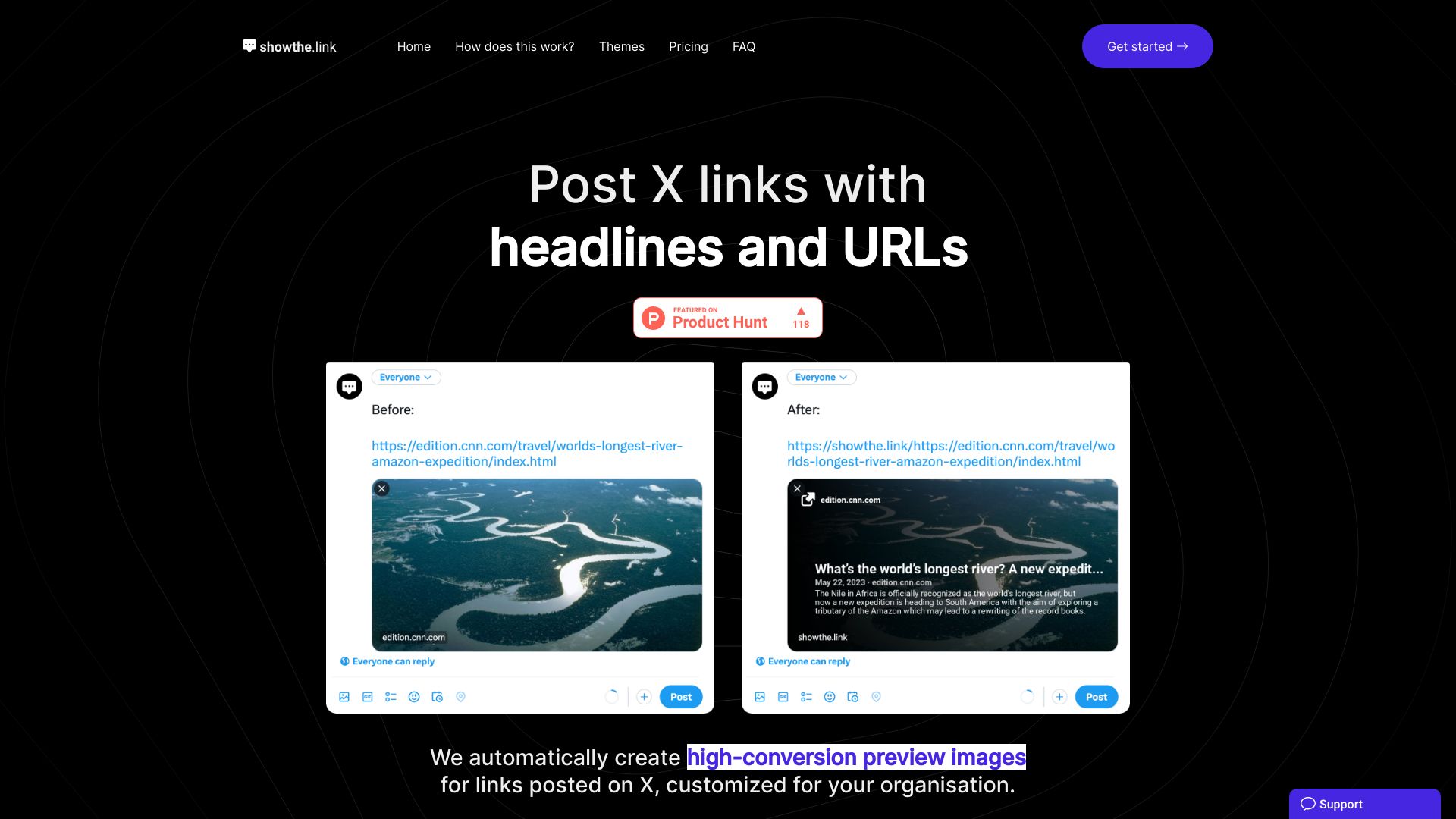
Show the Link is a tool for content creators that automatically creates informative image previews for links posted on X that include your domain and headline. It helps prevent subscriber confusion by providing clear previews of linked content.
Access & connections
Where you can use Show the Link, and what it plugs into.
Platforms
Integrations
Capabilities
What this tool accepts, produces, and is strongest at.
Highlights
- Automatic image preview generation for X links
- Customizable themes for branding
- White-label solution available
FAQ 7
What is Show the Link?
Show the Link is a tool for content creators that automatically creates informative image previews for links posted on X that include your domain and headline. It helps prevent subscriber confusion by providing clear previews of linked content.
How to use Show the Link?
Users create a subdomain (e.g., yourcompany.showthe.link). When posting a link on X, prefix it with the subdomain (e.g., yourcompany.showthe.link/https://example.com). The tool then generates an image with the URL and title.
How do I get rid of the showthe.link branding?
The professional plan supports full whitelabeling and a custom theme that includes your colors and icons. Please contact us for more details.
What kind of links can I post?
We support anything with the Twitter Card meta markup in. See the reference for cards for more details.
Sometimes my link images don't show up!
This is usually the Twitter/X bot taking a second or two to cache the image. Try deleting the URL and pasting it again − it should show up the second time. We're actively working to improve this, but it's mostly out of our control. Subsequent posts/reposts of the URL should work instantly, it's only for the very first time X sees the URL.
How can I request support?
You can use the support chat in the bottom right to contact us, or send an email below.
Do you support other social networks?
Currently we're concentrating on X. But we may expand to other social networks at a later date.
Related tools
Recommended


Show the Link
Free + from $99 / mo