Image editing

Shockvue

AI image editor for magic-like edits, describe and speak edits, instant visuals.

Source rating 5.0 (53) 0 views 0 saves Unknown
More categories (7)

Verdict

A quick read before you dig into the full page.

Best if
AI image editor for magic-like edits, describe and speak edits, instant visuals
Pick this when
AI image editor for magic-like edits, describe and speak edits, instant visuals

Overview

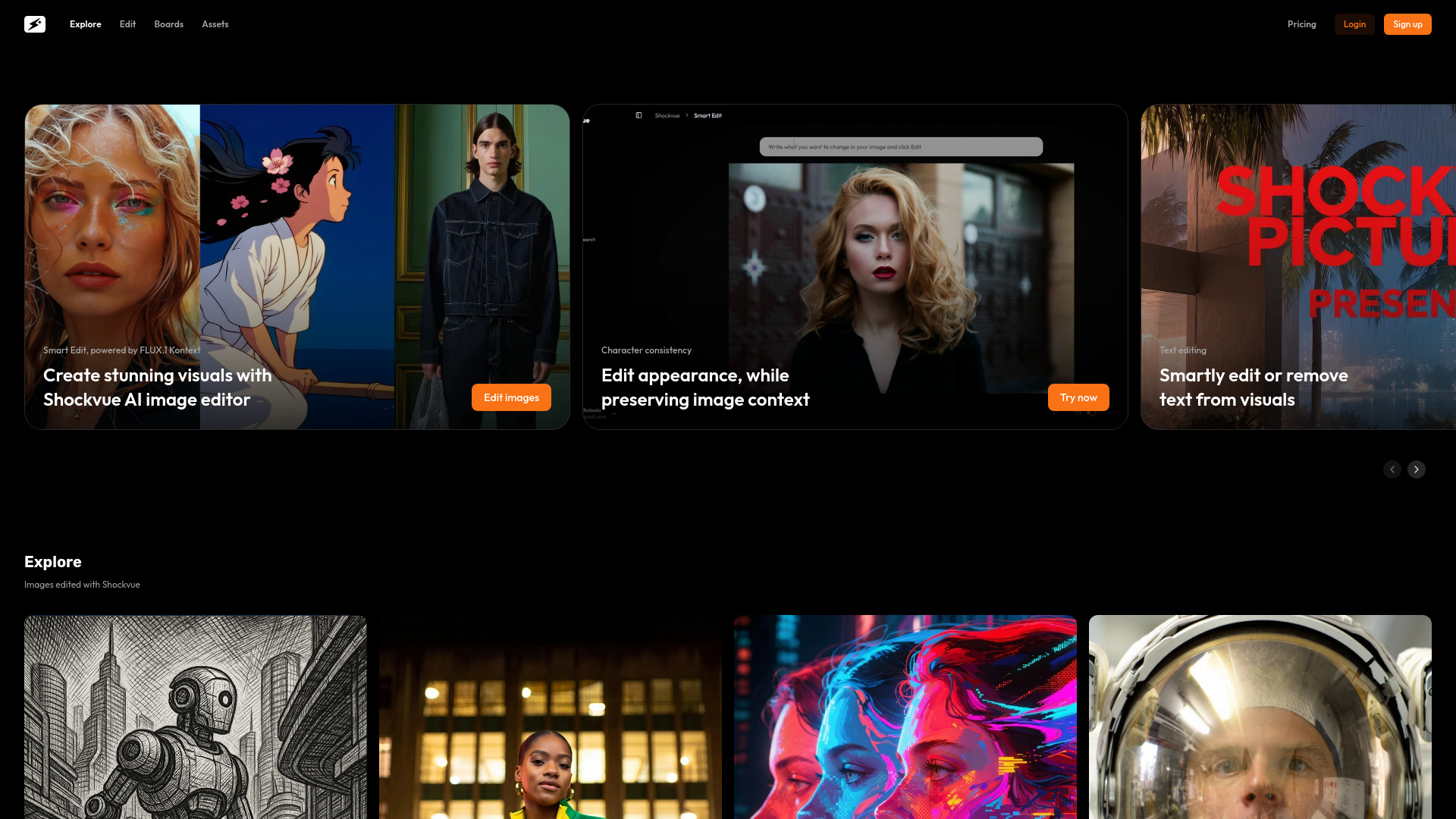
Shockvue is an AI image editor designed to transform images effortlessly. Users can describe their desired edits or speak them, allowing for magical transformations. It enables remixing photos, focusing on specific zones, and generating four variations simultaneously, all without overthinking or pixel-pushing, delivering instant visuals. Powered by FLUX.1 Kontext, Shockvue helps create stunning visuals with features like character consistency (preserving image context while editing appearance), text editing (smartly editing or removing text), virtual staging (adding or removing furniture), and virtual try-on (changing outfits and accessories). The platform aims to provide 'One image. Infinite vibes.'

Shockvue screenshot

Access & connections

Where you can use Shockvue.

Platforms

Web

Capabilities

What this tool accepts, produces, and is strongest at.

Highlights

  • AI image editing by description
  • Voice-activated edits
  • Remix photos
  • Focus on specific zones
  • Generate 4 image variations simultaneously
  • Character consistency editing
  • Smart text editing (add/remove text)
  • Virtual staging (add/remove furniture)
Show 1 more
  • Virtual try-on (change outfits/accessories)

FAQ 5

What is Shockvue?
Shockvue is an AI image editor designed to transform images effortlessly. Users can describe their desired edits or speak them, allowing for magical transformations. It enables remixing photos, focusing on specific zones, and generating four variations simultaneously, all without overthinking or pixel-pushing, delivering instant visuals. Powered by FLUX.1 Kontext, Shockvue helps create stunning visuals with features like character consistency (preserving image context while editing appearance), text editing (smartly editing or removing text), virtual staging (adding or removing furniture), and virtual try-on (changing outfits and accessories). The platform aims to provide 'One image. Infinite vibes.'
How to use Shockvue?
To use Shockvue, simply describe your desired image edits or speak them aloud. The AI editor will then process your request, allowing you to remix photos, focus on specific areas, and generate up to four variations at once. This process eliminates the need for manual pixel-pushing, providing instant visual results.
What is Shockvue?
Shockvue is an AI image editor that allows users to edit images by describing or speaking their desired changes, generating instant visuals and multiple variations.
What kind of edits can I make with Shockvue?
You can remix photos, focus on specific zones, ensure character consistency, edit or remove text, add or remove furniture (virtual staging), and change outfits or accessories (virtual try-on).
Is there a free trial for Shockvue?
Yes, Shockvue offers a free trial, as indicated by 'Try it free' on the website.
Shockvue
