
Seymour Events
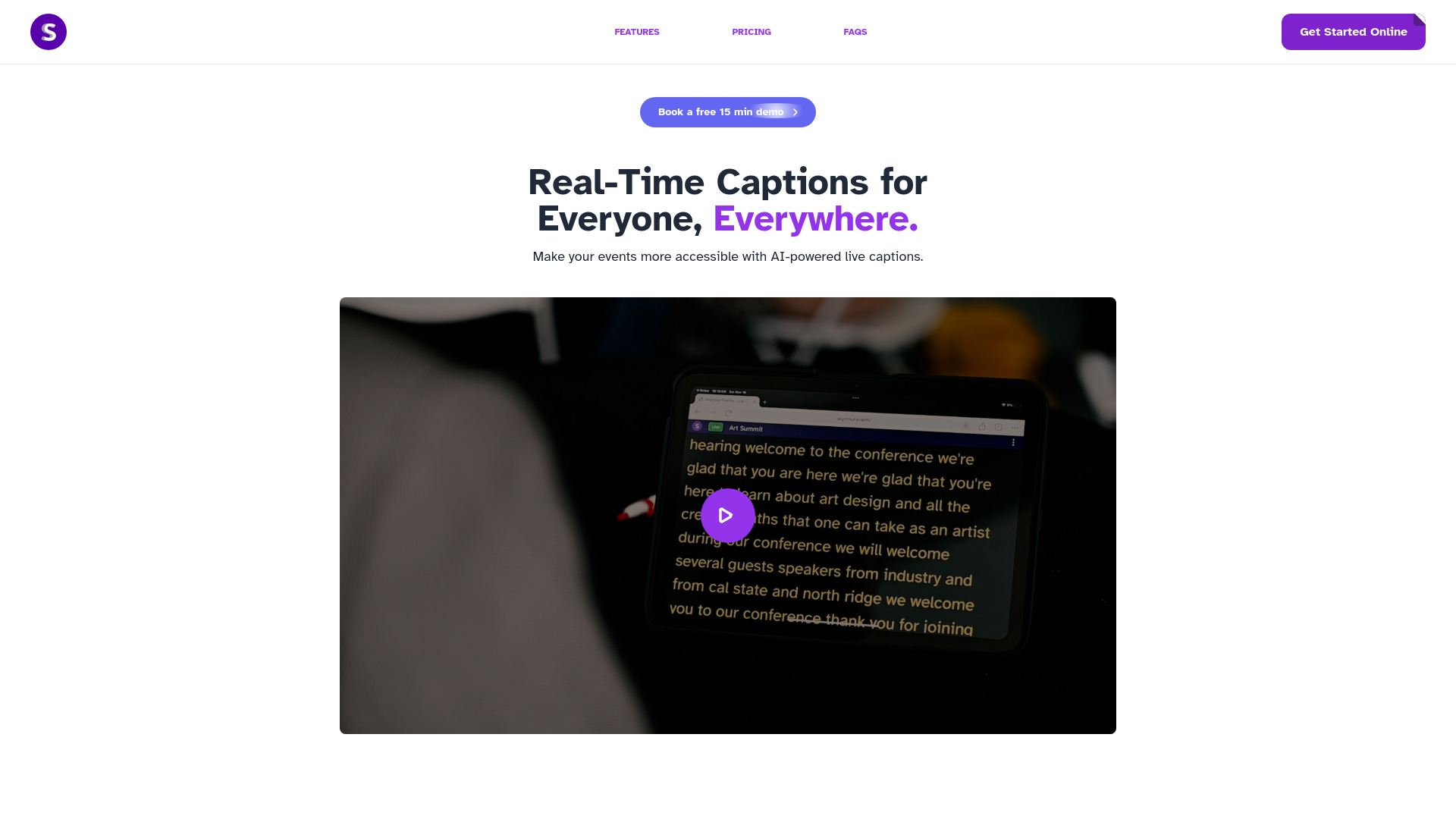
Real-time captioning for inclusive events, accessible on any device.
Source rating 5.0
(82)
0 views
0 saves
Freemium
Free + from $19 / month
Verdict
A quick read before you dig into the full page.
- Best if
- Real-time captioning for inclusive events, accessible on any device
- Skip if
- You need enterprise SLAs or a fully managed team plan right away
- Pick this when
- Freemium · Free + from $19 / month
Overview
Seymour Events transforms spoken audio into clear, real-time captions for events. Guests click a shared link to view captions on their devices, without needing extra hardware. It enhances accessibility for people with hearing impairments and helps all attendees stay engaged.
Access & connections
Where you can use Seymour Events.
Platforms
Capabilities
What this tool accepts, produces, and is strongest at.
Highlights
- Real-time captions
- Accessibility for deaf, hard of hearing, and language-diverse attendees
- Easy integration with existing setups
- Customizable caption experience
FAQ 8
What is Seymour Events?
Seymour Events transforms spoken audio into clear, real-time captions for events. Guests click a shared link to view captions on their devices, without needing extra hardware. It enhances accessibility for people with hearing impairments and helps all attendees stay engaged.
How to use Seymour Events?
Sound technicians connect their XLR or microphone jack cable through their computer's microphone jack. They then create an event link on the Seymour Events website and share it with attendees, who can click the link to view live captions on their devices.
What is Seymour Events?
It is assistive technology software for sound technicians. With our software you can share an event link for your attendees who are Deaf, Hard of Hearing or who benefits from closed captions.
What devices can I use with Seymour Events?
It works on most mobile devices, smartphones, tablets, and laptops with access to the internet.
Do I need to download an app?
As a sound technician for a venue, you can use our web application. Your attendees, the end-users, will not need to download an application to read captions on their devices.
How do I use Seymour Events at an event as a deaf person?
Find an event link created by the organizers of the program. Click the link and it will take you to the event. Once it's connected, Live captions will appear on your screen in real-time.
How can the sound tech set up Seymour Events for use?
The sound tech connects their XLR or microphone jack cable through their computer microphone jack. Then, create an event link on the Seymour Events website by filling a short form after creating an organization account. SHare the event link to the end users.
Is Seymour Events free?
We offer a free tier and paid tiers for venues. Seymour Events is free for attendees.
Related tools
Recommended

Seymour Events
Free + from $19 / month