
Selfie AI: AI Avatar Generator
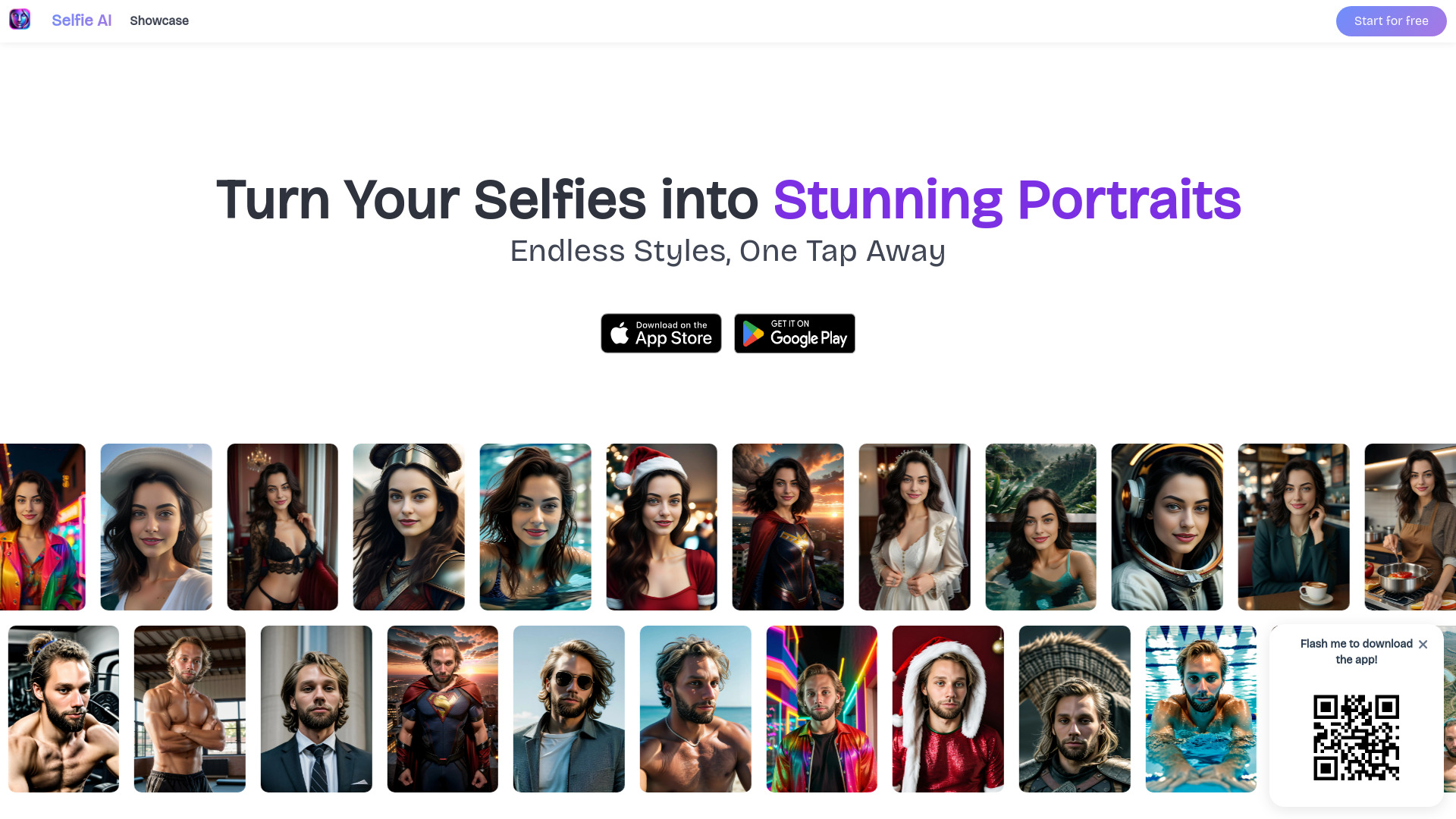
Selfie AI transforms selfies into AI-generated portraits with diverse styles and customization.
Source rating 5.0
(60)
883 views
883/mo traffic
0 saves
Unknown
Verdict
A quick read before you dig into the full page.
- Best if
- Selfie AI transforms selfies into AI-generated portraits with diverse styles and customization
- Pick this when
- Selfie AI transforms selfies into AI-generated portraits with diverse styles and customization
Overview
Selfie AI is an iOS & Android app that transforms selfies into stunning AI-generated portraits across countless styles. Users can create custom models, explore trending categories, and share their AI creations. It offers a variety of styles, from professional to casual and creative, allowing users to generate portraits for various purposes.
Access & connections
Where you can use Selfie AI: AI Avatar Generator.
Capabilities
What this tool accepts, produces, and is strongest at.
Highlights
- AI-powered portrait generation from selfies
- Custom model creation
- Diverse style categories (40+)
- Custom prompt creation
- Easy download and sharing
FAQ 9
What is Selfie AI?
Selfie AI is an iOS & Android app that transforms selfies into stunning AI-generated portraits across countless styles. Users can create custom models, explore trending categories, and share their AI creations. It offers a variety of styles, from professional to casual and creative, allowing users to generate portraits for various purposes.
How to use Selfie AI?
To use Selfie AI, upload selfies, and the app will generate AI portraits in various styles. Users can choose from over 40 categories or create custom prompts to guide the AI. Download and share the generated portraits.
What photos should I upload to create wonderful avatars?
You can upload between 1 and 12 photos. Selfies work great for facial recognition, but we also recommend including some full-body photos for better results. Clear, well-lit images without heavy filters will help our AI create more accurate avatars. Try to include photos from different angles to help capture your unique features.
Is Selfie AI free?
Yes, Selfie AI is free to download on both iOS and Android. When you start, you'll receive 10 free credits (enough for 2 pictures). After using your free credits, you can either purchase additional credit packages or subscribe to our weekly plan to receive fresh credits automatically. Pricing details are available in the app.
How many avatars can I create?
You can create as many avatars as you have credits for. Each transformation uses a specific number of credits depending on the style. With our 40+ style categories, you can transform yourself into anything from a business professional to a Viking warrior. Many users create different styles for various purposes - professional profiles, social media, or just for fun.
How many categories are available?
We currently offer more than 40 diverse categories for transforming your selfies. These include professional styles (Business, Fashion), casual themes (Beach, Fitness, Yoga), creative options (Colorful, Pixar, Neon), and themed transformations (Viking, Medieval, Astronaut). Our team is constantly adding new categories based on trends and user requests, so check back regularly for new styles.
How do I get new credits?
There are two ways to get more credits: you can buy credit packages directly in the app for one-time use, or subscribe to our weekly plan to receive credits automatically each week. The subscription option is popular among regular users as it provides better value. All purchases are processed securely through your Apple App Store or Google Play account.
How can I stop the subscription?
You can cancel your subscription anytime through your device's app store settings. For iPhone users, go to Settings > Apple ID > Subscriptions, find Selfie AI, and tap 'Cancel Subscription'. For Android users, open Google Play Store > Profile > Payments & subscriptions > Subscriptions, find Selfie AI, and select 'Cancel subscription'. Your subscription will remain active until the end of your current billing period.
What happens to the photos I upload on the app?
Your privacy matters to us. All photos you upload, along with the AI models and generated portraits, are automatically deleted after 30 days from our servers. During storage, your data is protected with encryption and is never shared with third parties. This temporary storage allows you to access your previously generated portraits without re-uploading your photos.
Related tools
Recommended


Selfie AI: AI Avatar Generator