

Scanned.to ✓
AI OCR that recreates documents with perfect formatting.
Trial; then from $5
Verdict
A quick read before you dig into the full page.
- Best if
- AI OCR that recreates documents with perfect formatting
- Skip if
- Limited custom solutions
- Pick this when
- Maintains original document's layout
Considering Unstract instead? Compare side by side
Overview
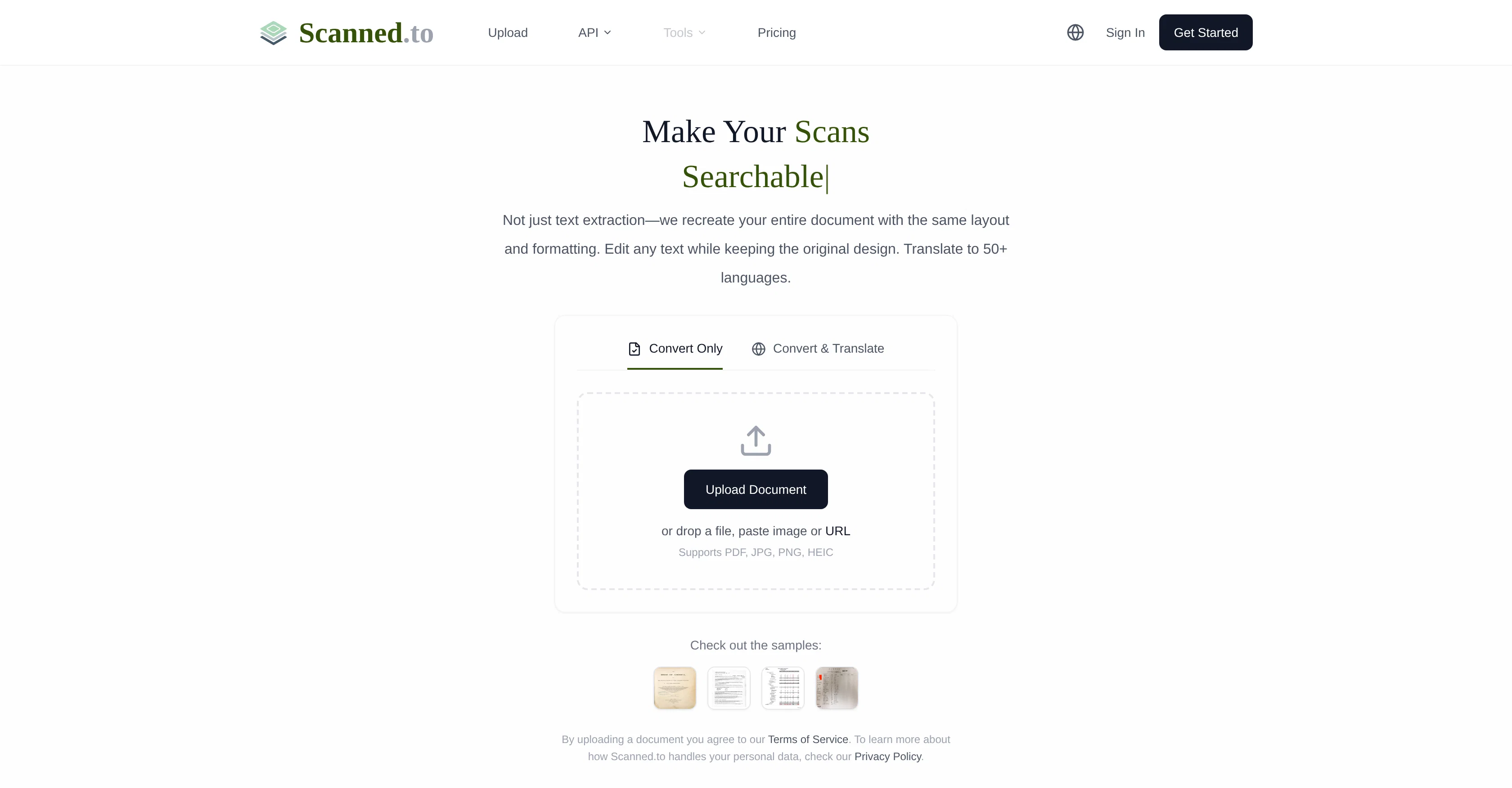
Scanned.to is an advanced AI service that uses Optical Character Recognition (OCR) technology to convert scanned documents and PDFs into editable Word or Text formats.
This is not just a simple extraction, as Scanned.to goes a step further to recreate the entire document with the same layout and formatting as the original.
This functionality extends to printed text, handwriting and supports multiple file formats including PDF, JPG, PNG, and HEIC. The tool also provides AI-driven translation to over 50 languages, which has been optimized for various document types like certificates, contracts and menus.
It offers advanced OCR capabilities and employs neural networks to ensure accuracy in text recognition and translation while preserving the original formatting and layout.
Users can securely share converted documents and track reading statistics to understand the document reach. Scanned.to is widely used by personal users, students, researchers, business professionals and developers.
It also provides API access for enterprises for integration into their products and workflows. Scanned.to ensures data security with end-to-end encryption during transmission and storage, and auto-deletion of uploads for free users after 24 hours.
Access & connections
Where you can use Scanned.to.
Platforms
Capabilities
What this tool accepts, produces, and is strongest at.
Input
- API
- Text
- Image
Output
- API
- Text
Highlights
- API
Supported features
- Image Understanding
- Docs
- Image Edit
- Translation
- API
Pros & cons
Pros
- Maintains original document's layout
- Supports handwritten text
- 'Convert & Translate' option
- Multiple upload methods
- Supports PDF, JPG, PNG, HEIC
- Advanced OCR recognition
- Document sharing & analytics
- API access for businesses
Show 39 more
- Bulk processing capabilities
- Custom solutions provided
- High level data security
- End-to-end encryption
- Auto-deletion of uploads
- Supports over 50 languages
- Precise document translation
- Supports diverse document types
- Track reading statistics
- Accurate text recognition
- Preserves original formatting
- Secure document sharing
- Optimized translation for certificates, contracts, menus
- Integration into business workflows
- Printed text recognition
- Recreates entire documents
- Translate overseas shopping receipts
- Digitize handwritten class notes
- Translate rental contracts
- Organize old books and letters
- Translate foreign academic papers
- Organize library documents
- Convert handwritten drafts to digital
- Extract citation content
- Digitize meeting whiteboard notes
- Process multilingual invoices
- Share product manuals
- Develop receipt recognition apps
- Add multilingual support to apps
- Fully editable file generation
- Preserve tables, columns, headers
- Translate legal, medical, technical docs
- Uploads auto-deleted after 24 hours
- Instant shareable webpages
- Optimized neural networks
- Used by various professionals
- Used by personal users, students, researchers
- Auto-detect document type
- Digitize and organize letters
Cons
- Doesn't support all file formats
- Handwriting recognition accuracy variable
- Automatic deletion of free uploads
- Lack of offline functionality
- Limited to 50 languages
- Document format may differ
- Dependent on internet quality
- Advanced features require payment
Show 2 more
- Potential delays in bulk processing
- Limited custom solutions
Compare alternatives
Similar tools in the catalog — with a clear reason to open each one.





iLoveOCR ✓
FreemiumAI-powered image to text conversion.
Why look Stronger for image work
Full comparisonReleases 1
FAQ 12
What is Scanned.to?
How does Scanned.to process scanned documents and PDFs?
Can Scanned.to recognize handwritten text?
Does Scanned.to maintain the original document's layout and format?
What document formats does Scanned.to support?
Aside from conversion, what other capabilities does Scanned.to offer?
How does document translation work on Scanned.to?
What languages does Scanned.to's translation service support?
Does Scanned.to offer document sharing and analytics feature?
How secure is the data on Scanned.to?
Who are the typical users of Scanned.to?
Can Scanned.to be integrated into my business's system?
Related tools
Recommended

Notis ✓
Free TrialThe first WhatsApp assistant that runs on your ChatGPT and Claude subscriptions
VentureVault ✓
FreeDiscover validated startup ideas with AI-powered market analysis.

biela.dev ✓
Free TrialIf you can imagine it, Biela can code it!

Vertech Academy ✓
Free TrialPre-built AI study workflows that outperform raw ChatGPT prompts.

AirMusic ✓
Free TrialAI music generator and music video creator in one platform.
PromptFix ✓
FreemiumAI Prompt Optimizer & Analyzer