
Restore Photo
AI-powered photo editor to restore old, damaged, or low-resolution photos.
Free + from $4.99
Verdict
A quick read before you dig into the full page.
- Best if
- AI-powered photo editor to restore old, damaged, or low-resolution photos
- Skip if
- You need enterprise SLAs or a fully managed team plan right away
- Pick this when
- Freemium · Free + from $4.99
Overview
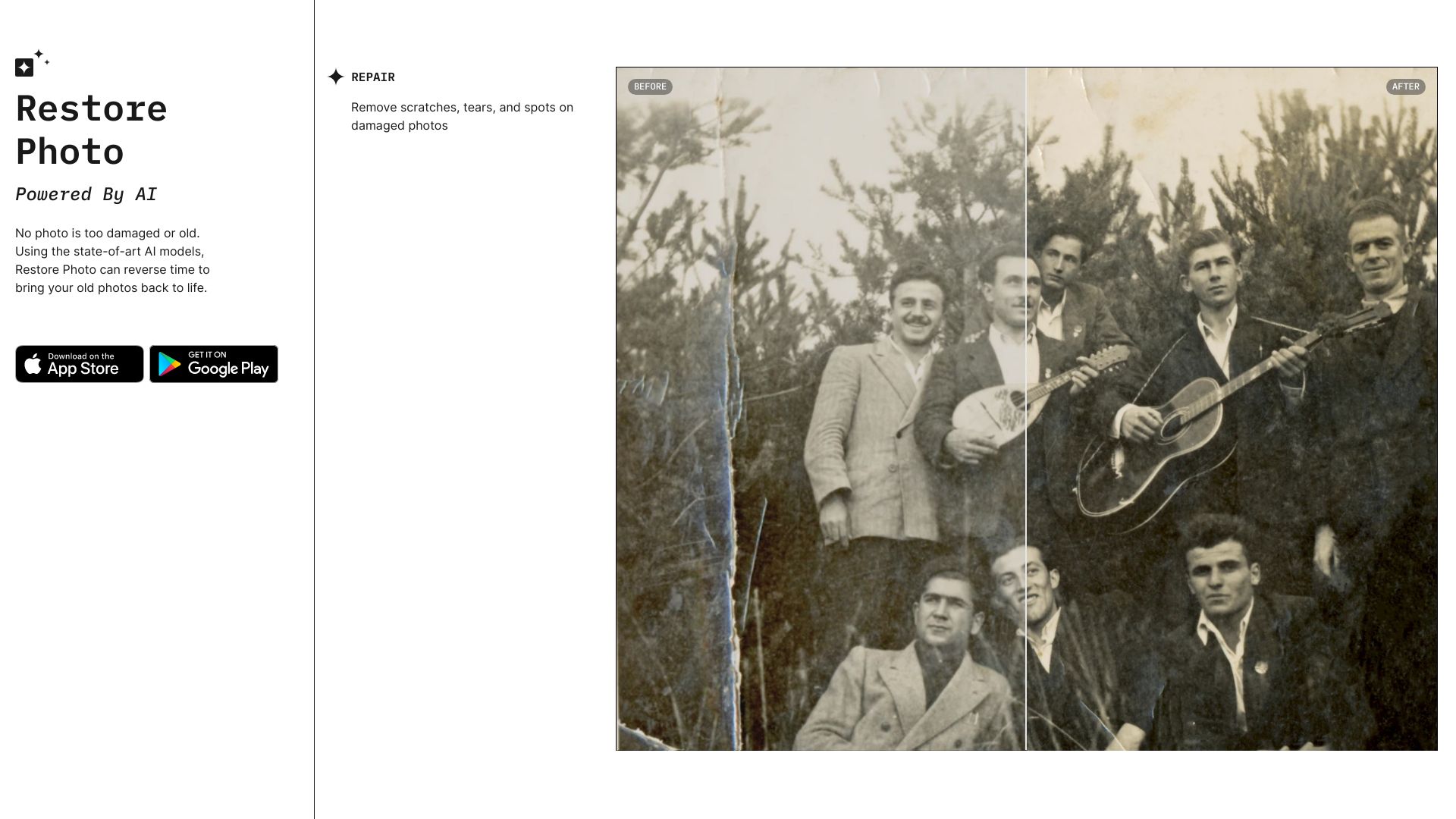
Restore Photo app is a powerful photo editor that uses AI to restore old, damaged, or low-resolution photos. It can remove scratches, tears, and spots, colorize black & white photos, and enhance sharpness. Built by PSDDR Inc, it aims to democratize access to state-of-the-art AI for photo restoration.
Access & connections
Where you can use Restore Photo.
Platforms
Capabilities
What this tool accepts, produces, and is strongest at.
Highlights
- AI-powered photo restoration
- Damage removal (scratches, tears, spots)
- Colorization of black & white photos
- Enhancement of low-resolution photos
FAQ 4
What is Restore Photo?
How to use Restore Photo?
What types of damages can Restore Photo app fix?
How many photos can I restore for free?
Related tools
Recommended

AI Hairstyle Changer - 1
UnknownVirtually try on 100+ AI hairstyles and hair colors from your photo — results in seconds, no sign-up needed.

KiloClaw ✓
PaidHosted OpenClaw AI agent with zero DevOps required.

PaioClaw ✓
Free TrialMost Secure and Easiest OpenClaw Ever. Live in 60 seconds.

Wondershare Filmora ✓
PaidEdit smarter, faster and easier with Filmora’s powerful AI video tools.