
RemoveFrom.Video
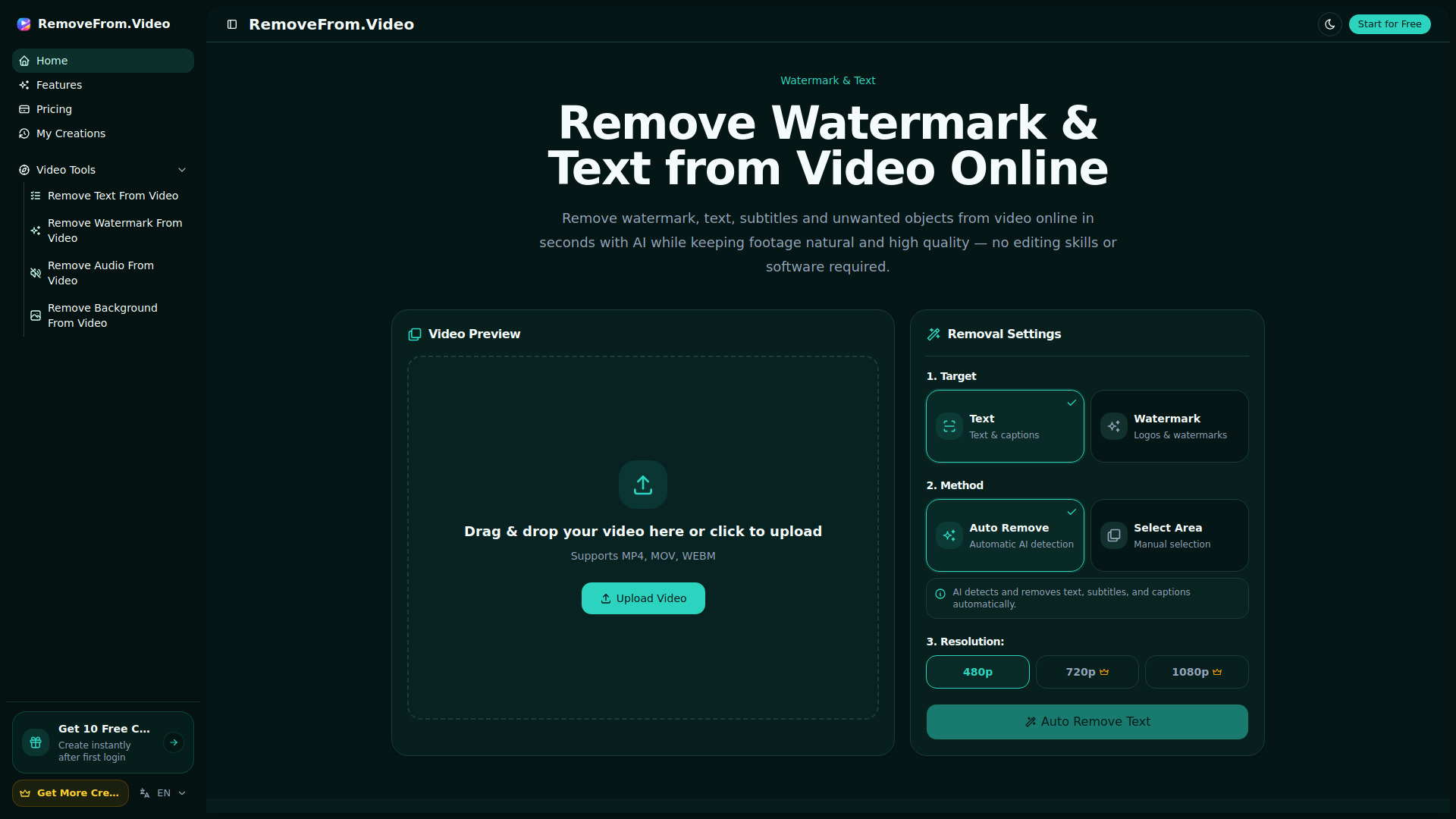
AI tool to remove watermarks, text, and subtitles from videos
Source rating 5.0
(84)
15k views
15k/mo traffic
0 saves
Paid
From $6.90
Verdict
A quick read before you dig into the full page.
- Best if
- You are content creators and need: Removing TikTok or YouTube watermarks before repurposing clips
- Skip if
- You need a free plan with no credit card
- Pick this when
- Paid · From $6.90
Overview
RemoveFrom.Video is an AI-powered online video cleaner that removes watermarks, text, subtitles, logos, and unwanted objects while preserving natural motion and video quality.
Best for
Short scenarios where RemoveFrom.Video tends to shine.
-
Removing TikTok or YouTube watermarks before repurposing clips
Best for Content creators
-
Cleaning tutorial videos and screen recordings by erasing text or captions
Best for Social media managers
-
Preparing marketing or product videos for polished presentations
Best for Marketing specialists
-
Removing distractions or unwanted objects from travel and personal footage
Best for YouTube creators
Example outputs 1
Sample generations and before/after results for RemoveFrom.Video.
Access & connections
Where you can use RemoveFrom.Video.
Platforms
Capabilities
What this tool accepts, produces, and is strongest at.
Highlights
- AI removal of watermarks, text, subtitles, and unwanted objects
- Automatic detection and smart video processing
- Cloud-based video cleanup without installing software
- High-quality output with preserved motion and clarity
People also view
Tools that often show up alongside RemoveFrom.Video in collections and comparisons.


FAQ 7
What is RemoveFrom.Video?
RemoveFrom.Video is an AI-powered online video cleaner that removes watermarks, text, subtitles, logos, and unwanted objects while preserving natural motion and video quality.
How to use RemoveFrom.Video?
Upload your MP4, MOV, or WEBM video, choose what you want to remove (watermark, text, subtitles, or objects), select an automatic or manual removal method, pick the output resolution, then generate, preview, and download the cleaned video.
How do I remove a watermark from a video online?
Upload your video, choose the Watermark removal mode, click to generate the cleaned video, then preview and download it.
How do I remove text or subtitles from a video?
Select Text or Subtitles removal, or use Auto Remove for AI detection, then let the tool erase the overlay and rebuild the background.
What video formats are supported?
The website supports MP4, MOV, and WEBM uploads.
Do I need to install software to use RemoveFrom.Video?
No. It works online in the browser with cloud processing.
Will removing elements reduce video quality?
The site says it is designed to preserve clarity, smooth motion, and natural-looking results.
Related tools
Recommended
RemoveFrom.Video
From $6.90