Image editing

PixMira AI

Free AI photo editor and image generator using text prompts.

Source rating 5.0 (81) 228k views 228k/mo traffic 0 saves Freemium
More categories (5)

Free + from $8.39 per month

Verdict

A quick read before you dig into the full page.

Best if
You are content creators and need: Transforming personal portraits or selfies into 3D figurines or anime characters
Skip if
You need enterprise SLAs or a fully managed team plan right away
Pick this when
Freemium · Free + from $8.39 per month

Overview

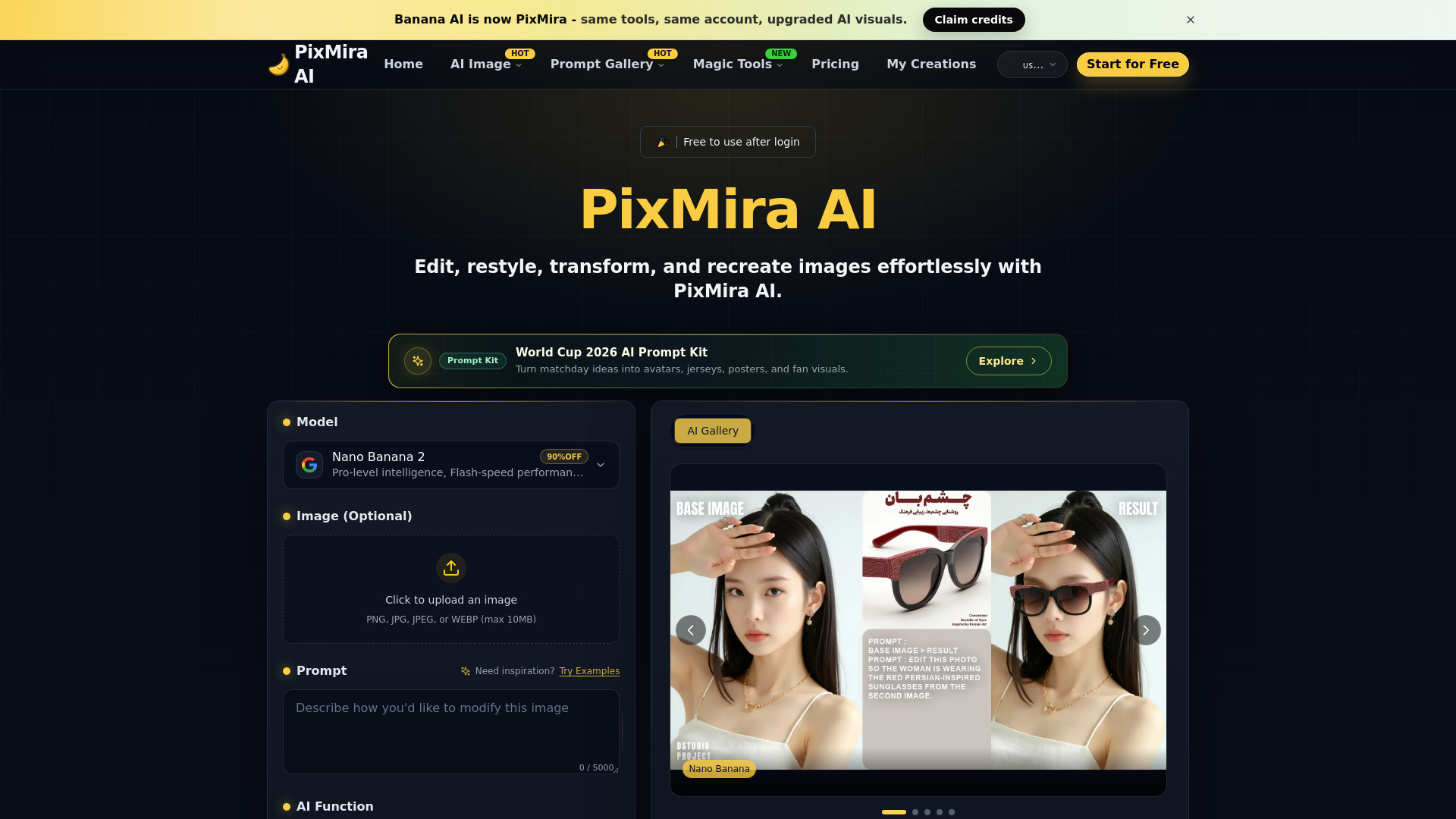
PixMira AI (formerly Banana AI) is a free AI photo editor and image generator that allows users to edit, restyle, transform, and recreate images effortlessly. By utilizing simple text prompts, users can perform precise edits, apply creative style changes, and generate consistent, high-quality results in seconds. The platform is designed to maintain identity consistency across multiple edits, making it ideal for creating avatars, brand visuals, or transforming portraits into unique artistic formats without requiring any prior design experience.

PixMira AI screenshot

Best for

Short scenarios where PixMira AI tends to shine.

  • Transforming personal portraits or selfies into 3D figurines or anime characters

    Best for Content creators

  • Replacing photo backgrounds instantly with automatic edge refinement

    Best for Marketers

  • Adjusting photo lighting direction and strength for professional studio effects

    Best for Social media managers

  • Creating customized visual assets like football posters and soccer jerseys for the World Cup 2026

    Best for Digital artists

  • Generating batch images with consistent styles for brand and social media content

    Best for Small business owners

How it works

To use PixMira AI, start by uploading a photo such as a selfie or portrait. Next, enter a text prompt describing the specific edit or style transformation you want. Click the 'Generate' button to let the AI process the image in seconds. Finally, preview, download, or share your newly created high-quality visual.

Example outputs 1

Sample generations and before/after results for PixMira AI.

Access & connections

Where you can use PixMira AI.

Platforms

Web

Capabilities

What this tool accepts, produces, and is strongest at.

Highlights

  • AI-powered photo editing via text prompts
  • Identity consistency across multiple image edits
  • Lightning-fast processing speed of 1-2 seconds
  • Batch editing for processing multiple photos simultaneously
  • Diverse style library including Anime, Pixar, Watercolor, and Cyberpunk
  • Advanced magic tools including background removal, object removal, and lighting adjustment

People also view

Tools that often show up alongside PixMira AI in collections and comparisons.

FAQ 6

What is PixMira AI?
PixMira AI (formerly Banana AI) is a free AI photo editor and image generator that allows users to edit, restyle, transform, and recreate images effortlessly. By utilizing simple text prompts, users can perform precise edits, apply creative style changes, and generate consistent, high-quality results in seconds. The platform is designed to maintain identity consistency across multiple edits, making it ideal for creating avatars, brand visuals, or transforming portraits into unique artistic formats without requiring any prior design experience.
How to use PixMira AI?
To use PixMira AI, start by uploading a photo such as a selfie or portrait. Next, enter a text prompt describing the specific edit or style transformation you want. Click the 'Generate' button to let the AI process the image in seconds. Finally, preview, download, or share your newly created high-quality visual.
What can PixMira AI edit?
PixMira AI allows you to remove objects, replace backgrounds, and apply creative styles to your photos. Whether you're working with portraits, landscapes, or selfies, simply describe your edit using text prompts.
Is PixMira AI free to use?
PixMira AI offers 5 free credits when you sign up for the first time, allowing you to try out basic editing features. For advanced features like higher resolution images or batch editing, you can purchase additional credits or subscribe to a plan.
How does PixMira AI maintain consistency across edits?
One of its key features is its ability to maintain identity consistency across multiple edits. Even when you change the style or background, faces and key features remain recognizable.
Do unused credits roll over?
Yes. During the active membership period, unused credits automatically roll over and remain available.
PixMira AI Free + from $8.39 per month
