

User manuals 2026 Rank: #2090
PIQAPART ✓
From video or photos to a manual in seconds.
Verdict
A quick read before you dig into the full page.
- Best if
- From video or photos to a manual in seconds
- Skip if
- Limited customization options
- Pick this when
- Generates operation manuals
Overview
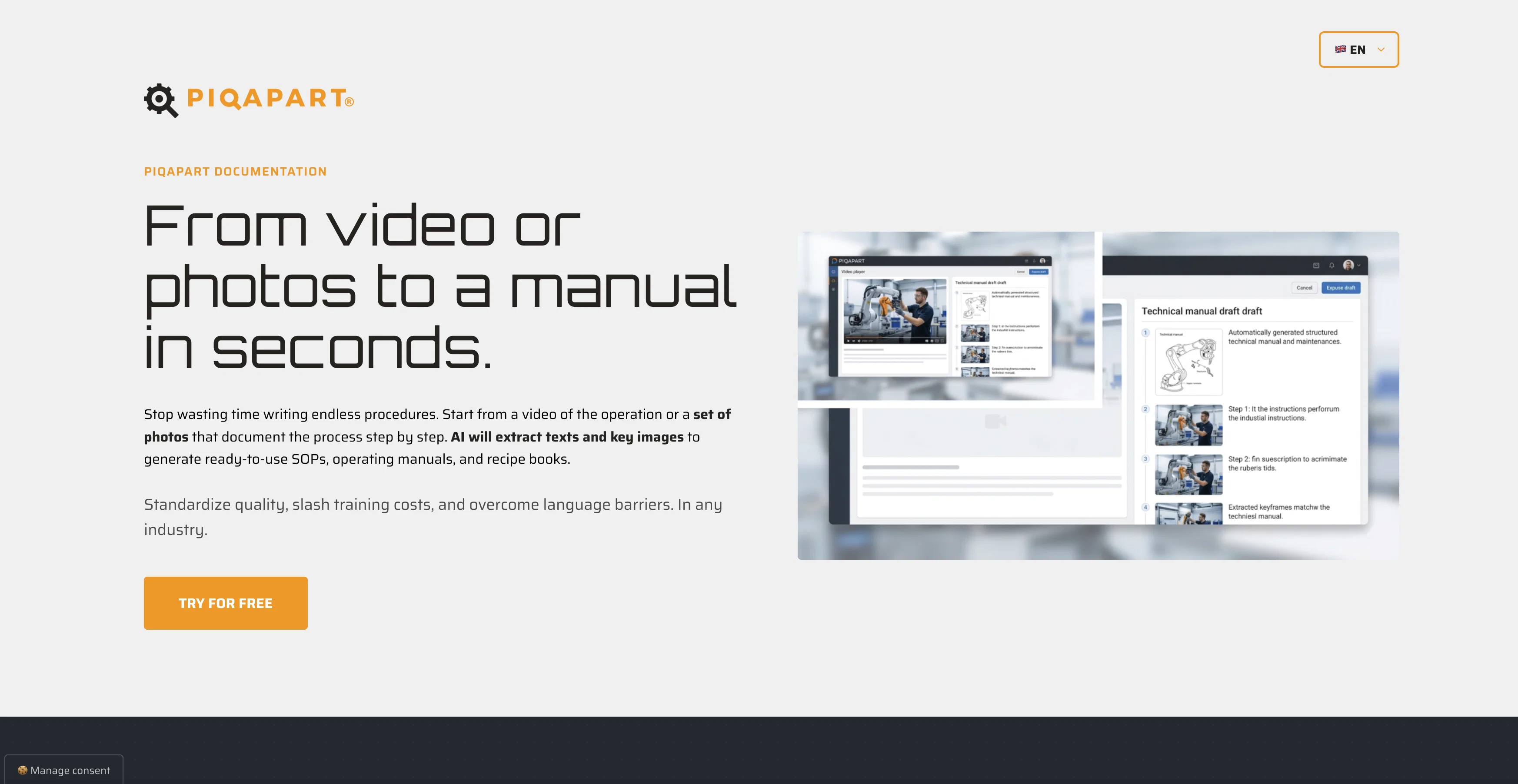
PIQAPART is an AI-powered tool that swiftly turns videos and sets of photos into structured and comprehensible step-by-step operational manuals, Standard Operating Procedures (SOPs), and recipe books.
Users begin by uploading a video or a set of photos that documents a process or operation. The AI then identifies the crucial actions and produces optimized titles accompanied by detailed technical descriptions while capturing the keyframe.
The system subsequently assembles all the collected data into an operating manual or professional SOP, ready for publishing, exporting, or printing. This robust tool transcends language barriers, offering automatic translations of texts into more than 30 languages.
Moreover, PIQAPART aids in knowledge retention and standardization for businesses, reducing drafting times significantly. The platform features a 'live AI editor' for direct editing of titles, texts and frames before printing.
It supports a variety of exports, including PDF, HTML, and XML, and the ability to generate QR codes for instant accessibility of manuals. The tool proves substantial for a broad range of professional sectors, from industry manuals to visual recipe books, from health protocols to device repair manuals.
Access & connections
Where you can use PIQAPART.
Platforms
Capabilities
What this tool accepts, produces, and is strongest at.
Input
- Image
- Text
- Video
Output
- Text
- Image
Supported features
- Docs
- Video Understanding
- Text Generation
- Translation
Pros & cons
Pros
- Generates operation manuals
- Creates SOPs automatically
- Generates recipe books
- Video and photo analysis
- Optimized titles generation
- Technical descriptions generation
- Keyframe capture
- Document immediate assembly
Show 42 more
- Language barriers navigation
- Layout customization
- Translation in 30 languages
- Multiple export formats
- Revision control feature
- QR-Code generation
- End-to-End data encryption
- Outputs include illustrations
- Supports various sectors
- Document from videos/photos
- Knowledge retention feature
- Reduces drafting times
- Manuals instant accessibility
- Supports PDF, HTML, XML exports
- Line art conversion
- Detailed illustrations generation
- Content translation
- Training cost reduction
- Business standardization
- Multimedia support
- Automated process flow
- Boosts technical writers' work
- Original photos output
- Cut drafting time by 90%
- Customizable formatting
- Automates tedious work
- Integration with existing software
- Data remains corporate property
- Major languages supported
- Helps standardize quality
- Suitable for many industries
- Visual-fidelity image sets
- Automatic image and transcript extraction
- Direct editing of titles, texts, and frames
- Versioning management of documents
- Supports visual merchandising guides creation
- Helps create multilingual cleaning and room arrangement standards
- Facilitates device Repair guides creation
- Ideal for generating technical diagrams
- Automates instructional creation processes
- Secure data processing
- Decreases time spent on manual documentation
Cons
- Limited to 30 languages
- Needs video or photo inputs
- No direct integrations with software
- Lacks real-time collaboration features
- No in-built video or photo capture
- No mobile app support
- Limited customization options
- No offline access
Show 1 more
- Dependent on internet connectivity
Releases 1
FAQ 12
What is PIQAPART?
How does PIQAPART analyze video or photo content?
What industries can benefit from PIQAPART?
Can I customize the layout of my manuals with PIQAPART?
What languages does PIQAPART support for automatic translation?
Can PIQAPART be used for e-learning?
What are the export formats supported by PIQAPART?
What changes can I make using the live AI editor in PIQAPART?
How does revision control work in PIQAPART?
How does PIQAPART generate QR codes for easy manual access?
Can PIQAPART replace human workers in creating manuals?
What is the role of PIQAPART in quality control?
Related tools
Recommended

Serno ✓
FreemiumCustom AI experts that map what one AI can't

The SEO Agent ✓
Free TrialOne keyword in, one ranking post out.

Trayo AI ✓
Free TrialCatch buying signals before your competitors do.

Pounce ✓
Free TrialGet real followers and engagement in minutes.

Movie Maker Gemini ✓
FreeGenerate watermark-free AI videos with your Gemini key

AI Aware ✓
Free TrialDetect AI-generated content across text, video, images and audio.