Code assistant

Piny

Visual editor for Astro, React, Next.js, and Tailwind CSS in your IDE.

Source rating 5.0 (65) 252 views 252/mo traffic 0 saves Freemium
More categories (10)

Free + from US$49.00 /year + tax

Verdict

A quick read before you dig into the full page.

Best if
Visual editor for Astro, React, Next.js, and Tailwind CSS in your IDE
Skip if
You need enterprise SLAs or a fully managed team plan right away
Pick this when
Freemium · Free + from US$49.00 /year + tax

Overview

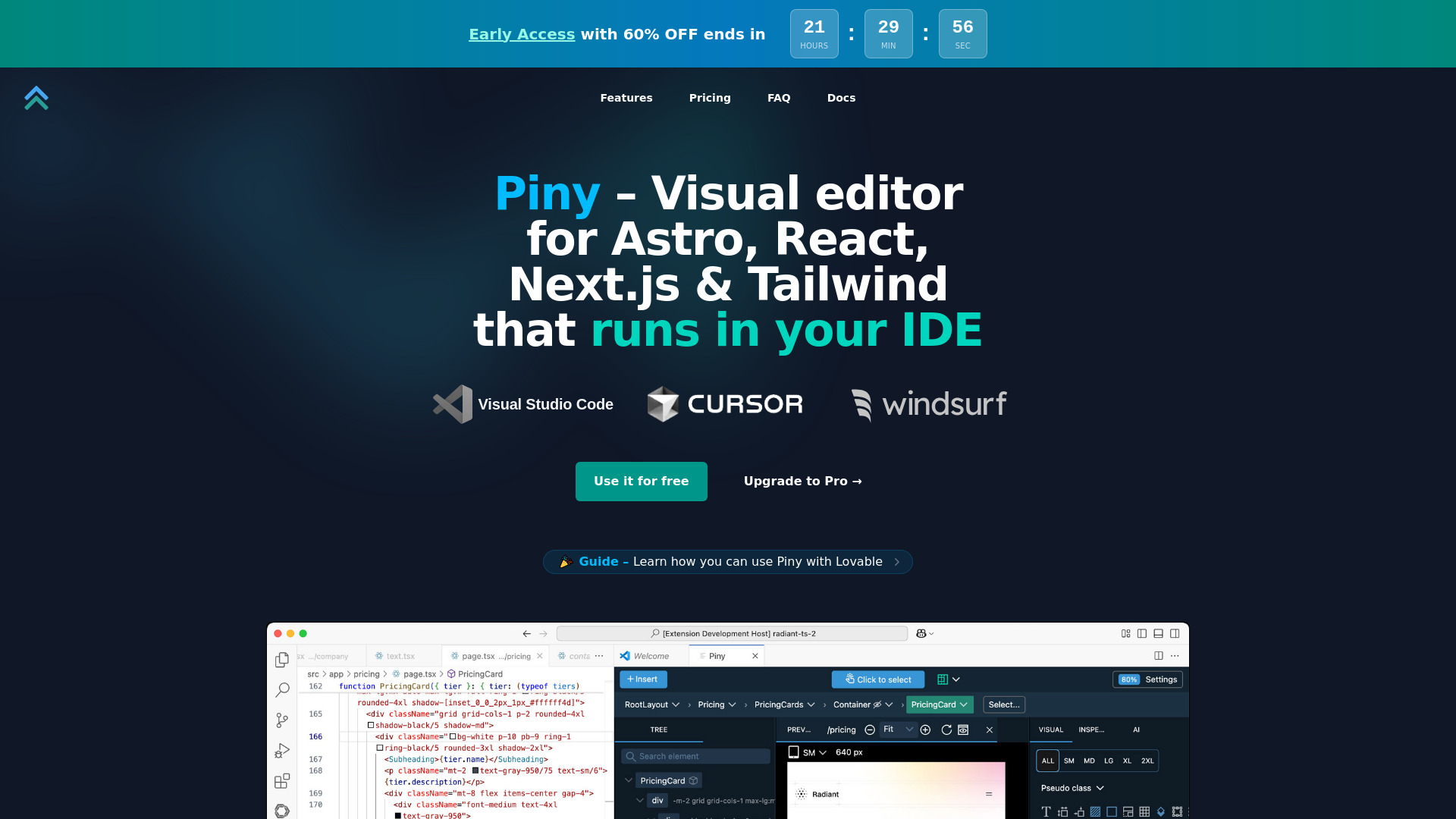
Piny is a powerful visual editor that runs directly in Visual Studio Code, Cursor, and Windsurf. It supports Tailwind CSS, Astro, React, and Next.js. All edits happen directly in the code, ensuring no abstractions, no cloud services, and no lock-in. It allows developers to edit code visually, navigate components, and streamline styling without special libraries or extra setup. Piny is built for speed and control, working alongside or independently of coding assistants, and is compatible with any React or Next.js project.

Piny screenshot

Access & connections

Where you can use Piny.

Platforms

Web

Capabilities

What this tool accepts, produces, and is strongest at.

Highlights

  • Visual Tailwind Controls
  • Tailwind Class Inspector
  • Edit Tailwind Classes Everywhere
  • Component Navigation
  • AI Powered Drag & Drop
  • Visual Select
  • Edit Multiple Elements at the Same Time
  • Navigate the Whole Project
Show 1 more
  • Import Your Custom Tailwind Theme

FAQ 8

What is Piny?
Piny is a powerful visual editor that runs directly in Visual Studio Code, Cursor, and Windsurf. It supports Tailwind CSS, Astro, React, and Next.js. All edits happen directly in the code, ensuring no abstractions, no cloud services, and no lock-in. It allows developers to edit code visually, navigate components, and streamline styling without special libraries or extra setup. Piny is built for speed and control, working alongside or independently of coding assistants, and is compatible with any React or Next.js project.
How to use Piny?
To use Piny, first install the Piny extension directly from the extension marketplace for your preferred IDE (e.g., VS Code Marketplace). Once installed, right-click anywhere in your code and select "Edit in Piny" to begin styling with visual controls. Piny works with Astro, React, or Next.js projects.
Is Piny "free" really free, or is just a trial version?
Yes! Piny Free is completely free with no time limitations, no accounts, and no data collection. It includes core functionality for basic editing needs, while Pro offers additional advanced features.
Why do you offer early access discount?
Every new product can be a bit rough around the edges. They want to reward early adopters for their trust and get valuable feedback to improve the product further.
Is the discounted price only for the first year?
No, once you lock in the early access price, you keep that price for as long as you maintain your subscription, even after the regular price increases.
How does Visual Select work?
Visual Select uses advanced DOM to JSX mapping to let you click directly on elements in your design. A tiny script is included in your project's layout to enable communication with Piny, only in dev mode.
What will happen to my projects if Piny is discontinued?
Your projects are safe. Piny edits standard React/Next.js code directly without adding dependencies on their tool. If Piny were discontinued, you would edit code as before and projects would continue to work normally without any issues.
What is the difference between Piny and Pinegrow Web Editor?
Pinegrow Web Editor is a flagship standalone desktop app for static HTML projects and converting them to WordPress themes. Piny runs in VS Code compatible editors and enables visual editing of Tailwind styling in dynamic code.
Piny Free + from US$49.00 /year + tax
