
Passport Size Photo Maker
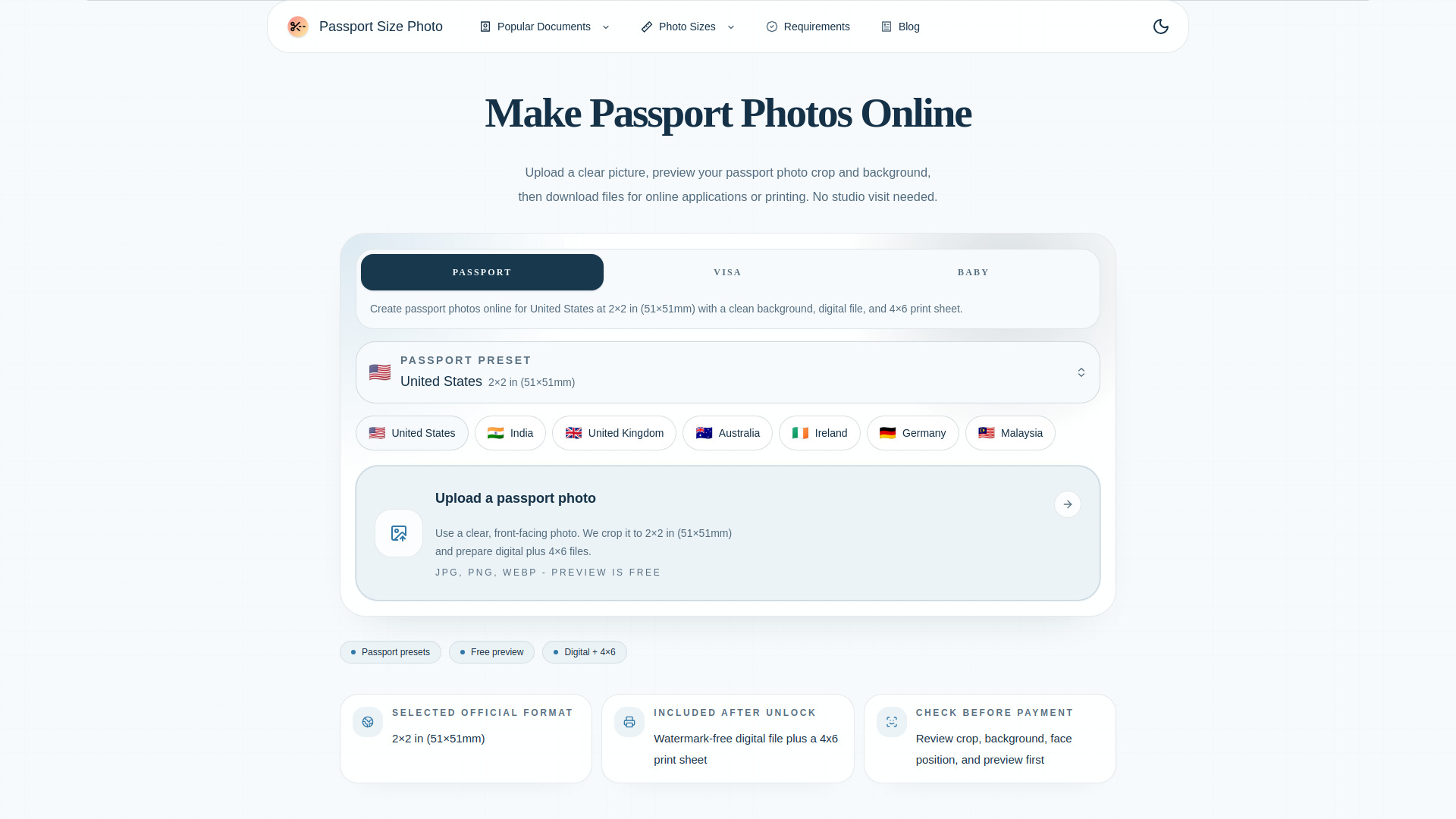
Create compliant passport, visa, and ID photos online. Upload a photo, choose a country-specific size preset, preview the crop and background, then download a digital photo or print-ready 4×6 sheet.
From $6.99 one-time payment
Verdict
A quick read before you dig into the full page.
- Best if
- You are frequent travelers and need: Create passport photos at home
- Skip if
- You need a free plan with no credit card
- Pick this when
- Paid · From $6.99 one-time payment
Overview
Passport Size Photo Maker is an online passport photo tool that helps users create passport, visa, ID, and document photos from home. Users can upload a clear front-facing photo, select a country-specific photo size, check the crop and background, and download files for online applications or printing.
The tool supports common passport photo formats such as U.S. 2×2 inches, 35×45 mm, China 33×48 mm, Canada 50×70 mm, and other popular document sizes. It provides both high-resolution digital output and a print-ready 4×6 photo sheet, making it useful for online forms, photo kiosks, pharmacies, and home printers.
Users can preview the result before payment and only pay when they are ready to download the final watermark-free files.
Best for
Short scenarios where Passport Size Photo Maker tends to shine.
-
Create passport photos at home
Best for Frequent travelers
-
Make visa photos for online applications
Best for International students
-
Generate ID photos for documents and forms
Best for Remote workers
-
Prepare U.S. 2×2 inch passport photos
Best for Expatriates living abroad
-
Create 35×45 mm passport and visa photos
Best for Parents preparing documents for children
-
Download digital passport photos for online submission
Best for Frequent travelers
-
Print passport photos on a 4×6 photo sheet
Best for Frequent travelers
-
Fix passport photo size, crop, and background issues
Best for Frequent travelers
Example outputs 1
Sample generations and before/after results for Passport Size Photo Maker.
Access & connections
Where you can use Passport Size Photo Maker.
Platforms
Capabilities
What this tool accepts, produces, and is strongest at.
Highlights
- Country-specific passport photo size presets
- Passport, visa, ID, and document photo maker
- AI-assisted crop and background cleanup
- Preview crop, background, and face position before download
- High-resolution digital photo output
- Print-ready 4×6 photo sheet
- Supports JPG, PNG, and WEBP uploads
- No subscription, one-time payment
People also view
Tools that often show up alongside Passport Size Photo Maker in collections and comparisons.

WZRD ✓
FreemiumDocuments that answer back.

Wondershare Filmora ✓
PaidEdit smarter, faster and easier with Filmora’s powerful AI video tools.

Qoder ✓
FreemiumAgentic Coding Platform for Real Software

ace.me
UnknownYour new website, email address & cloud storage. Simple. Fast. Secure.
FAQ 8
What is Passport Size Photo Maker?
The tool supports common passport photo formats such as U.S. 2×2 inches, 35×45 mm, China 33×48 mm, Canada 50×70 mm, and other popular document sizes. It provides both high-resolution digital output and a print-ready 4×6 photo sheet, making it useful for online forms, photo kiosks, pharmacies, and home printers.
Users can preview the result before payment and only pay when they are ready to download the final watermark-free files.
How to use Passport Size Photo Maker?
2. Upload a clear front-facing photo with good lighting.
3. Preview the crop, face position, size, and background.
4. Make adjustments if needed and check the final result.
5. Download a high-resolution digital photo or a print-ready 4×6 photo sheet.