

Passport photos 2026 Rank: #3029
Passport Photo Maker | Ricebowl AI ✓
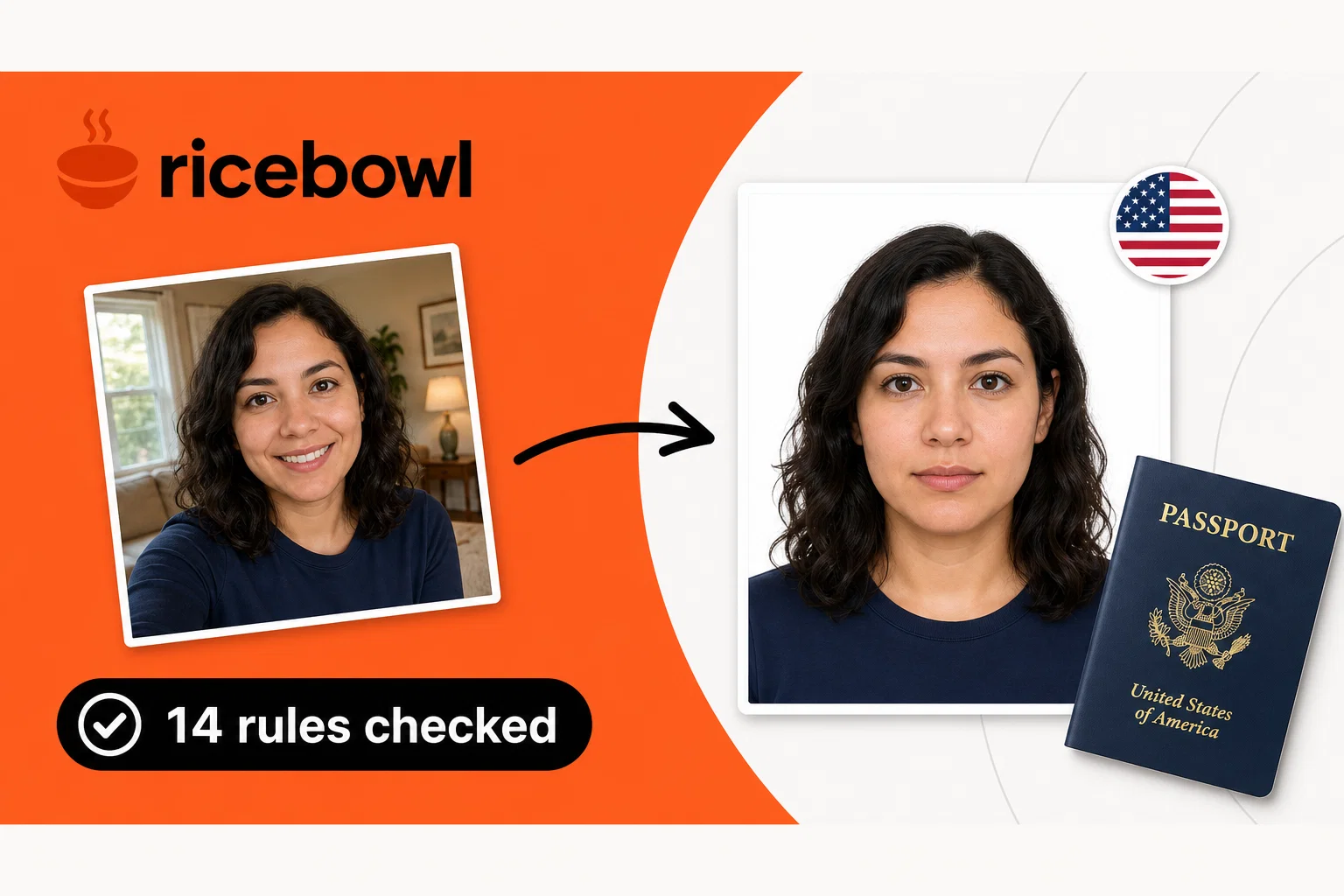
Check every passport photo rule before you pay or submit it.
Verdict
A quick read before you dig into the full page.
- Best if
- Check every passport photo rule before you pay or submit it
- Skip if
- Limited to passport photos
- Pick this when
- Country-specific photo alignment
Considering PasWow instead? Compare side by side
Overview

The free check runs in your browser with no account or subscription, and it does not alter facial features. After the photo passes, download a watermark-free digital file or prepare a 4×6 print sheet. Requirements can change, so confirm the final rules with the issuing authority.
- 14 On-device Checks
- 894 Document Specifications
- 4×6 Print Sheet
Access & connections
Where you can use Passport Photo Maker | Ricebowl AI.
Platforms
Capabilities
What this tool accepts, produces, and is strongest at.
Input
- Image
Output
- Image
Highlights
- Local
Supported features
- Runs Locally
Pros & cons
Pros
- Country-specific photo alignment
- Photo compliance checks
- Alerts for non-compliance
- No facial feature alteration
- Option for digital downloads
- Print formatting to 4x6
- Privacy and data security
- On-device image processing
Show 26 more
- Background lighting assessment
- Passport services guidance
- Free pre-submission verification
- Multiple document types support
- Head height and position analysis
- Eye line positioning check
- Strict adherence to guidelines
- Alignment with external rules
- Transparent approval process
- Assists in preventing rejections
- Advisory on final confirmation
- Reframing to official measurements
- Checks head angle
- Proximity to user privacy
- Clear measurement analysis
- Neutral face detection
- Regulations appropriate cropping
- Ability to read 894 published document specifications
- Direct links to official rules
- Accommodates different document specifications
- Embedded free checks on every photo
- Determines head and eye line measurements
- Background and exposure evaluations
- Allows review before payment
- Sizing and cropping without alteration
- Lighting and exposure assessments
Cons
- No digital alteration
- Limited to passport photos
- No stored user data
- Reliance on external sources
- Not a government agency
- Requires user photo upload
- No user account system
- Manual confirmation needed
Show 2 more
- Country-specific rules
- Doesn't enhance photo quality
Compare alternatives
Similar tools in the catalog — with a clear reason to open each one.

Releases 1
FAQ 12
What documents does Passport Photo Maker support?
How does Passport Photo Maker assess the passport photo parameters?
What happens if my photo does not comply with Passport Photo Maker checks?
Can Passport Photo Maker alter my facial features to meet compliance?
Does Passport Photo Maker offer printing options?
What countries' regulations does Passport Photo Maker adhere to?
What are the data privacy measures implemented by Passport Photo Maker?
What sets Passport Photo Maker apart from other similar tools?
How does Passport Photo Maker ensure it aligns with the latest official rules for passport photos?
Why doesn't Passport Photo Maker offer photo alteration features?
Can I use Passport Photo Maker for visa application photos?
How does Passport Photo Maker handle background and lighting checks?
Related tools
Recommended

MagicSlides.app AI PPT Maker ✓
FreemiumCreate Stunning PPTs in Seconds with the AI PPT Maker

GetLogit ✓
FreemiumArtificial intelligence, available for everyone.

ChatGPT ✓
FreemiumAsk anything, create anything, and move from idea to action.

Automateed ✓
Free TrialCreate eBooks effortlessly with Automateed, the AI-powered writing tool.

Kin - Personal AI Advisors ✓
FreePrivacy-first & designed your for mind, and life at work

Aiter.io | Paste a URL. Ship a Campaign That Sounds L... ✓
FreemiumAI marketing that sounds like you, not everyone else.