Code assistant

Palmier

Autonomous AI software engineering assistant for development.

Source rating 5.0 (90) 292k views 292k/mo traffic 0 saves Freemium
More categories (10)

Verdict

A quick read before you dig into the full page.

Best if
You are developers and need: Automate code-review and bug triage to ship 40% faster
Skip if
You need enterprise SLAs or a fully managed team plan right away
Pick this when
Freemium · Free + from $30 / mo

Overview

Palmier is a powerful autonomous AI software engineering assistant and AI-powered coding assistant. It works asynchronously across various tasks, including writing features, fixing bugs, reviewing PRs, triaging issues, and generating intelligent code. Palmier aims to accelerate development and help teams ship faster without adding headcount by automating code generation, review, and bug resolution processes.

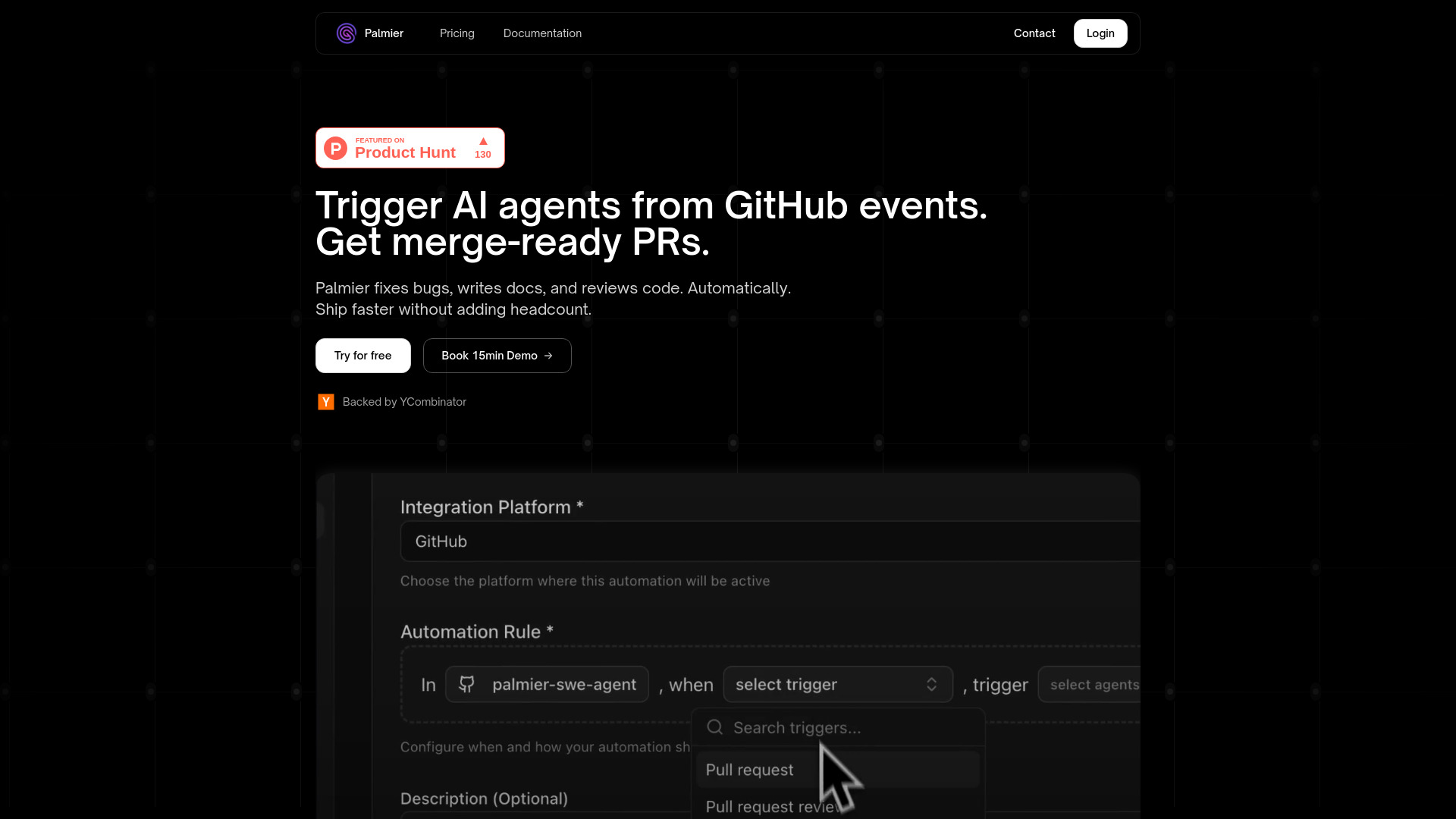
Palmier screenshot

Best for

Short scenarios where Palmier tends to shine.

  • Automate code-review and bug triage to ship 40% faster.

    Best for Developers

  • Auto-implement features and generate ready-to-merge PRs.

    Best for Software Engineering Teams

  • Reduce PR review latency by 45%.

    Best for DevOps Teams

  • Squash bugs, catch regressions, and fix code quality with AI code review.

    Best for Engineering Managers

  • Automatically write documentation and changelogs.

    Best for Founders

  • Create custom automations for specific development workflows.

    Best for Growing Teams

  • Accelerate development without adding headcount.

    Best for Developers

How it works

Users connect Palmier's GitHub bot to their repository. They then choose specific GitHub events (like PR opened, updated, merged; PR reviews submitted; issues created, labeled, closed; or CI/CD events) as triggers. Next, they select an AI agent (such as code review, documentation generation, test writing, security scan, or code refactoring) or create a custom one. Once configured, Palmier automatically runs these workflows, generating merge-ready PRs and automating tasks.

Example outputs 1

Sample generations and before/after results for Palmier.

Access & connections

Where you can use Palmier, and what it plugs into.

Platforms

Web

Integrations

Capabilities

What this tool accepts, produces, and is strongest at.

Highlights

  • Autonomous AI software engineering assistant
  • Automated code generation and review
  • Bug fixing and regression catching
  • Automated documentation and changelog generation
  • Integration with GitHub events for custom workflows
  • Parallel execution of AI agents
  • Ready-to-merge PRs for tasks
  • Secure and private (no code storage, sandbox isolation, no model training)

People also view

Tools that often show up alongside Palmier in collections and comparisons.

In the news

Launch coverage and community mentions for Palmier.

FAQ 7

What is Palmier?
Palmier is a powerful autonomous AI software engineering assistant and AI-powered coding assistant. It works asynchronously across various tasks, including writing features, fixing bugs, reviewing PRs, triaging issues, and generating intelligent code. Palmier aims to accelerate development and help teams ship faster without adding headcount by automating code generation, review, and bug resolution processes.
How to use Palmier?
Users connect Palmier's GitHub bot to their repository. They then choose specific GitHub events (like PR opened, updated, merged; PR reviews submitted; issues created, labeled, closed; or CI/CD events) as triggers. Next, they select an AI agent (such as code review, documentation generation, test writing, security scan, or code refactoring) or create a custom one. Once configured, Palmier automatically runs these workflows, generating merge-ready PRs and automating tasks.
What is Palmier?
Palmier is an autonomous AI software engineering assistant that helps developers write features, fix bugs, review PRs, triage issues, and accelerate development with intelligent code generation and review.
How does Palmier ensure the security and privacy of my code?
Palmier does not store your code on its servers; code is only pulled during execution. Each agent runs in an isolated sandbox, destroyed after execution. Your code is never used to train AI models, and you control Palmier's permissions and access at all times.
What integrations does Palmier support?
Palmier integrates with GitHub and Slack, and can connect to your own stack including Supabase, Linear, Jira, Sentry, and Amazon AWS.
What kind of tasks can Palmier automate?
Palmier can automate code review, bug triage, feature implementation, documentation generation, test writing, security scans, and code refactoring. Users can also create custom agents for specific workflows.
What are the pricing plans for Palmier?
Palmier offers a free Hobby plan (10 runs/month), a Pro plan ($30/month for 30 runs/month), a Teams plan ($199/month for unlimited runs), and an Enterprise plan (contact for pricing) with custom integrations and dedicated support.
Palmier Free + from $30 / mo