Verdict

A quick read before you dig into the full page.

Best if
You are graphic designers and need: Creating color schemes for logo design
Pick this when
Free AI color palette generator with live design previews for creatives and color lovers

Overview

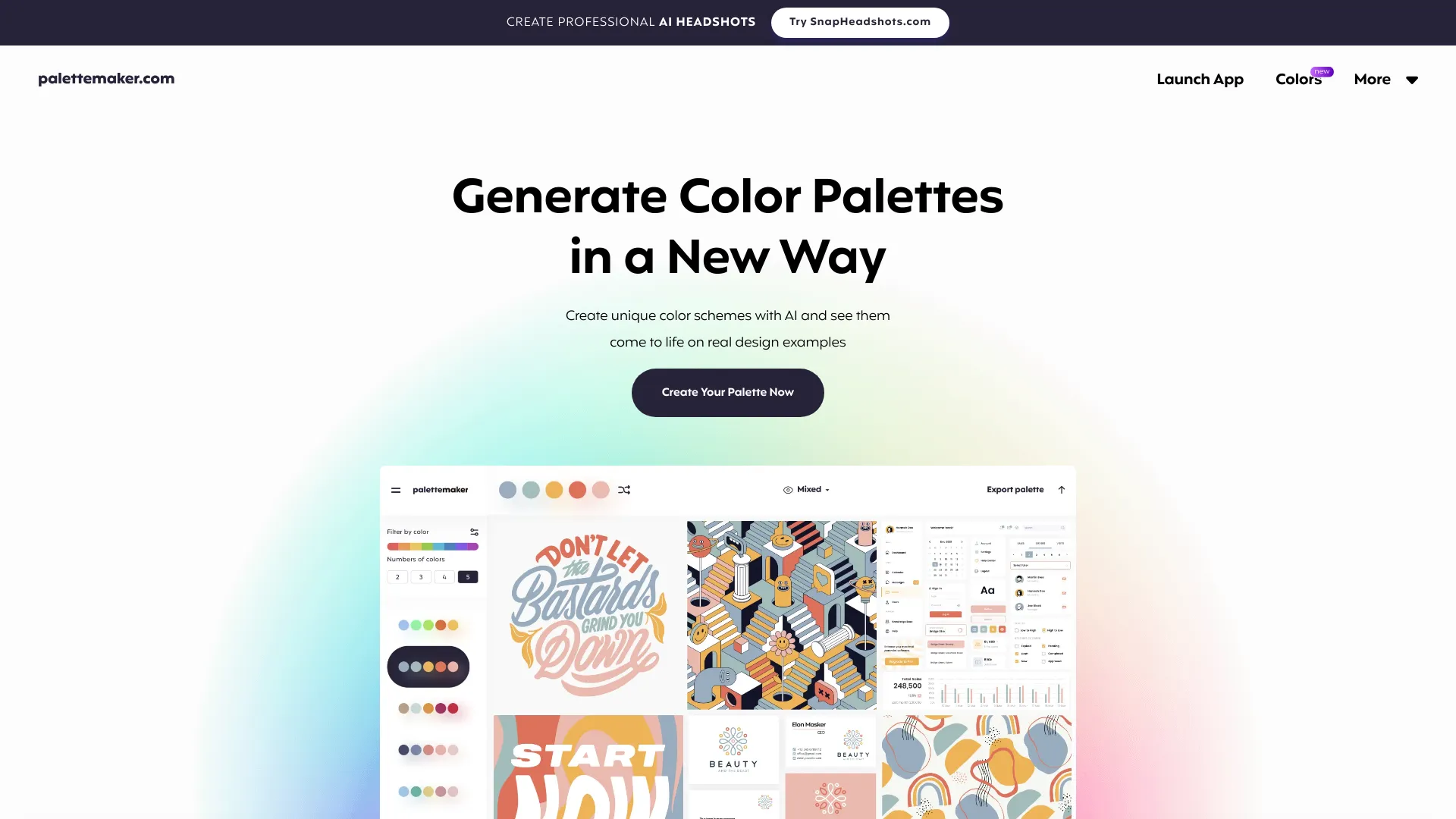
PaletteMaker is a free color tool for creatives and color lovers. It allows users to create color palettes and preview them on UI/UX designs, illustrations, web designs, apps, branding materials, and other designs. It uses AI to generate color schemes and allows users to see them come to life on real design examples. PaletteMaker is designed for both creative professionals and color enthusiasts, offering features to test color behavior in various graphic design situations and export palettes in multiple formats.

palettemaker.com screenshot

Best for

Short scenarios where palettemaker.com tends to shine.

  • Creating color schemes for logo design

    Best for Graphic designers

  • Developing color palettes for UI/UX design

    Best for UI/UX designers

  • Generating color combinations for posters and illustrations

    Best for Illustrators

  • Finding color inspiration for branding projects

    Best for Web designers

  • Testing color accessibility in web design

    Best for Branding specialists

Example outputs 1

Sample generations and before/after results for palettemaker.com.

Access & connections

Where you can use palettemaker.com.

Platforms

Web

Capabilities

What this tool accepts, produces, and is strongest at.

Highlights

  • AI-powered color palette generation
  • Live preview of colors on real design examples
  • Palette export in various formats (Procreate, Adobe ASE, Image, Code)
  • Color behavior testing in different design fields
  • Filtering palettes by color tone and number of colors

People also view

Tools that often show up alongside palettemaker.com in collections and comparisons.

FAQ 7

What is PaletteMaker?
PaletteMaker is a free color tool for creatives and color lovers. It allows users to create color palettes and preview them on UI/UX designs, illustrations, web designs, apps, branding materials, and other designs. It uses AI to generate color schemes and allows users to see them come to life on real design examples. PaletteMaker is designed for both creative professionals and color enthusiasts, offering features to test color behavior in various graphic design situations and export palettes in multiple formats.
How to use PaletteMaker?
Use the color palette at the top (or bottom on mobile) as your main instrument. Browse color schemes on the left panel, select a palette to apply it, randomize colors, change colors individually, or delete color cells. PaletteMaker supports 2, 3, 4, and 5-color palettes.
How to use PaletteMaker?
It’s very simple and intuitive. Your main color palette is on the top (or bottom for mobile devices), this is the main instrument you should work with. You can browse color schemes on the left panel, whenever you select the palette, it applies on top, you can play with “randomize” colors, change color individually, or even delete each color cell. PaletteMaker works with 5,4,3 and 2-color palettes automatically.
Is it really free to use?
Yes, This is a 100% free web app for every color lovers out there, all the current features are free forever.
Is it suitable for non-designers?
Yes, PaletteMaker was specifically crafted so both designers and non-designers can have fun using it.
How come your color palettes never have black and white color?
When creating color palettes, black and white are not typically considered colors in graphic design. This is because they often serve as the background or text color on websites, or as elements surrounding the design.
How to create color palette in PaletteMaker?
Quite easy actually, please refer to this "How to Create Color Palette" quick guide if you need help.
palettemaker.com
