

Manga translation 2026 Rank: #2571
OpenToon ✓
Read every manhwa in your language.
Verdict
A quick read before you dig into the full page.
- Best if
- Read every manhwa in your language
- Skip if
- Limited to mobile platforms
- Pick this when
- Mobile optimized
Considering TranslateManga - Manga Translator & Manga Tracker instead? Compare side by side
Overview
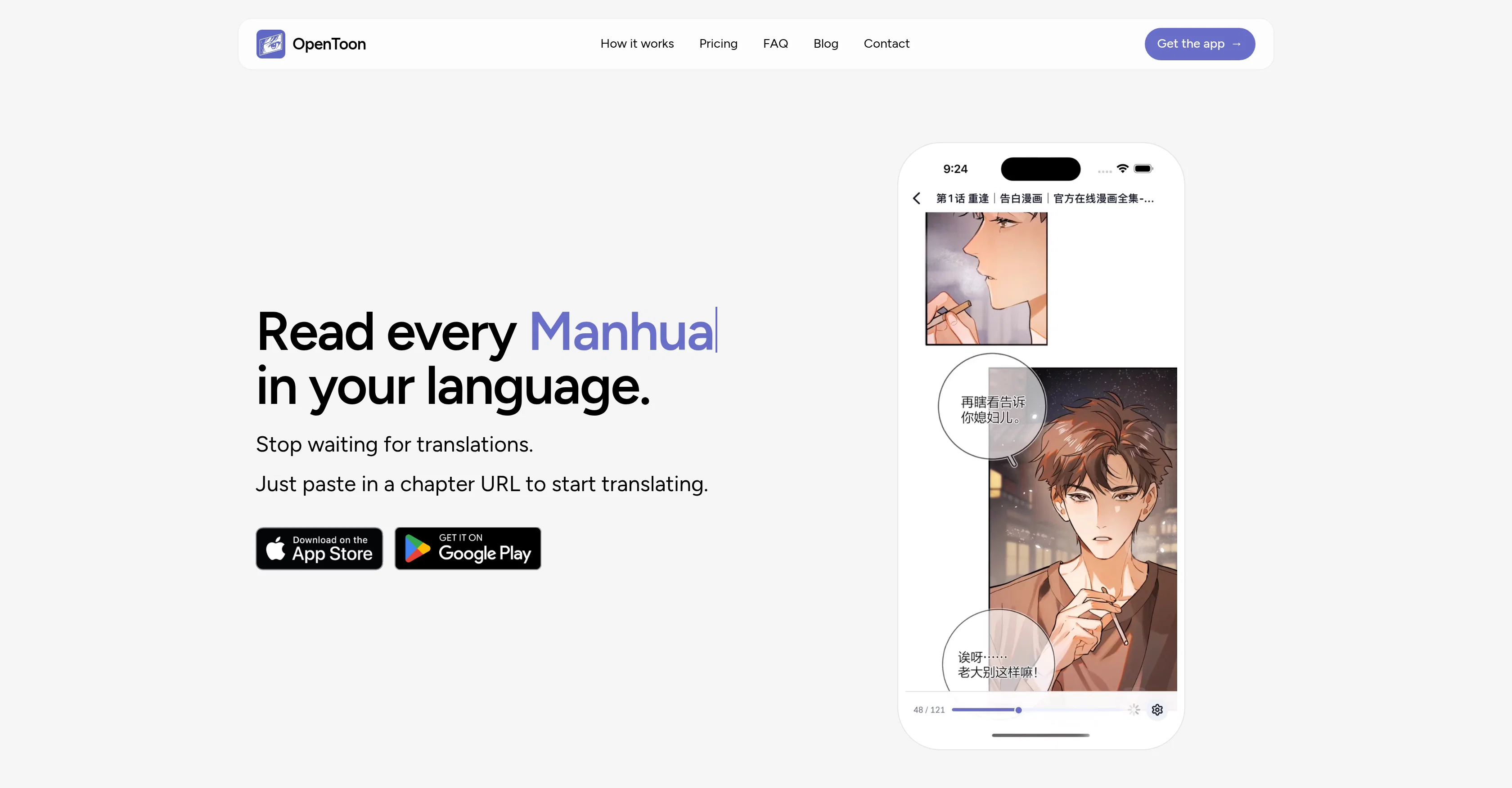
OpenToon is an application designed to provide fast and accurate translations for manga, manhwa, manhua and webtoons. Being a mobile-optimized app, it offers users the convenience to translate and read their favorite comics in their preferred language right on their smartphones.
The app functions by allowing users to paste a URL of the chapter they wish to translate into the OpenToon interface. They then pick the language they want the text translated into from a selection of 49 languages.
The original chapter is scanned and saved to the user's library. The app utilizes its AI capabilities to generate translations optimized for comic reading based on the specified language.
While it aims for accurate translations, users have the ability to correct any translation errors manually. The app also aims to provide an optimal user experience, with features that make the translations easy to read and understand.
Access & connections
Where you can use OpenToon, and what it plugs into.
Platforms
Integrations
Capabilities
What this tool accepts, produces, and is strongest at.
Input
- Tabular
- Text
Output
- Text
Supported features
- Translation
- Teaching Humans
Pros & cons
Pros
- Mobile optimized
- Accurate translations
- Support multiple webtoons
- User correction capability
- 49 languages supported
- Intuitive interface
- Context sensitive translation
- Chapter URL input
Show 12 more
- Saved translated chapters
- User-friendly design
- Translates from images
- Optimized for comic reading
- Built-in URL importer
- Supports major comic sources
- Retains original layout
- Provides reading assistance
- On-device saved translations
- Options for subscriptions or coin packs
- Reverse translation option
- Include raw webcomic sources
Cons
- Requires internet connectivity
- Supports only specified websites
- Dependent on URL inputs
- Limited optimized languages
- Translation errors need manual correction
- Potentially high data usage
- Subscription needed post-trial
- Limited to mobile platforms
Show 2 more
- Stored translations may occupy space
- No offline translation option
Compare alternatives
Similar tools in the catalog — with a clear reason to open each one.

TranslateManga - Manga Translator & Manga Tracker ✓
PaidInstantly translate manga into 100+ languages with AI.
Why look Typically cheaper
Full comparison

AI Manga Translator ✓
FreemiumInstantly translate manga into 100+ languages.
Free + from $9.9/mo
Full comparison
Manga Translate ✓
FreemiumAI-powered manga reader and translator
Why look Typically cheaper
Full comparison
Releases 1
FAQ 12
What is OpenToon?
How does OpenToon work?
What types of content can OpenToon translate?
What languages can I translate to with OpenToon?
How do I start to use OpenToon?
What is the process of translating a chapter with OpenToon?
How is the translation quality of OpenToon?
Can I save translated chapters in OpenToon?
What do users say about OpenToon's translation accuracy?
How does OpenToon help those who struggle with reading in original content languages?
Is OpenToon only optimized for manga and webtoons translations?
Can I download and use OpenToon on both iOS and Android?
Related tools
Recommended

Pika Labs ✓
FreemiumTurn text into stunning videos effortlessly.

Whacka ✓
Free TrialTurn ideas into real apps from your phone.

Softgen ✓
PaidAI-powered web app builder, no coding required.

v0 by Vercel ✓
FreemiumBuild full-stack apps with AI assistance.

Qoder ✓
FreemiumAgentic Coding Platform for Real Software

MeetCosmos ✓
Free TrialSearch a terabyte of footage in 1 second