
OpenAI Text To Speech WebUI
A free web UI using OpenAI API to convert text to speech.
Source rating 5.0
(50)
2.5k views
2.5k/mo traffic
0 saves
Unknown
Verdict
A quick read before you dig into the full page.
- Best if
- A free web UI using OpenAI API to convert text to speech
- Pick this when
- A free web UI using OpenAI API to convert text to speech
Overview
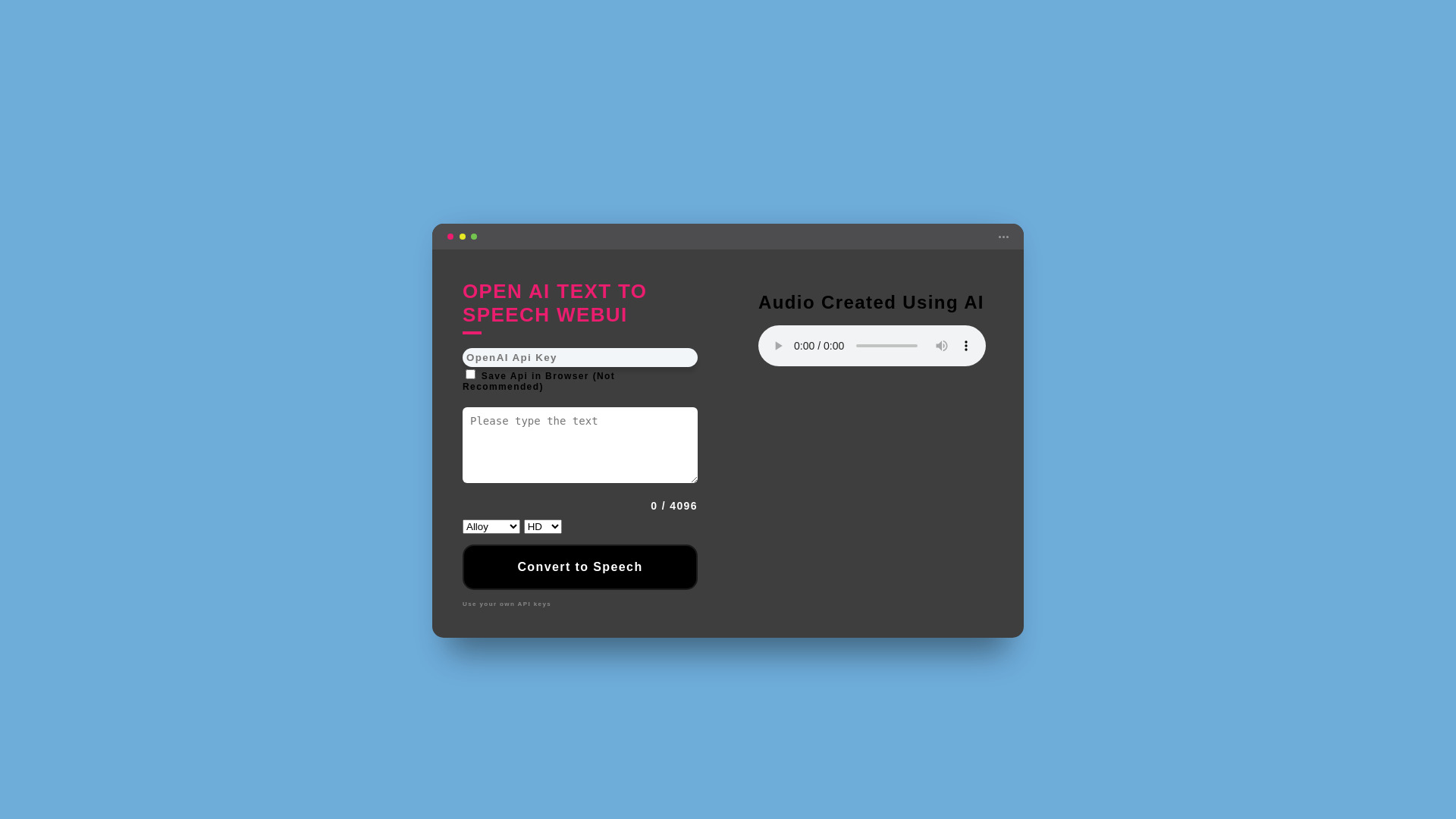
OpenAI Text To Speech WebUI is a web application that utilizes the OpenAI API to convert text into speech. It is designed as a free frontend for OpenAI's TTS service, requiring users to provide their own API key. The application supports a wide range of languages and offers various voice options for generating realistic-sounding speech.
Access & connections
Where you can use OpenAI Text To Speech WebUI.
Platforms
Capabilities
What this tool accepts, produces, and is strongest at.
Highlights
- Text-to-speech conversion using OpenAI API
- Support for multiple languages
- Voice selection (Alloy, Echo, Fable, Onyx, Nova, Shimmer)
- Option to save API key in browser (not recommended)
- Adjustable audio quality (High, HD)
FAQ 5
What is OpenAI Text To Speech WebUI?
OpenAI Text To Speech WebUI is a web application that utilizes the OpenAI API to convert text into speech. It is designed as a free frontend for OpenAI's TTS service, requiring users to provide their own API key. The application supports a wide range of languages and offers various voice options for generating realistic-sounding speech.
How to use OpenAI Text To Speech WebUI?
To use the OpenAI Text To Speech WebUI, you need to obtain an API key from the OpenAI Platform. Then, paste your API key into the designated field on the website. Enter the text you want to convert to speech, select your preferred voice and settings, and click the 'Convert to Speech' button. The generated audio can then be played or downloaded.
Do I need to pay to use this WebUI?
The WebUI is free to use, but you need to use your own OpenAI API key, which may incur costs depending on your usage of the OpenAI API.
Where can I get an OpenAI API key?
You can obtain an API key from the OpenAI Platform.
What languages are supported by the OpenAI Text-to-Speech Web UI?
The Web UI supports a wide range of languages, including Afrikaans, Arabic, Armenian, Azerbaijani, Belarusian, Bosnian, Bulgarian, Catalan, Chinese, Croatian, Czech, Danish, Dutch, English, Estonian, Finnish, French, Galician, German, Greek, Hebrew, Hindi, Hungarian, Icelandic, Indonesian, Italian, Japanese, Kannada, Kazakh, Korean, Latvian, Lithuanian, Macedonian, Malay, Marathi, Maori, Nepali, Norwegian, Persian, Polish, Portuguese, Romanian, Russian, Serbian, Slovak, Slovenian, Spanish, Swahili, Swedish, Tagalog, Tamil, Thai, Turkish, Ukrainian, Urdu, Vietnamese, and Welsh.
Related tools
Recommended


OpenAI Text To Speech WebUI