
Obiklip
Video editor for speech content with auto-transcription and clip creation.
Source rating 5.0
(54)
0 views
0 saves
Unknown
Verdict
A quick read before you dig into the full page.
- Best if
- Video editor for speech content with auto-transcription and clip creation
- Pick this when
- Video editor for speech content with auto-transcription and clip creation
Overview
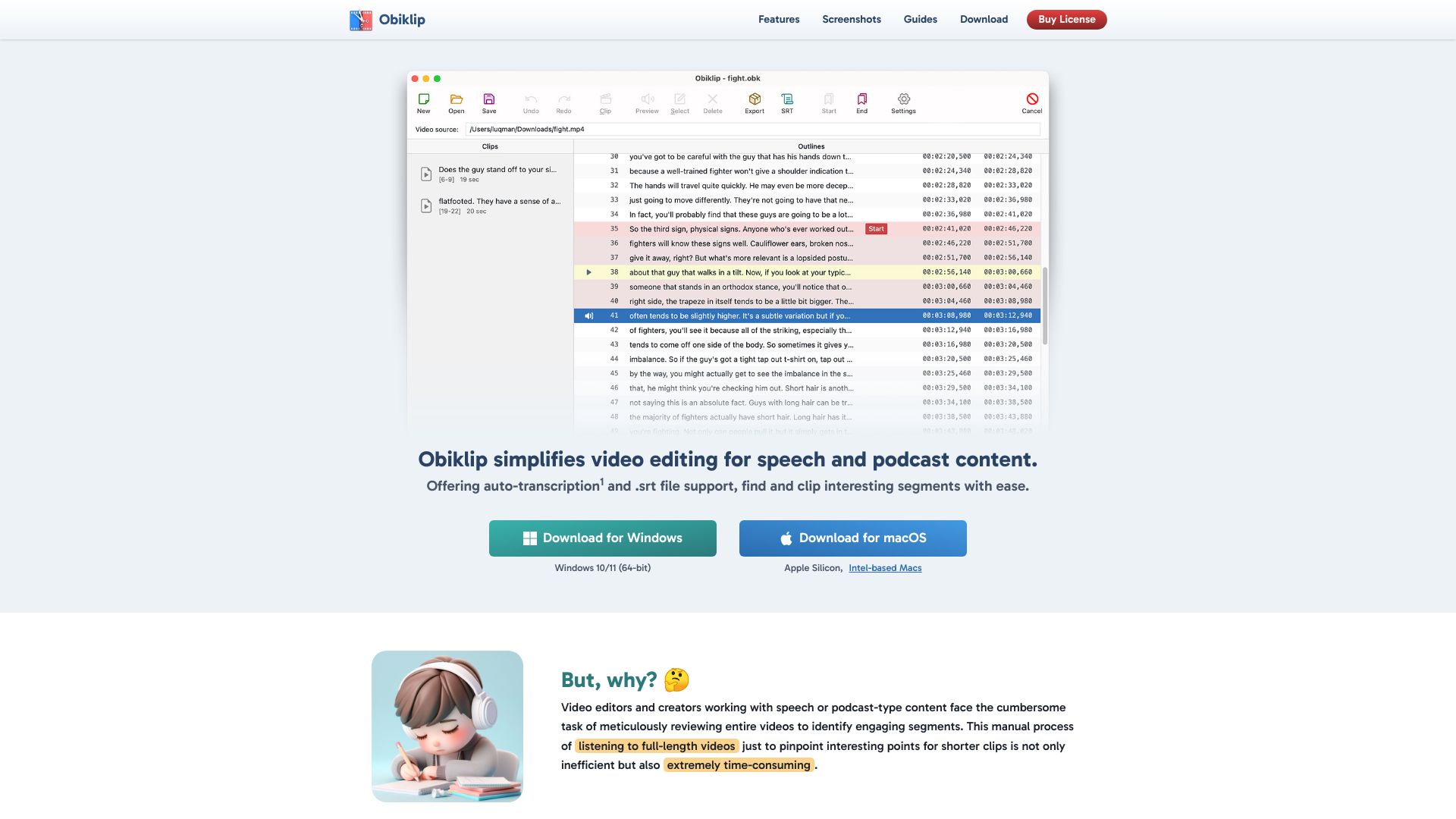
Obiklip simplifies video editing for speech and podcast content. Offering auto-transcription and .srt file support, it allows users to find and clip interesting segments with ease. Available for Windows and macOS, Obiklip streamlines the process of reviewing videos, identifying key moments, and creating engaging clips by automatically transcribing video content and providing a navigable list of lines.
Access & connections
Where you can use Obiklip.
Platforms
macOS
Capabilities
What this tool accepts, produces, and is strongest at.
Highlights
- Auto-Transcription
- .srt file support
- Navigable transcript
- Easy clip creation
- Audio Preview
- Bulk Export
FAQ 6
What is Obiklip?
Obiklip simplifies video editing for speech and podcast content. Offering auto-transcription and .srt file support, it allows users to find and clip interesting segments with ease. Available for Windows and macOS, Obiklip streamlines the process of reviewing videos, identifying key moments, and creating engaging clips by automatically transcribing video content and providing a navigable list of lines.
How to use Obiklip?
Obiklip automatically transcribes your video content, presenting a navigable list of lines. Skim the transcript to identify topics and interesting segments, mark start and end points, and generate shorter clips.
What is Obiklip?
Obiklip simplifies video editing for speech and podcast content by offering auto-transcription and .srt file support, making it easy to find and clip interesting segments.
How does the auto-transcription feature work?
Obiklip uses the OpenAI API to automatically convert spoken content in videos to text. A valid API key from OpenAI is required, and OpenAI charges a fee for each use of their transcription service.
Are there any limitations for free users?
Yes, free users are limited to 7 previews and can create a maximum of 5 clips. Registered users with a valid license enjoy unlimited previews and clip creation.
What languages are supported for transcription?
Obiklip supports a wide range of languages for video transcription, including Afrikaans, Arabic, Chinese, English, French, German, Hindi, Japanese, Korean, Russian, Spanish, and many more.
Related tools
Recommended


Obiklip