Visual note taking

Noteey

Visual note-taking app for organizing thoughts and creating visual knowledge maps.

Source rating 5.0 (64) 178k views 178k/mo traffic 0 saves Unknown
More categories (6)

Verdict

A quick read before you dig into the full page.

Best if
You are researchers and need: Research
Pick this when
Visual note-taking app for organizing thoughts and creating visual knowledge maps

Overview

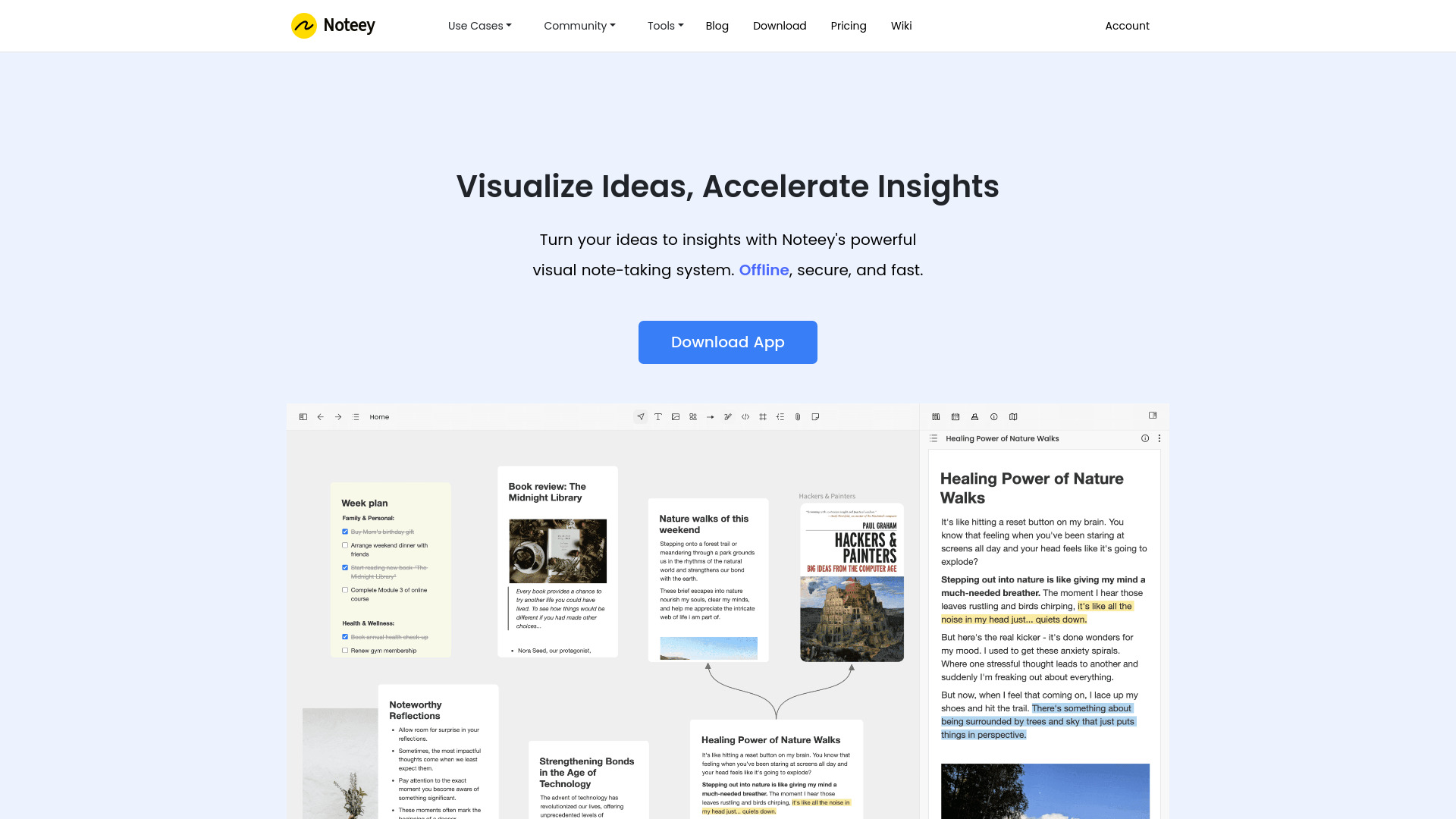
Noteey is a visual note-taking tool designed for organizing thoughts and creating visual knowledge maps. It allows users to visualize ideas, accelerate insights, and transform how they think and create. Noteey supports various content types, including text, images, sticky notes, weblinks, PDFs, mind maps, videos, and sketches, all unified in one infinite canvas. It offers features like offline access, local backup and sharing, PDF annotations, deep linking, video note-taking, drawing tools, and presentation mode.

Noteey screenshot

Best for

Short scenarios where Noteey tends to shine.

  • Research

    Best for Researchers

  • Second Brain

    Best for Students

  • Creative Writing

    Best for Creative writers

  • Swipe Files

    Best for Knowledge workers

  • Mood Board

    Best for Project managers

  • Flowchart

    Best for Visual thinkers

  • Video highlight

    Best for Researchers

  • PDF annotation

    Best for Researchers

How it works

Users can download the Noteey app and start creating visual notes on an infinite canvas. They can add various content types, highlight documents and videos, take time-stamped notes, and structure their ideas visually. The app supports offline access and local backups for secure and fast note-taking.

Example outputs 1

Sample generations and before/after results for Noteey.

Access & connections

Where you can use Noteey.

Platforms

Web

Capabilities

What this tool accepts, produces, and is strongest at.

Highlights

  • Visual note-taking on an infinite canvas
  • Offline access and local backup
  • PDF annotations and deep linking
  • Video note-taking with timestamps
  • Drawing tools and presentation mode

People also view

Tools that often show up alongside Noteey in collections and comparisons.

FAQ 7

What is Noteey?
Noteey is a visual note-taking tool designed for organizing thoughts and creating visual knowledge maps. It allows users to visualize ideas, accelerate insights, and transform how they think and create. Noteey supports various content types, including text, images, sticky notes, weblinks, PDFs, mind maps, videos, and sketches, all unified in one infinite canvas. It offers features like offline access, local backup and sharing, PDF annotations, deep linking, video note-taking, drawing tools, and presentation mode.
How to use Noteey?
Users can download the Noteey app and start creating visual notes on an infinite canvas. They can add various content types, highlight documents and videos, take time-stamped notes, and structure their ideas visually. The app supports offline access and local backups for secure and fast note-taking.
What types of content can I add to Noteey?
Noteey supports text, images, sticky notes, weblinks, PDFs, mind maps, videos, and sketches.
Is Noteey available offline?
Yes, Noteey stores data on your device, so you can access them offline. You only need an account if you use premium features.
Can I share my Noteey projects with others?
Yes, you can save a local copy of your project and share it with others. They can open it on their devices without limitations.
Does Noteey support PDF annotations?
Yes, you can search in PDF, make highlights, annotations, and break down in whiteboards to discover new insights.
Can I take notes while watching videos?
Yes, you can take notes while watching videos and link them with timestamps. Open and review your video notes anytime.
Noteey

