Verdict

A quick read before you dig into the full page.

Best if
You are content Creators and need: Creating business headshots for resumes or social media
Skip if
You need enterprise SLAs or a fully managed team plan right away
Pick this when
Freemium · Free + from $4 / month

Overview

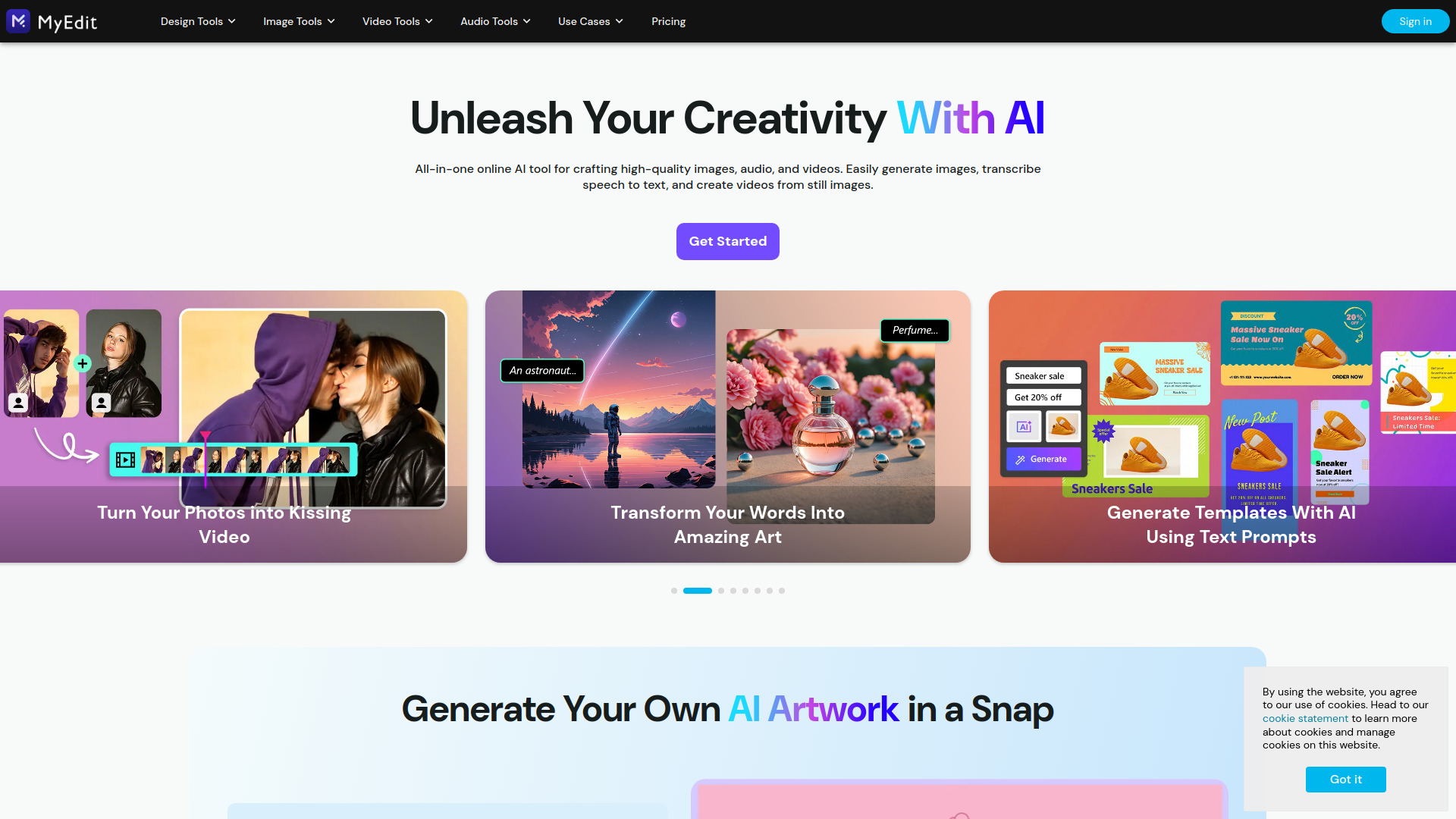
MyEdit is an all-in-one online AI tool designed for crafting high-quality images, audio, and videos. It enables users to easily generate images, transcribe speech to text, and create videos from still images. The platform offers a comprehensive suite of AI-powered features for design, image editing (including AI image generation, replacement, extension, and enhancement), video creation (image to video, text to video, video enhancement), and audio editing (speech to text, text to speech, vocal remover, sound effects). It caters to various creative and professional use cases, from generating business headshots and e-commerce product backgrounds to producing podcasts and social media content.

MyEdit screenshot

Best for

Short scenarios where MyEdit tends to shine.

  • Creating business headshots for resumes or social media

    Best for Content Creators

  • Generating templates with AI using text prompts

    Best for Social Media Managers

  • Perfecting podcasts with smart audio editing

    Best for Digital Marketers

  • Transforming photos into videos (e.g., kissing videos, product videos)

    Best for Graphic Designers

  • Generating custom AI artwork

    Best for Photographers

  • Removing watermarks or changing backgrounds for e-commerce

    Best for Videographers

  • Creating social media profile pictures and posts

    Best for Podcasters

  • Transcribing audio for subtitles or podcasts

    Best for E-commerce Businesses

How it works

Users can utilize MyEdit by selecting a desired tool from categories such as Image, Video, or Audio. For AI-powered features, the process typically involves inputting text prompts, uploading images, or recording audio. For example, to generate an image, one would use the AI Image Generator with a text prompt. For audio, speech can be converted to text, or text can be turned into speech. Many tools offer a 'Try It Now' button for direct access and immediate use.

Example outputs 1

Sample generations and before/after results for MyEdit.

Access & connections

Where you can use MyEdit.

Platforms

Web

Capabilities

What this tool accepts, produces, and is strongest at.

Highlights

  • AI Image Generation (from text, layout, fusion, replacement)
  • AI Video Creation (Image to Video, Text to Video)
  • AI Audio Tools (Speech to Text, Text to Speech, Vocal Remover)
  • AI-powered Photo Editing (Enhancement, Background Removal, Portrait tools)
  • AI-powered Video Enhancement (Upscaling, Denoising)
  • AI-powered Audio Enhancement (Denoise, Speech Enhancement)

People also view

Tools that often show up alongside MyEdit in collections and comparisons.

FAQ 10

What is MyEdit?
MyEdit is an all-in-one online AI tool designed for crafting high-quality images, audio, and videos. It enables users to easily generate images, transcribe speech to text, and create videos from still images. The platform offers a comprehensive suite of AI-powered features for design, image editing (including AI image generation, replacement, extension, and enhancement), video creation (image to video, text to video, video enhancement), and audio editing (speech to text, text to speech, vocal remover, sound effects). It caters to various creative and professional use cases, from generating business headshots and e-commerce product backgrounds to producing podcasts and social media content.
How to use MyEdit?
Users can utilize MyEdit by selecting a desired tool from categories such as Image, Video, or Audio. For AI-powered features, the process typically involves inputting text prompts, uploading images, or recording audio. For example, to generate an image, one would use the AI Image Generator with a text prompt. For audio, speech can be converted to text, or text can be turned into speech. Many tools offer a 'Try It Now' button for direct access and immediate use.
Can I use MyEdit for free?
Most tools are free with limited use, but if you subscribe to a premium plan or purchase Credits, you can enjoy more comprehensive tool features.
What’s the difference between the plan of Image and Image Pro?
The Image plan provides access to most image-related tools. If you purchase the Image Pro plan, you will get full access to all image tools, plus full access to Editor, Enhance, Background, Design Tools, Video Tools, unlimited downloads, and 50GB Cloud Storage.
Does my MyEdit subscription work on mobile?
Of course! Our plans allow you to use our tools on any device.
Can I upgrade my current plan?
Certainly! For free users looking to elevate their experience to a higher level, please pick your preferred plan and enjoy all the premium features!
Will my subscription plan renew automatically?
Yes, once you subscribe to our monthly or yearly plan, it will automatically renew for you. You can cancel the subscription anytime.
If I have subscribed to a premium plan, would I still need to buy Credits?
If you are a premium user, you will receive up to 500 bonus Credits per month, and additionally, you can claim an extra 3 Credits each day. You can use the gifted Credits to use AI tools, and if you exhaust the gifted Credits, you can purchase the required Credits online at any time.
What should I do if I'm not satisfied with the results after using Credits?
Generative AI feature results are not controllable. But if the outcome has inconsistent features or significant flaws, please contact our support team. We will assist you in resolving the issue based on the specific circumstances.
Why must I pay for generative AI tools?
Generative AI tools require a lot of server computing power to generate results, but we'll always make it as affordable as possible.
MyEdit Free + from $4 / month
