Video editing

Movavi Video Editor

Movavi provides user-friendly photo and video editing software with AI-powered features and a wide range of tools.

Source rating 5.0 (95) 2.1M views 2.1M/mo traffic 0 saves Paid
More categories (11)

Verdict

A quick read before you dig into the full page.

Best if
You are beginner video editors and need: Creating vlogs
Skip if
You need a free plan with no credit card
Pick this when
Paid · From NT$690

Overview

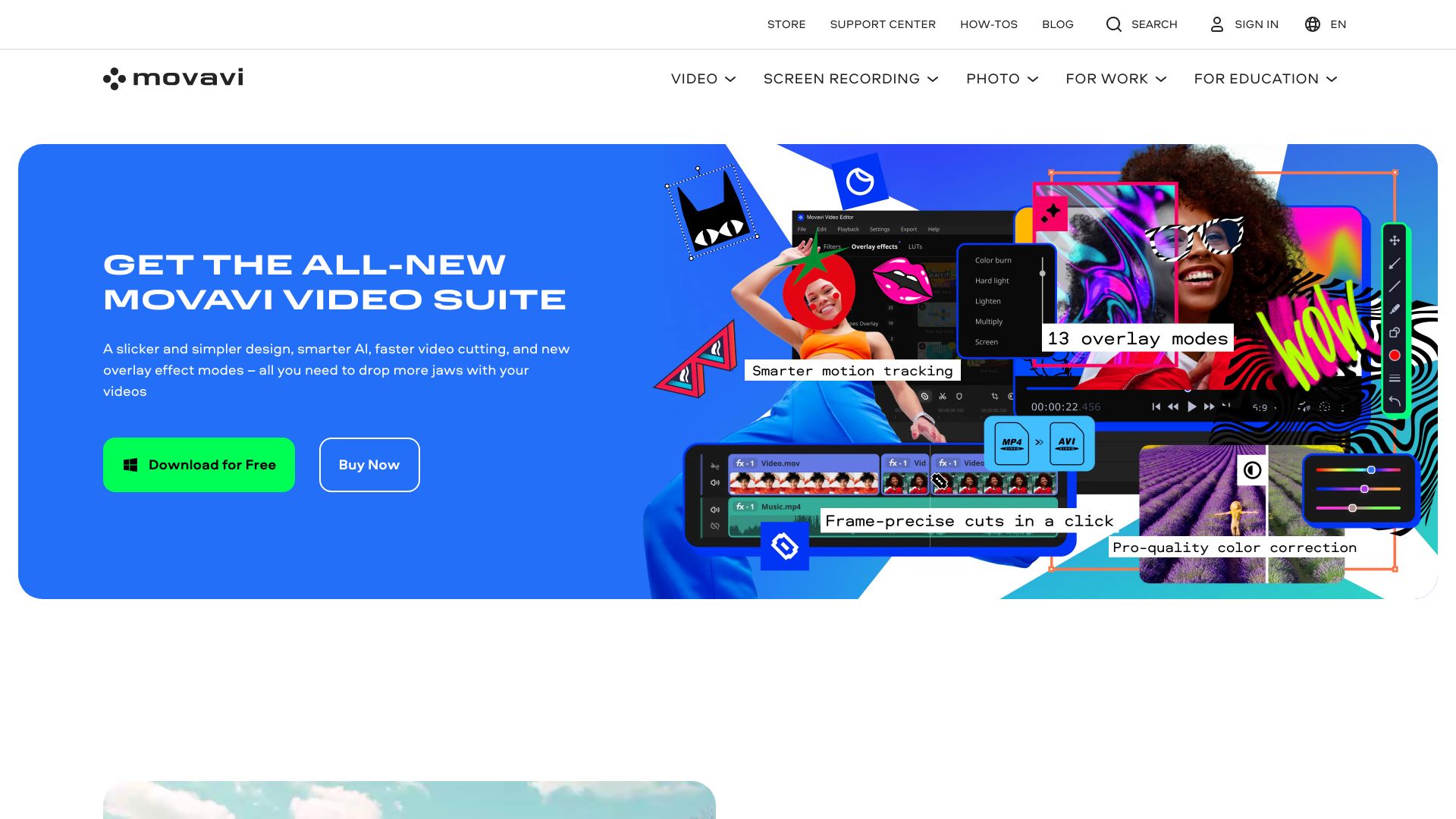
Movavi offers a range of fast and easy-to-use photo and video editing software, trusted worldwide. Their products include video editors, media converters, screen recorders, and more, designed for both beginners and experienced users. Movavi provides tools for creating stunning content with features like AI motion tracking, background removal, auto subtitles, and a vast library of effects and templates.

Movavi Video Editor screenshot

Best for

Short scenarios where Movavi Video Editor tends to shine.

  • Creating vlogs

    Best for Beginner video editors

  • Making travel videos

    Best for YouTubers

  • Saving family memories

    Best for Content creators

  • Leveling up your vlog

    Best for Photographers

  • Wowing your viewers

    Best for Businesses

  • Earning more followers

    Best for Educators

  • Creating videos they’ll love

    Best for Beginner video editors

  • Commercial purposes in a business environment

    Best for Beginner video editors

How it works

Users can download Movavi's software from the website and start editing videos or photos using the intuitive interface. The software offers drag-and-drop functionality, ready-made templates, and easy-to-follow tooltips to guide users through the editing process.

Example outputs 1

Sample generations and before/after results for Movavi Video Editor.

Access & connections

Where you can use Movavi Video Editor.

Platforms

Web

Capabilities

What this tool accepts, produces, and is strongest at.

Highlights

  • Video editing
  • Photo editing
  • Media conversion
  • Screen recording
  • AI-powered tools (motion tracking, background removal, auto subtitles)
  • Extensive library of effects, transitions, titles, and overlays

People also view

Tools that often show up alongside Movavi Video Editor in collections and comparisons.

FAQ 6

What is Movavi?
Movavi offers a range of fast and easy-to-use photo and video editing software, trusted worldwide. Their products include video editors, media converters, screen recorders, and more, designed for both beginners and experienced users. Movavi provides tools for creating stunning content with features like AI motion tracking, background removal, auto subtitles, and a vast library of effects and templates.
How to use Movavi?
Users can download Movavi's software from the website and start editing videos or photos using the intuitive interface. The software offers drag-and-drop functionality, ready-made templates, and easy-to-follow tooltips to guide users through the editing process.
How can I safely edit videos for free?
Movavi Video Editor offers a free version that is 100% safe and easy to use. The free version has limitations such as a Movavi watermark, 60-second video or half audio length, and locking of some advanced features when exporting files.
Which is the best video editor for beginners?
Movavi Video Editor is one of the best video editors for beginners due to its easy-to-follow interface, handy tooltips, and readily available support team.
How can I download a video editor for free?
Movavi Video Editor offers a free download option, allowing you to try it out for 7 days before needing to buy the full version.
Which is the best iMovie alternative for Windows?
Movavi Video Editor is a great alternative to iMovie in terms of functionality and ease of use.
Movavi Video Editor From NT$690
