
MORI
Collaborative genealogy software with AI features for creating and sharing family trees.
Source rating 5.0
(88)
3.5k views
3.5k/mo traffic
0 saves
Unknown
Verdict
A quick read before you dig into the full page.
- Best if
- Collaborative genealogy software with AI features for creating and sharing family trees
- Pick this when
- Collaborative genealogy software with AI features for creating and sharing family trees
Overview
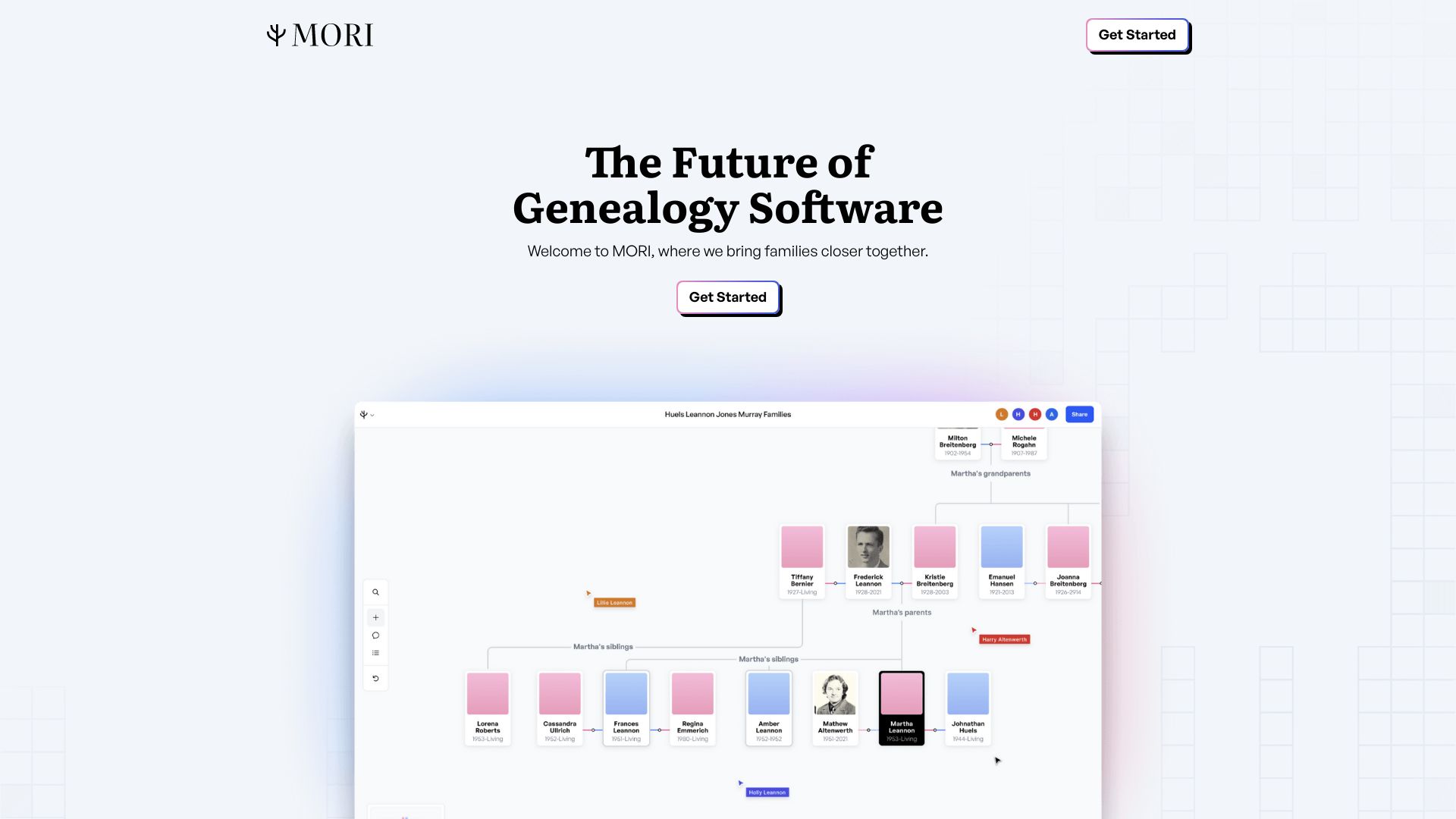
MORI is a genealogy software designed to bring families closer together by enabling collaborative family tree creation and exploration. It offers features like multiplayer collaboration, version history, and an AI-enhanced media gallery to modernize the genealogy experience. MORI allows users to work simultaneously with family members, share their tree easily, and utilize AI tools for picture enhancement and audio transcription.
Access & connections
Where you can use MORI.
Platforms
Capabilities
What this tool accepts, produces, and is strongest at.
Highlights
- Multiplayer collaboration
- Version history
- AI-enhanced media gallery
- Advanced search capabilities
- Flexible tagging
- Automatic event timelines
- Robust source citations
- GEDCOM Import
FAQ 8
What is MORI?
MORI is a genealogy software designed to bring families closer together by enabling collaborative family tree creation and exploration. It offers features like multiplayer collaboration, version history, and an AI-enhanced media gallery to modernize the genealogy experience. MORI allows users to work simultaneously with family members, share their tree easily, and utilize AI tools for picture enhancement and audio transcription.
How to use MORI?
Start by importing your existing GEDCOM file or creating a new family tree. Add people, events, and sources. Share your tree with family members via email to collaborate in real-time. Use AI features to enhance old photos and transcribe audio files. Explore the tree using search and navigation tools.
What makes MORI unique?
MORI allows you to work together with your family and other collaborators on genealogy. Everyone can explore and expand the family tree at the same time, making it easier to find new breakthroughs and engage the next generation in the process.
Can I import my existing trees?
Yes, importing should be as easy as downloading your existing trees into a GEDCOM file (every service lets you do this) and then importing the file into MORI. After that the system will automatically reconstruct your trees.
How does the collaborative interface work?
MORI’s interface starts with a smooth and sleek family tree builder like you’d expect in any other genealogy application, making it easy to add new people to the tree, add events, and cite sources. Whenever you’re ready, MORI makes it easy to share your family tree with others by just clicking a button and entering their emails. Once they’ve signed up and joined you on the tree, you’re able to see their cursor as they move around the canvas.
Who owns all of the data I submit?
You do! MORI exists to help you in your search to discover more about where you and your family came from. That knowledge and the data you choose to store with use will always be yours.
Do I need to always work with others, or can I still work solo?
MORI is best used with other people, but it works great solo as well! You can still use all of it’s awesome features like in-app AI, tagging, and search to do your work even if it’s just you.
How much does MORI cost?
MORI is free while we’re in beta. Our goal is to create a sustainable business, so that we can continue to be there for your family. Some avenues we’re considering include paid subscriptions for additional AI features and adding in DNA testing.
Related tools
Recommended


MORI