

Email marketing vv2
Mailteorite ✓
Create perfect emails template with AI in seconds
Free + from $19.99/mo
Verdict
A quick read before you dig into the full page.
- Best if
- You are marketers and need: Creating effective emails for promoting SaaS products
- Skip if
- No API integration
- Pick this when
- Professionally tailored email templates
Considering TinyEinstein instead? Compare side by side
Overview

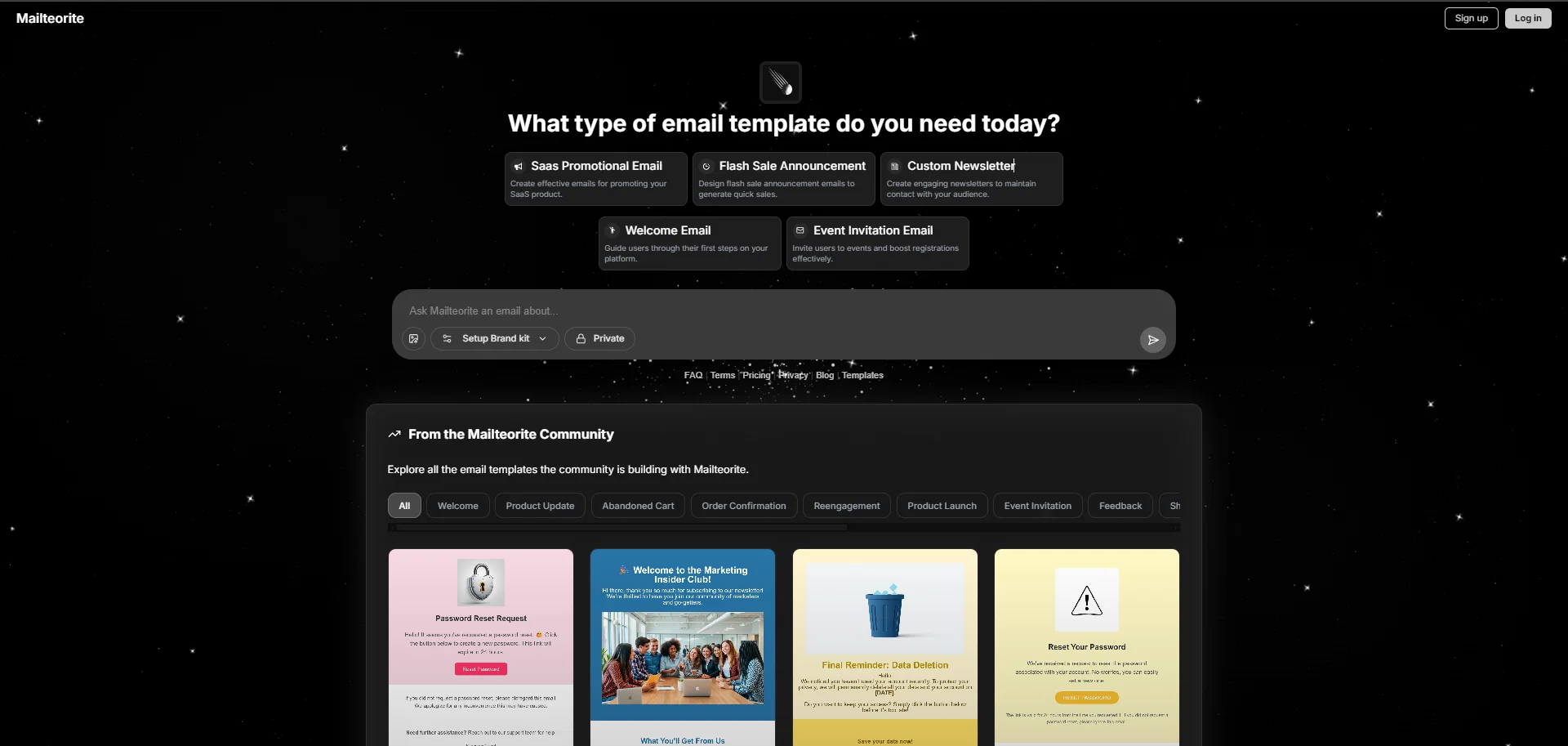
Whether it’s for promoting a SaaS product, announcing flash sales, customizing newsletters, onboarding users with welcome emails, or sending event invitations ; Mailteorite makes it simple and fast.
With its interactive interface, users only need to describe the type of email they want with a prompt, and the Mailteorite'll generates a matching template in seconds including all assets like images,icons Gif(s).
No need for drag-and-drop editors or design skills:
Mailteorite creates visually engaging emails without the complexity of traditional design tools.
Users can also fine-tune the generated content to meet their specific needs.
In addition to its core generation feature, Mailteorite provides a comprehensive campaign dashboard with real-time analytics:
* open rates
* click-through rates
* bounce statistics
* graphical performance charts
This helps users track and optimize their campaigns efficiently.
The platform also supports sending emails via:
* its built-in sending infrastructure, or
* external providers like : Resend, Postmark, Mailgun,
and SendGrid
This flexibility allows users to continue using their preferred ESPs while benefiting from Mailteorite’s accelerated creation workflow.
Users can also send test emails to preview their templates accross any email client before going live.
- Email Marketing
- Ai Email
Best for
Short scenarios where Mailteorite tends to shine.
-
Creating effective emails for promoting SaaS products.
Best for Marketers
-
Designing flash sale announcement emails to generate quick sales.
Best for Developers
-
Generating engaging newsletters to maintain audience contact.
Best for Indie hackers
-
Guiding users through their first steps on a platform with welcome emails.
Best for Marketers
-
Inviting users to events and boosting registrations.
Best for Marketers
-
Generating feedback emails for products or services.
Best for Marketers
-
Creating password reset and account activation emails.
Best for Marketers
-
Developing re-engagement emails for account retention.
Best for Marketers
Example outputs 8
Sample generations and before/after results for Mailteorite.

Access & connections
Where you can use Mailteorite.
Platforms
Capabilities
What this tool accepts, produces, and is strongest at.
Input
- Image
- Text
Output
- Text
- Image
Highlights
- Use code TAAFT
- 20% OFF
Supported features
- Newsletter
Pros & cons
Pros
- Professionally tailored email templates
- Wide template variety
- Promotes SaaS product
- Announces flash sales
- Customizes newsletters
- Guides platform onboarding
- Boosts event registrations
- Interactive user interface
Show 41 more
- No design software needed
- No coding expertise needed
- Template editing feature
- Dashboard for user-feedback
- 'Send Email Test' preview
- Supports multiple languages
- Global usability
- Access to FAQ
- Terms of use provided
- Privacy information provided
- Regularly updated blog
- Ideal for email marketing
- Email automation capabilities
- Optimized for SoftwareDevelopment
- User-friendly
- Creates engaging emails
- Convenient for event promotions
- Ideal for newsletter design
- Facilitates user onboarding
- Custom templates available
- Welcome email templates
- Promotional email templates
- Flash sale email templates
- Streamlines email creation
- Highly adaptable tool
- Quick template generation
- Establishes brand consistency
- Facilitates customer communication
- Effective for quick sales
- Boosts audience engagement
- Ideal for SaaS promotion
- Aids in user retention
- User-receptive tool
- Aids in email testing
- Convenient language selection
- Easily navigable tool
- Generates user feedback
- Efficient customer service
- Audience specific customization
- Privacy conscious
- Up-to-date resources
Cons
- No API integration
- No specific segmentation capabilities
- No split testing feature
- No integration with CRM
- No mobile app
- No autoresponder functionality
- No team collaboration tools
Compare alternatives
Similar tools in the catalog — with a clear reason to open each one.

TinyEinstein ✓
Free TrialAI marketing manager to 10x your Shopify store growth.
Why look Typically cheaper
Full comparison
Grotto Slice - Automated Email Slicer ✓
Free TrialGrotto Slice – Your Shortcut from Image to Klaviyo
Why look Stronger for image work
Full comparison
Tented ✓
FreemiumAgentic Marketing Automation: Email, Pages, CRM & Forms
Why look Higher community rating
Full comparison
Hoppy Copy ✓
Free TrialAI-powered email copywriting for marketers.
Why look Higher community rating
Full comparison
People also view
Tools that often show up alongside Mailteorite in collections and comparisons.

Marketing Assistant (Elsa AI) ✓
FreemiumDefine your ideal customers and craft a winning marketing strategy with Elsa.

Aiter.io | Paste a URL. Ship a Campaign That Sounds L... ✓
FreemiumAI marketing that sounds like you, not everyone else.
TinyEinstein ✓
Free TrialAI marketing manager to 10x your Shopify store growth.
Tented ✓
FreemiumAgentic Marketing Automation: Email, Pages, CRM & Forms

Sequenzy ✓
FreemiumCursor for Marketing Emails
Grotto Slice - Automated Email Slicer ✓
Free TrialGrotto Slice – Your Shortcut from Image to Klaviyo

Subatomic ✓
Free TrialHarness the power of AI personas for your marketing.

Gentura ✓
PaidReplace your marketing team with autonomous AI agents
Prompts 9
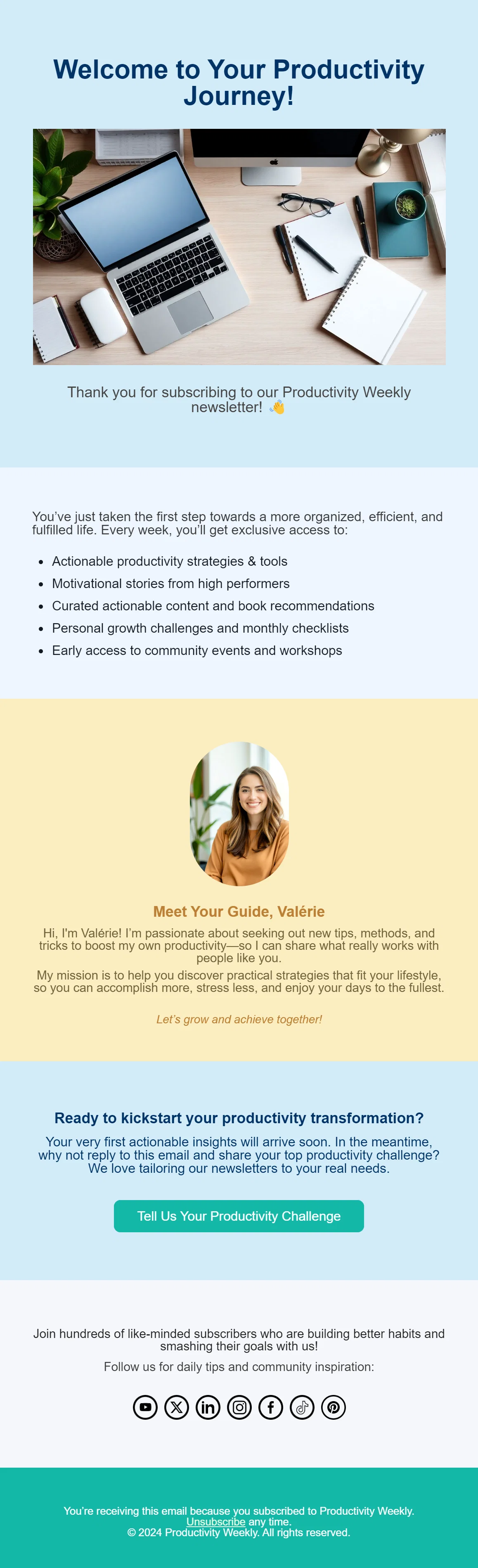
Welcome Email for Productivity Newsletter · Charbel
A warm and motivating welcome email for subscribers of a productivity newsletter. It introduces the benefits they’ll receive (weekly strategies, motivational stories, curated content, personal growth challenges, early event access), features a personal note from the guide Valérie, and encourages interaction with a CTA inviting readers to share their productivity challenges. The design combines calm blue and yellow tones with a friendly, human-centered style.
Design a welcome email for a productivity-focused newsletter. Use a calm blue and yellow theme with a friendly photo of a guide named Valérie. Start with a headline 'Welcome to Your Productivity Journey!' and thank the subscriber. Include a bullet list of benefits (weekly strate…
Loading full prompt…
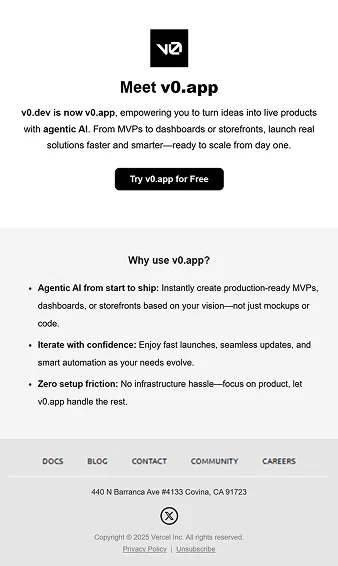
Product Introduction Email for SaaS (v0.app) · Charbel
A sleek, minimalistic introduction email presenting v0.app. It highlights the platform’s capabilities with agentic AI, emphasizing speed, confidence, and zero setup friction. The email uses a black-and-white professional design with bold typography, a central CTA button, and a short feature list to convey trust and clarity.
Design a minimal product introduction email for a SaaS platform. Use a clean black-and-white theme with bold typography. Start with a headline 'Meet v0.app' and a short description explaining its purpose. Add a strong call-to-action button 'Try v0.app for Free'. Below, include t…
Loading full prompt…
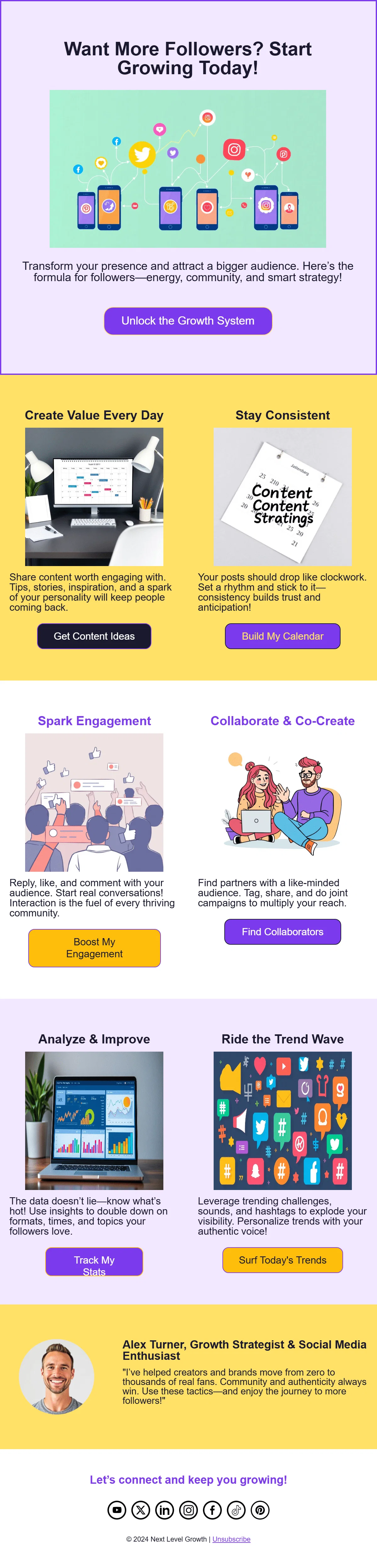
Social Media Growth Strategy Email · Charbel
A colorful and engaging email aimed at creators and brands looking to grow their social media following. It outlines key strategies such as creating daily value, staying consistent, sparking engagement, collaborating with others, analyzing performance, and riding trends. The design uses bright yellow and purple tones, illustrated icons, and multiple CTAs for different growth actions.
Design an email for a social media growth strategist. Use bright, motivational colors (yellow, purple, orange) and playful icons representing social platforms. Start with a headline 'Want More Followers? Start Growing Today!' and a button 'Unlock the Growth System'. Add sections…
Loading full prompt…
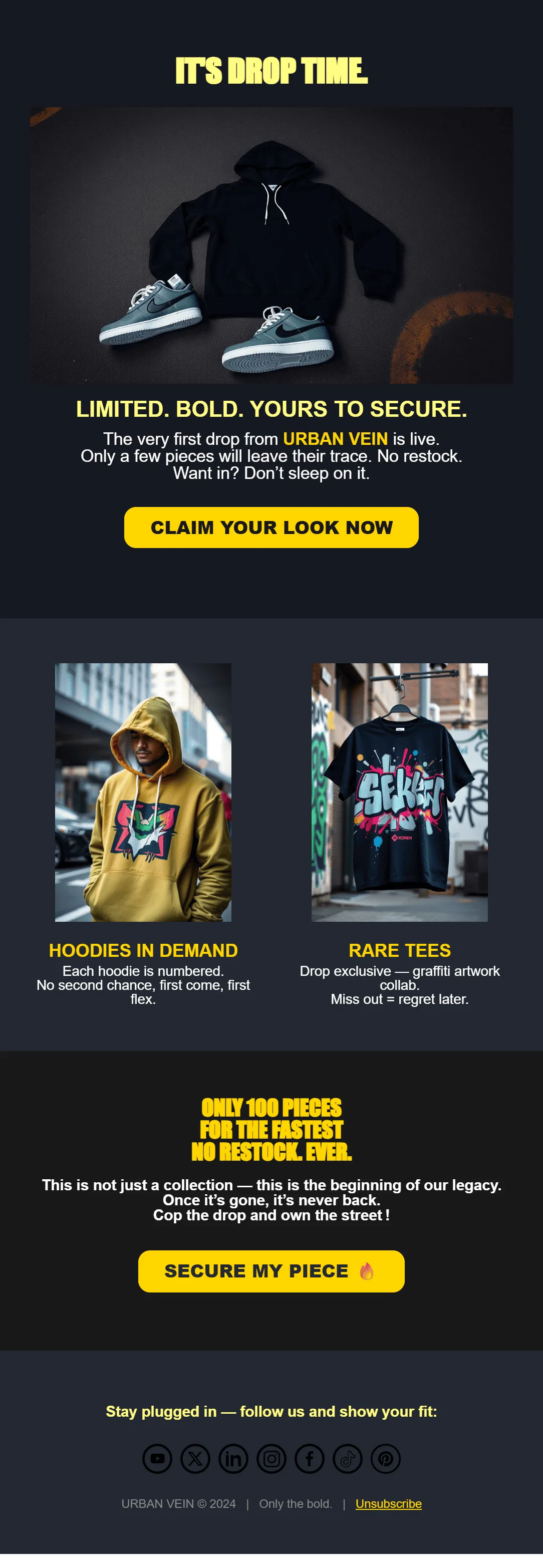
Exclusive Product Drop Email · Charbel
A bold, streetwear-style launch email announcing a limited product drop. It uses dark tones with striking yellow highlights to create urgency and exclusivity. The email showcases hoodies and tees with graffiti-inspired designs, emphasizes scarcity (“Only 100 pieces. No restock. Ever.”), and features strong calls-to-action like “Claim Your Look Now” and “Secure My Piece 🔥
Design a bold streetwear product drop email. Use a dark background with neon yellow accents for a high-contrast, urban look. Include a hero section with sneakers and a hoodie, a headline 'It’s Drop Time', and a CTA button 'Claim Your Look Now'. Showcase two product categories (h…
Loading full prompt…
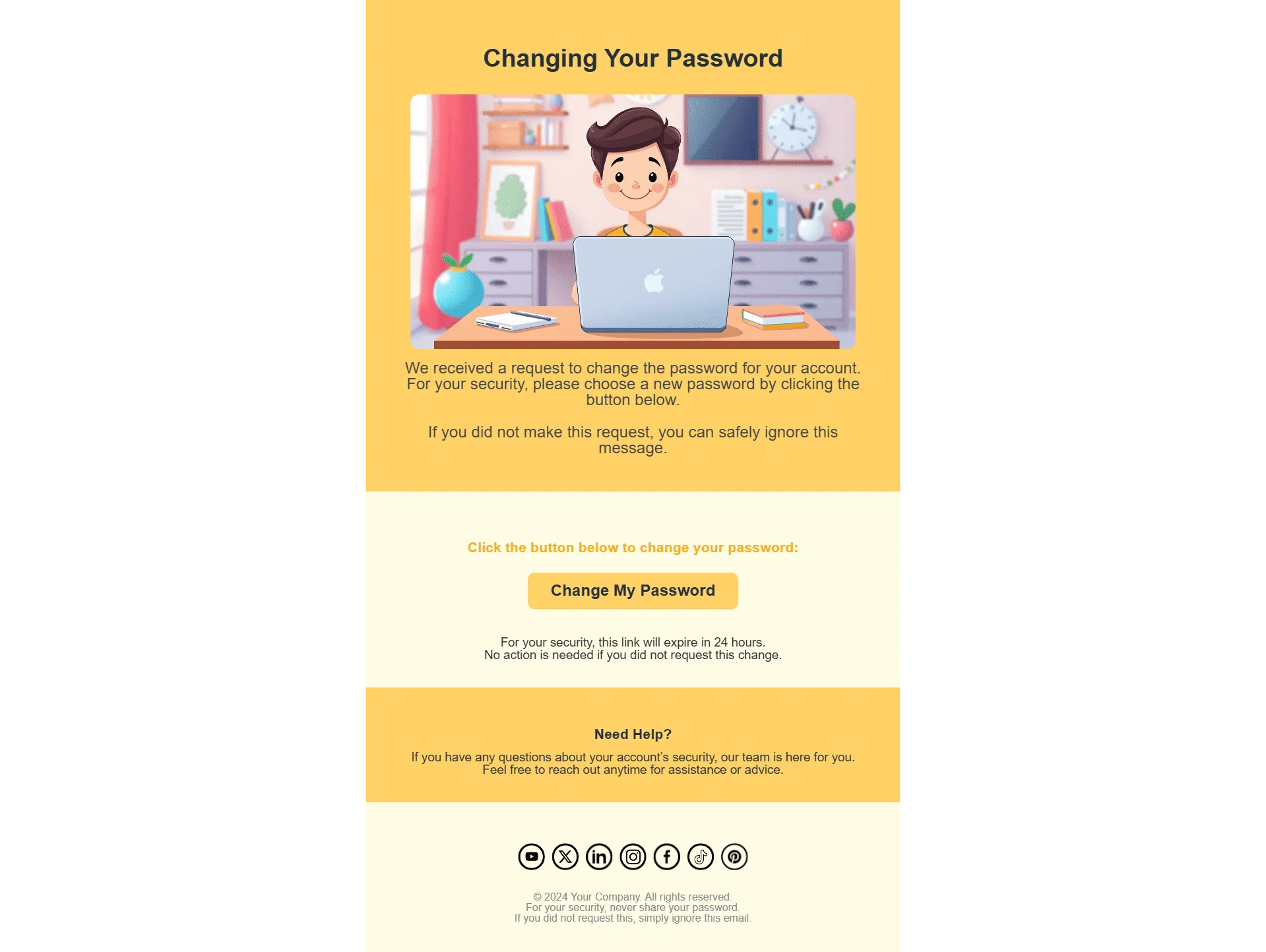
Password Reset Email · Charbel
A secure password reset email designed with a friendly illustration and a clear call-to-action. It reassures the user, explains why they received the message, and provides a time-limited button to change their password. The design uses warm yellow tones, a simple layout, and strong security emphasis.
"Design a password reset email with a warm yellow theme. At the top, include an illustration of a person working on a laptop. Add a headline 'Changing Your Password' and a short message explaining the reset request. Provide a clear call-to-action button labeled 'Change My Passwo…
Loading full prompt…
Customer Feedback Request Email · Charbel
A professional feedback email designed for a digital marketing or SEO agency. It thanks the client for their trust, explains why reviews are valuable, and includes a bold call-to-action button encouraging them to leave feedback. The design combines a handshake illustration, clear benefit-driven bullet points, client testimonials, and strong social proof to inspire responses.
"Create a customer feedback request email for a digital marketing agency. Use a warm, professional design with peach and coral tones. Start with a thank-you message and an illustration of a handshake. Add a section explaining the importance of leaving a review with bullet points…
Loading full prompt…
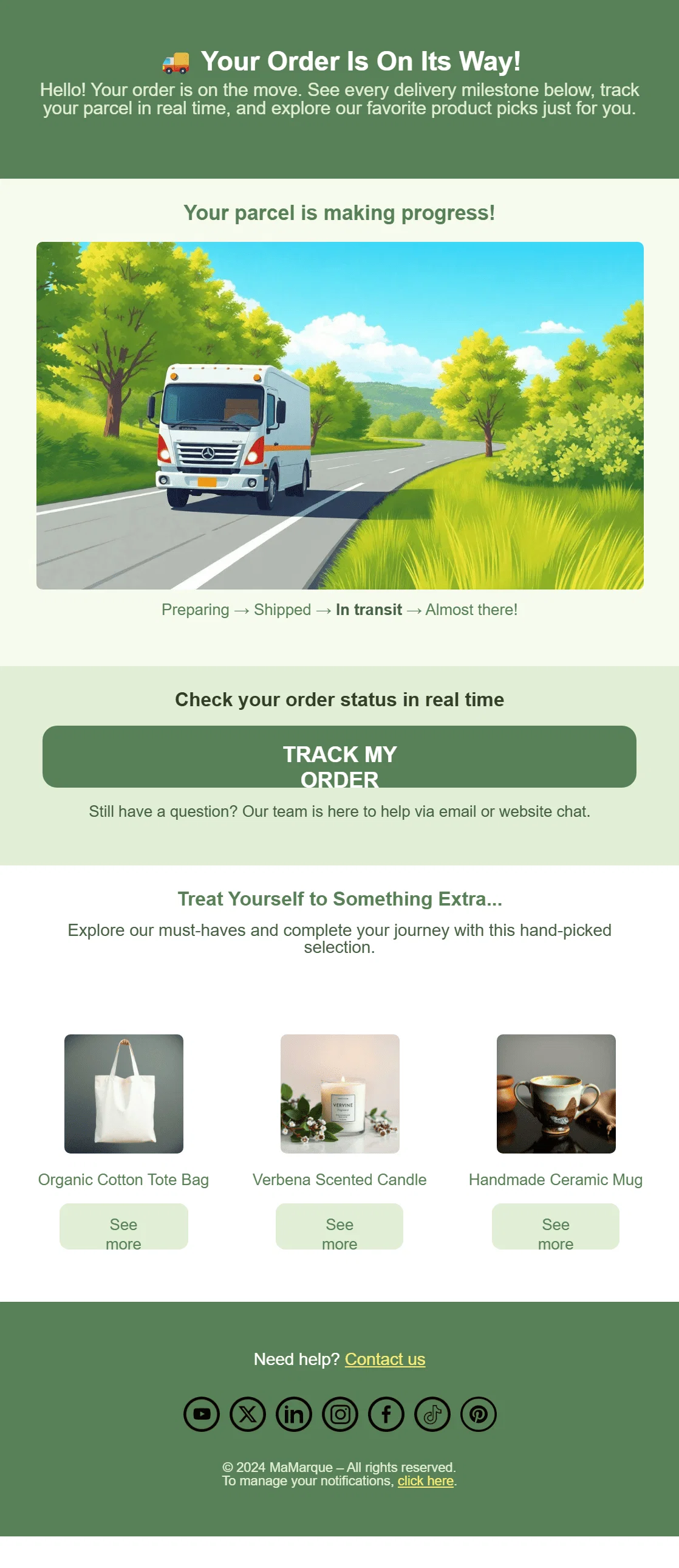
Order Shipment Tracking Email · Charbel
A clean, eco-themed shipping confirmation email that informs the customer their order is on the way. It includes a progress tracker ("Preparing → Shipped → In transit → Almost there!"), a strong call-to-action button to track the order in real time, and product recommendations to encourage cross-selling. The design uses green tones and nature imagery to convey freshness and reliability.
Design a shipping confirmation email. Use a green eco-friendly theme with an illustration of a delivery truck on the road. Include a delivery progress tracker showing steps like Preparing, Shipped, In transit, and Almost there. Add a bold call-to-action button labeled 'Track My…
Loading full prompt…
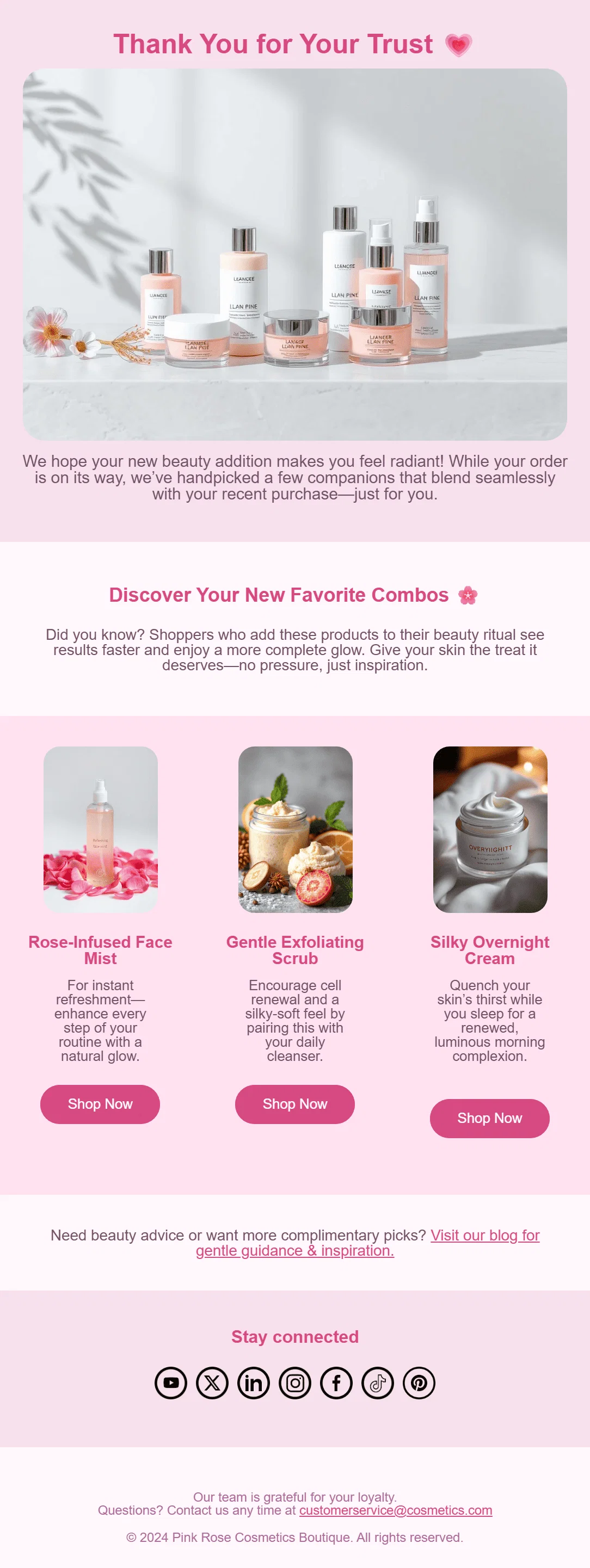
Order Confirmation with Product Recommendations · Charbel
A soft, elegant order confirmation email for a beauty and skincare brand. It thanks the customer for their trust, confirms their purchase, and suggests complementary products (face mist, exfoliating scrub, night cream). The design uses pastel pink, floral accents, and a clean layout to convey elegance and care.
Design a thank-you email for a cosmetics boutique. Use a soft pastel pink theme with floral accents. Start with a warm thank-you message at the top, followed by a product image banner. Add a short paragraph confirming the order and introducing complementary beauty products. Show…
Loading full prompt…
Welcome Email for Smoothies & Ice Cream Shop · Charbel
A colorful welcome email designed for a smoothie, milkshake, and ice cream brand. It greets new subscribers, highlights exclusive deals, featured recipes, and encourages social media engagement.
Create a vibrant welcome email for a smoothie and ice cream shop. The design should feature colorful drinks with fruit illustrations, a bold header welcoming subscribers, a section with bullet points about exclusive deals, recipes, and community sharing. Include clear call-to-ac…
Loading full prompt…
Releases 2
Mailteorite has evolved into a complete AI-powered email marketing platform far beyond a simple template generator.
It now combines design, automation, and intelligence to help you create, brand, and deliver high-performing campaigns effortlessly.
- Creates on-brand templates directly from your website (logo, typography, and colors included).
- Offers a community-driven template library you can adapt instantly.
- Generates AI-powered subject lines optimized for engagement.
- Lets you schedule campaigns directly inside the platform — no more juggling tools.
- Embeds AI visuals (icons, images, GIFs, banners) seamlessly into your designs.
- Provides built-in sending or integrations with Resend, Postmark, Mailgun, and SendGrid.
- Tracks comprehensive analytics: open rates, click- throughs, and engagement trends.
Imported reviews 1
Genuinely did not expect the sheer capability of this tool. I thought it would just make the text part of the e-mail but no, it just can generate the entire thing, and it allows you to take it and edit it further to your liking. Mind blown.
FAQ 12
What is Mailteorite?
How does Mailteorite generate email templates?
What types of emails can I create using Mailteorite?
Do I need any design or coding knowledge to use Mailteorite?
Can I modify the email templates created by Mailteorite?
What is the 'Send Email Test' feature in Mailteorite?
Does Mailteorite support multiple languages?
What is the purpose of the user-feedback dashboard in Mailteorite?
Is there a user guide or help section in Mailteorite?
Where can I find the terms of use and privacy information of Mailteorite?
Does Mailteorite have a blog?
Can Mailteorite be used for SaaS product promotion?
Related tools
Recommended
Marketing Assistant (Elsa AI) ✓
FreemiumDefine your ideal customers and craft a winning marketing strategy with Elsa.

Automateed ✓
Free TrialCreate eBooks effortlessly with Automateed, the AI-powered writing tool.

Notis ✓
Free TrialThe first WhatsApp assistant that runs on your ChatGPT and Claude subscriptions

DeepSeek ✓
FreeUnravel the mystery of AGI with curiosity

remio: Your Personal ChatGPT ✓
FreemiumGet Tailored Answer with Your Personal ChatGPT

SEO Writing AI ✓
Freemium1-click SEO-optimized articles generation