
Text rewriting 2026 Rank: #1767
Limato ✓
Write like a native, in any language.
Verdict
A quick read before you dig into the full page.
- Best if
- Write like a native, in any language
- Skip if
- Limited free usage
- Pick this when
- Chrome extension
Considering Undetectable AI instead? Compare side by side
Overview



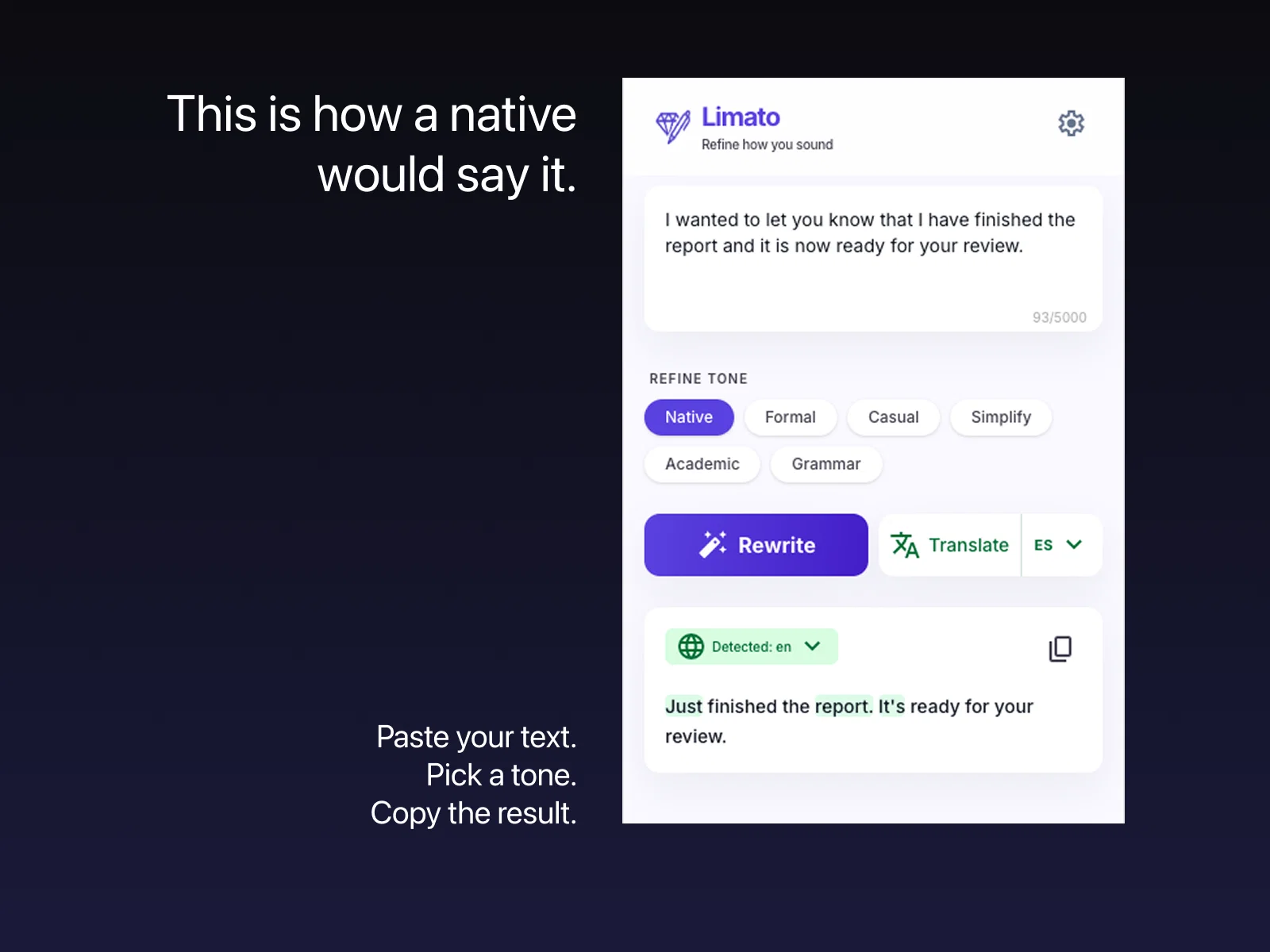
Built for non-native English speakers at work. Unlike Grammarly, which polishes grammar but leaves non-native phrasing intact, Limato's "Native" tone is a dramatic rewrite: 30-50% shorter, kills ESL filler patterns ("I would like to kindly ask if it would be possible..." becomes "Can you..."), and reads like a fluent native wrote it. Like Grammarly, but for rewriting instead of grammar. Works in 34 languages, bidirectional translation included.
Seven tones: Native, Formal, Casual, Simplify, Academic, Grammar-only, and Humanize - the last one rewrites AI-generated text into natural human prose so it does not read as AI.
En espanol: Limato es una extension de Chrome para humanizar texto de IA en espanol y reescribir textos sin copiar y pegar. Sirve para redactar correos en ingles como un nativo siendo hispanohablante, y funciona como alternativa a QuillBot dentro del navegador, en cualquier sitio web.
Free tier: 5 rewrites/day anonymous, 20/day signed in. Pro at $5.99/mo with a 14-day free trial.
- Native Tone: Rewrites 30-50% Shorter, Kills Esl Filler
- Inline Rewrite On Any Site (gmail, Slack, Linkedin, Notion)
- Translation Between 34 Languages, Tone Preserved
- 7 Tones: Native, Formal, Casual, Simplify, Academic, Grammar, Humanize
- One-press Hotkey, No Copy-paste, No App Switching
- Grammar Fix Without Changing Your Voice
- Ai Detector And Humanizer
Access & connections
Where you can use Limato, and what it plugs into.
Platforms
Capabilities
What this tool accepts, produces, and is strongest at.
Input
- Text
Output
- Text
Highlights
- SOTA
- No Signup
- Use code TAAFT
- 20% OFF
Supported features
- No Signup
Pros & cons
Pros
- Chrome extension
- 34 language support
- Inline rewriting and translation
- Pro version with unlimited rewrites
- Inline replace or copy to clipboard
- Enhances professional emails
- Freemium model available
- Text humanization feature
Show 8 more
- Compatibility with major platforms
- Affordable Pro version cost
- Grammarly alternative for non-native writers
- Translation while rewriting
- Works on any editable text
- Supports 7 rewrite tones
- Inline edit or copy option
- Free version offers all tones
Cons
- Only a Chrome extension
- Limited free usage
- No offline functionality
Compare alternatives
Similar tools in the catalog — with a clear reason to open each one.

Undetectable AI ✓
FreemiumDetect and humanize AI content effortlessly
Why look Typically cheaper
Full comparison
StealthWriter ✓
FreemiumTransform AI text into undetectable human content.
Why look Better for writing
Full comparison

Read Easy.ai ✓
FreemiumMake text easy to read for low-literacy users.
Why look Typically cheaper
Full comparison
Franz AI ✓
FreeEnhanced content creation with contextual suggestions.
Why look Fully free option
Full comparison
Rewriteit ✓
FreemiumRewrite content with AI, enhance your writing style.
Why look Typically cheaper
Full comparisonReleases 1
FAQ 12
What is Limato?
How does Limato work?
In how many languages does Limato operate?
What different tones can Limato apply to my writing?
How can Limato improve my writing?
Can Limato be used in Gmail, LinkedIn, and GitHub?
What distinguishes Limato from other similar tools?
How many rewrites per day does the free version of Limato allow?
What are the benefits of the Limato Pro version?
How can the 'humanize' feature of Limato enhance my text?
Can Limato help me write more professionally using the 'formal' tone?
How does Limato's 'simplify' feature make content clearer?
Related tools
Recommended

MagicSlides.app AI PPT Maker ✓
FreemiumCreate Stunning PPTs in Seconds with the AI PPT Maker

GetLogit ✓
FreemiumArtificial intelligence, available for everyone.

ChatGPT ✓
FreemiumAsk anything, create anything, and move from idea to action.

Automateed ✓
Free TrialCreate eBooks effortlessly with Automateed, the AI-powered writing tool.

Kin - Personal AI Advisors ✓
FreePrivacy-first & designed your for mind, and life at work

Aiter.io | Paste a URL. Ship a Campaign That Sounds L... ✓
FreemiumAI marketing that sounds like you, not everyone else.