Automation

Korgi

AI-powered project management app integrating your productivity stack.

Source rating 5.0 (79) 2.7k views 2.7k/mo traffic 0 saves Freemium
More categories (10)

Free + from $17 /USD ($204 ) / monthly

Verdict

A quick read before you dig into the full page.

Best if
AI-powered project management app integrating your productivity stack
Skip if
You need enterprise SLAs or a fully managed team plan right away
Pick this when
Freemium · Free + from $17 /USD ($204 ) / monthly

Overview

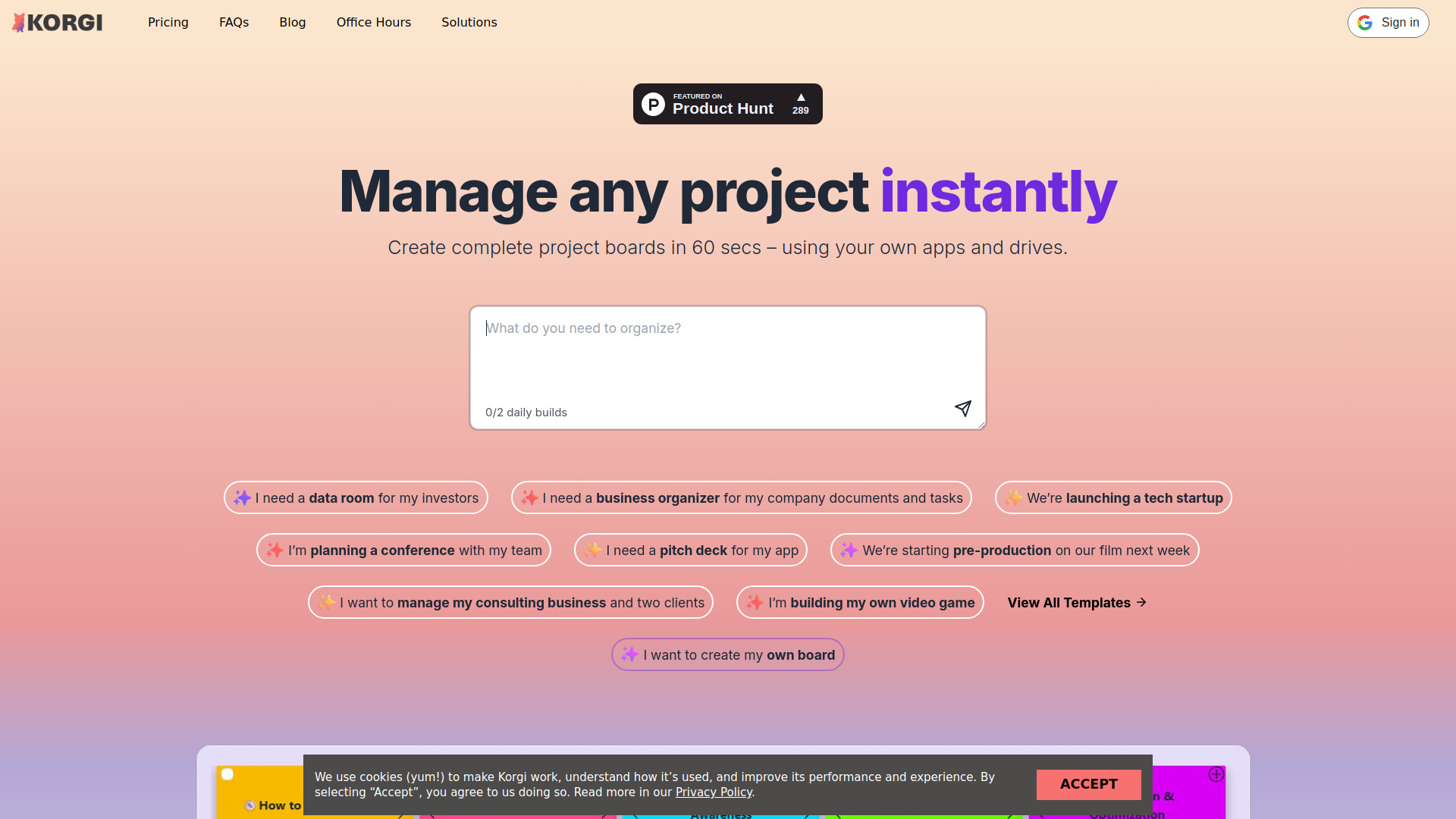
Korgi is an all-in-one project management app that connects your scattered productivity stack. It uses AI to generate complete project boards with content, steps, and links in less than a minute. Korgi integrates with your favorite apps and drives (Google Workspace, Microsoft 365, Zoom, Meet, and more) to allow users to create, share, and launch assets directly from the board. It aims to eliminate planning paralysis, context switching, and the need to hunt through files and tabs, providing a single, shared, AI-powered workspace for planning, executing, and delivering projects.

Korgi screenshot

Access & connections

Where you can use Korgi, and what it plugs into.

Platforms

Web

Integrations

Capabilities

What this tool accepts, produces, and is strongest at.

Highlights

  • AI-generated project boards in under a minute
  • Integration with Google Workspace™ & Microsoft 365™ (create, launch, save, attach files, events, contacts)
  • Real-time collaboration and board sharing
  • One-click export into formatted documents
  • Integrated chat and AI assistant
  • In-board video meetings (Zoom™, Meet™) on Pro plan

FAQ 7

What is Korgi?
Korgi is an all-in-one project management app that connects your scattered productivity stack. It uses AI to generate complete project boards with content, steps, and links in less than a minute. Korgi integrates with your favorite apps and drives (Google Workspace, Microsoft 365, Zoom, Meet, and more) to allow users to create, share, and launch assets directly from the board. It aims to eliminate planning paralysis, context switching, and the need to hunt through files and tabs, providing a single, shared, AI-powered workspace for planning, executing, and delivering projects.
How to use Korgi?
To use Korgi, you can tell it what you need to get done, and AI will generate a complete project board with content, steps, and resources in 60 seconds. Alternatively, you can select one of the prebuilt board templates or create your own. You can then create, launch, and share items directly from the board, collaborating with others and utilizing integrated apps like Google Workspace and Microsoft 365.
What is Korgi?
Korgi is an all-in-one project management app that connects your scattered productivity stack, using AI to generate project boards with content, steps, and links in less than a minute.
How does Korgi integrate with my existing tools?
Korgi works with Google Workspace, Microsoft 365, Zoom, and Meet, allowing you to create, launch, share, and save items directly from your project board using your own apps and drives.
How much time can Korgi save me?
Korgi users report saving 5-6 hours per user per week by eliminating tab-jumping and folder-diving, keeping everything organized on the board.
Is there a free option or trial available?
Yes, Korgi offers a free 'Korgi College' plan for students (restricted, time-limited) and a 14-day free trial for the Korgi Plus and Korgi Pro plans, with no credit card required.
What are the main benefits of using Korgi?
Korgi helps you manage any project instantly, accelerate creative processes, reduce planning paralysis, organize work, and collaborate effectively with teams, all from a single, shared, AI-powered workspace.
Korgi Free + from $17 /USD ($204 ) / monthly
