JoyPix.ai
AI Talking Video Generator with Avatar Generator, Voice Cloning & AI Lip-Sync.
Free + from $7.9
Verdict
A quick read before you dig into the full page.
- Best if
- You are content creators and need: Content creation for social media
- Skip if
- You need enterprise SLAs or a fully managed team plan right away
- Pick this when
- Freemium · Free + from $7.9
Overview
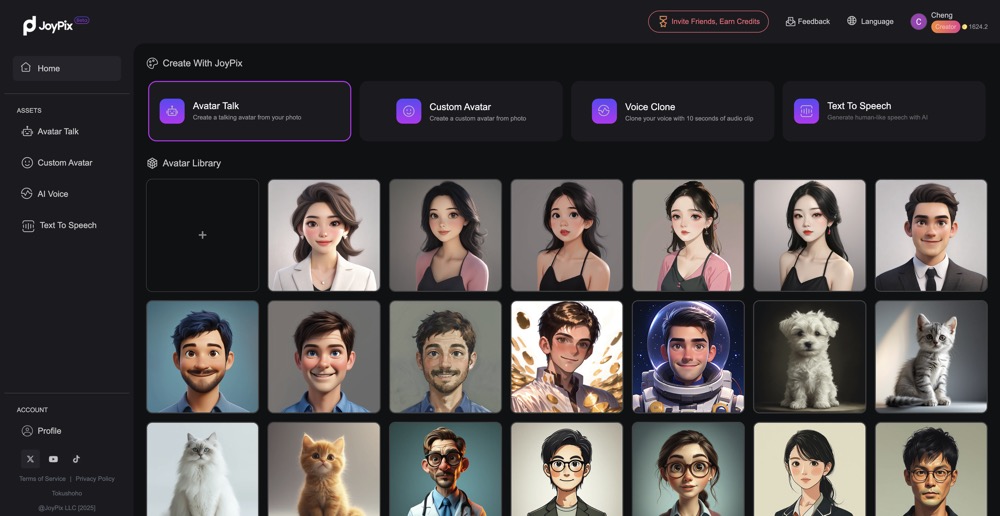
JoyPix.ai is an AI Talking Video Generator with Avatar Generator & Free Voice Cloning & AI Lip-Sync. It allows users to create talking photos, talking avatars, and talking animals. It's perfect for content creators, gamers, and social media users. JoyPix.ai makes AI-generated talking videos in seconds without needing a camera.
Best for
Short scenarios where JoyPix.ai tends to shine.
-
Content creation for social media
Best for Content creators
-
Creating engaging videos for gamers
Best for Gamers
-
Making personalized avatars
Best for Social media users
-
Generating voiceovers in multiple languages
Best for Content creators
Example outputs 1
Sample generations and before/after results for JoyPix.ai.
Access & connections
Where you can use JoyPix.ai.
Platforms
Capabilities
What this tool accepts, produces, and is strongest at.
Highlights
- Talking Photo: Upload a photo, and watch it come to life with AI lip-sync technology.
- Talking Animals: Turn your pet image into a speaking video.
- Avatar Library: Pick from 50+ pre-made avatars.
- Avatar Generator: Transform photos into artistic AI images.
- Free Voice Cloning: Clone any voice using a 10-second sample.
- Text To Speech: Create multilingual voiceovers in 20+ languages and accents.
People also view
Tools that often show up alongside JoyPix.ai in collections and comparisons.