

Hug AI ✓
Turn photos into AI hugging videos effortlessly
Free + from $6/mo
Verdict
A quick read before you dig into the full page.
- Best if
- Turn photos into AI hugging videos effortlessly
- Skip if
- Limited daily creation limit
- Pick this when
- Creates dynamic videos
Considering Video Ai Hug instead? Compare side by side
Overview
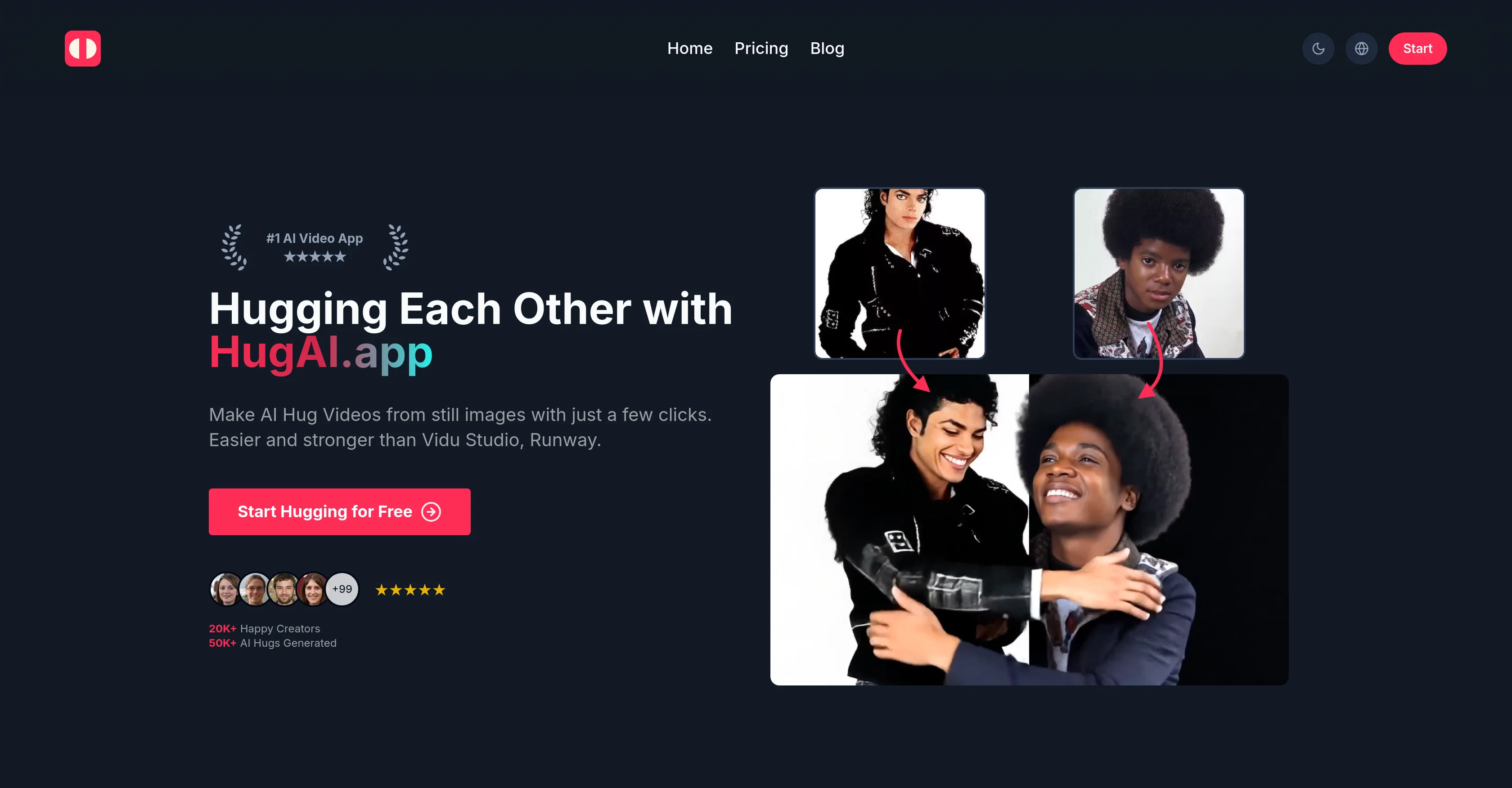
Hug AI is an online tool that uses advanced machine learning algorithms to create dynamic hug videos from static images. Aimed at being user-friendly and powerful, this tool provides a creative way to transform still images into engaging videos, which can be used in a variety of contexts such as social media content, e-commerce promotions, professional presentations, teaching aids or as additional service offerings for photographers.Users can upload two images, click to generate the video, and witness the AI transforming the images into a hug video.
The generated videos appear to depict natural-looking movements, offering a fresh and innovative approach to animating static images.Hug AI supports most common image formats, including JPG, PNG, and WEBP for input.
The output videos are provided in MP4 format, compatible across different platforms and devices. It accommodates diverse needs by offering both a free plan and premium plans with additional features for high-volume video creation or enterprise needs.
While the free plan includes commercial use, premium plans offer enhanced features.This tool claims to be a more intuitive alternative to Vidu Studio and a more versatile option than Runway.
Its capability to deliver eye-catching content in a short span and without any prior video editing skills makes it an accessible tool for a wide range of users.
Access & connections
Where you can use Hug AI.
Platforms
Capabilities
What this tool accepts, produces, and is strongest at.
Input
- Image
Output
- Video
Pros & cons
Pros
- Creates dynamic videos
- Converts static images
- User-friendly
- Supports common image formats
- Output in MP4
- Cross-platform compatibility
- Free and premium plans
- Commercial use in free plan
Show 41 more
- Quick video generation
- No prior video editing skills
- Innovative image animation
- Useful across various contexts
- Unique 'hug' style animation
- Scalable for enterprises
- More intuitive than Vidu Studio
- More versatile than Runway
- Robust free plan
- Wide range of application
- Option for high-volume creation
- Diverse range of users
- Boost to engagement for social content
- Useful for e-commerce promotions
- Cost-effective for indie filmmakers
- Contributes to conversion rates
- Boosts learning in educational contexts
- Expands offerings for photographers
- Enhances UX/UI prototyping
- Enhances content creation
- Fast video generation
- Ads-free
- No watermark
- Priority processing queue
- Useful for commercial projects
- Supports wide variety of images
- Good for high-quality, clear images
- Enhances social media posts
- Suitable for professional presentations
- Generates natural-looking movements
- Assists marketers
- Supports JPG, PNG, WEBP formats
- Transforms two images into video
- Requires no technical skills
- Offers additional controls for advanced users
- Stealth video generation
- Promotes user creativity
- Affordable for various budgets
- Easy prototyping
- Increase in conversion rates
- Useful for graphic designers
Cons
- Limited video output format
- Only two images input
- Single video edge case
- May struggle with low-quality images
- Unclear high volume capabilities
- Limited daily creation limit
- May require high-resolution images
Compare alternatives
Similar tools in the catalog — with a clear reason to open each one.



Releases 1
Imported reviews 1
You really only get one chance to test it, and there doesn't appear to be a way to modify it. I only used the free one, and it did create a pretty good hug. Unfortunately, it changed one of the people, and they would be able to tell. Amazing concept, poor execution.
FAQ 12
What is Hug AI?
How does Hug AI transform static images into hug videos?
Which image formats does Hug AI support?
In which format does Hug AI provide output videos?
What are the main differences between free and premium plans of Hug AI?
Can Hug AI be used for commercial projects?
Is it necessary to have video editing skills to use Hug AI?
What makes Hug AI a more intuitive alternative to Vidu Studio?
How is Hug AI more versatile than Runway?
What is the typical quality of videos generated by Hug AI?
Can Hug AI be used across different platforms and devices?
How can Hug AI help in content creation for social media?
Related tools
Recommended

VisionStory AI ✓
FreemiumTurn Photos into Lively Avatars and Stunning Talking Videos Instantly

D-ID ✓
FreemiumCreate AI-generated videos with ease

Thea ✓
FreemiumAI study tools to master material, not just memorize it.

AI Lawyer ✓
Free TrialInstant legal advice and document creation at your fingertips

AcademicGPT ✓
FreemiumAI-powered academic writing assistant.

Suno ✓
FreemiumMake music at the speed of your ideas.