
HEIC to JPG Converter
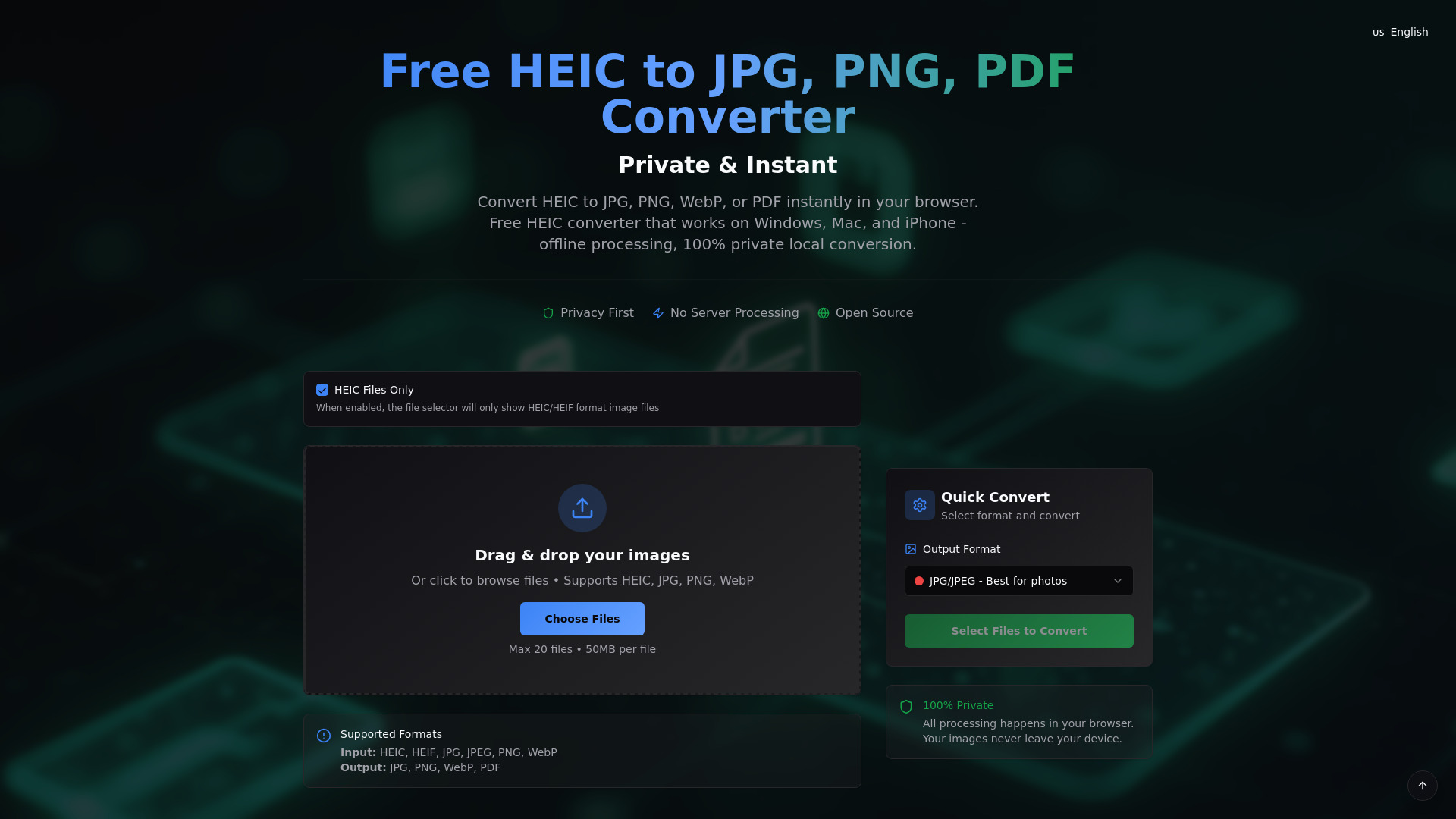
Free, private, and instant HEIC to JPG/PNG/PDF converter.
Source rating 5.0
(100)
1.8k views
1.8k/mo traffic
0 saves
Unknown
Verdict
A quick read before you dig into the full page.
- Best if
- Free, private, and instant HEIC to JPG/PNG/PDF converter
- Pick this when
- Free, private, and instant HEIC to JPG/PNG/PDF converter
Overview
HEIC.AI is a free, private, and instant online converter that allows users to convert HEIC files to various universal image formats such as JPG, PNG, WebP, or PDF directly in their browser. It emphasizes 100% private local conversion, meaning images never leave the user's device, and works offline on Windows, Mac, and iPhone.
Access & connections
Where you can use HEIC to JPG Converter.
Platforms
Capabilities
What this tool accepts, produces, and is strongest at.
Highlights
- 100% Private Local Processing
- Lightning Fast Conversion
- Batch Processing Support
- Multiple Output Formats (JPG, PNG, WebP, PDF)
- Works Offline
- No Registration or Payment Required
FAQ 12
What is HEIC to JPG Converter?
HEIC.AI is a free, private, and instant online converter that allows users to convert HEIC files to various universal image formats such as JPG, PNG, WebP, or PDF directly in their browser. It emphasizes 100% private local conversion, meaning images never leave the user's device, and works offline on Windows, Mac, and iPhone.
How to use HEIC to JPG Converter?
To use HEIC.AI, users can drag and drop their HEIC images onto the website or click to browse and select files. After choosing the desired output format (JPG/JPEG, PNG, WebP, or PDF), they can initiate the conversion process. All processing happens locally in the browser, and converted files can be downloaded individually or as a ZIP batch.
What is HEIC file format and why convert HEIC to JPG?
HEIC is a modern image format often used by iPhones. Converting HEIC to JPG makes the images compatible with a wider range of devices, software, and online platforms.
How to convert HEIC to JPG for free?
You can use HEIC.AI to convert HEIC to JPG for free by dragging and dropping your files, selecting JPG as the output, and converting them instantly in your browser.
Is this HEIC converter private and secure?
Yes, HEIC.AI is 100% private and secure. All processing happens locally in your browser, meaning your images never leave your device and are not uploaded to any servers.
What formats can I convert HEIC files to?
You can convert HEIC files to JPG/JPEG, PNG, WebP, or PDF using this converter.
How to convert HEIC to JPG on iPhone or Mac?
HEIC.AI works directly in the browser on iPhone and Mac devices, allowing you to convert HEIC to JPG without needing to download any software.
Can I convert HEIC to JPG on Windows?
Yes, HEIC.AI is compatible with Windows and allows you to convert HEIC to JPG directly in your web browser.
Are there file size or quantity limits?
Yes, you can convert a maximum of 20 files per batch, with each file having a maximum size of 50MB.
What about image quality after conversion?
The converter allows for quality control, enabling you to customize image dimensions and compression settings to maintain desired image quality.
Why choose HEIC.AI over other tools?
HEIC.AI offers 100% private local processing, lightning-fast conversion, batch processing, multiple output formats, offline functionality, and is completely free without registration.
Can I use it on mobile devices?
Yes, HEIC.AI is a universal HEIC converter that works on mobile devices, including iPhone and Android.
Related tools
Recommended

HEIC to JPG Converter