

Glasp Highlighter ✓
Highlight, collect, and share insights from any webpage or PDF.
Free + from $12/mo
Verdict
A quick read before you dig into the full page.
- Best if
- Highlight, collect, and share insights from any webpage or PDF
- Skip if
- Limited language support
- Pick this when
- Annotates webpages and PDFs
Considering WithAudio instead? Compare side by side
Overview
Glasp is an AI-based tool designed for researchers and learners to annotate and organize insights from webpages or PDFs. Besides highlighting text, it also allows users to transcribe audio files into text, curate articles, books, and even quotes based on distinct themes, and provides recommendations.
An intriguing feature is its ability to create an AI clone based on user's highlights and notes, which can provide personalized insights and recommendations, acting as a digital legacy.
Glasp can highlight timestamps and notes in YouTube videos, on Kindle books and integrate with note-taking apps like Roam Research, Notion, and Obsidian for users to export their notes.
With specially designed import features, users can bring their Kindle, Pocket, Medium, Intapaper, Readwise, Snipd notes onto the platform. The tool proposes an efficient way to organize highlights and notes with the tagging feature.
Users can also share their notes with peers and engage in knowledge-sharing experiences. The 'Glasp Reader' function enables reading, highlighting, and summarizing favorite articles directly within the app.
Glasp's uniqueness lies in its knowledge graph feature enabling users to keep track of their learning by following like-minded people and discovering insightful content.
Available across Google Chrome, Safari and Edge, and through dedicated iOS and Android apps, Glasp offers a versatile learning ecosystem.
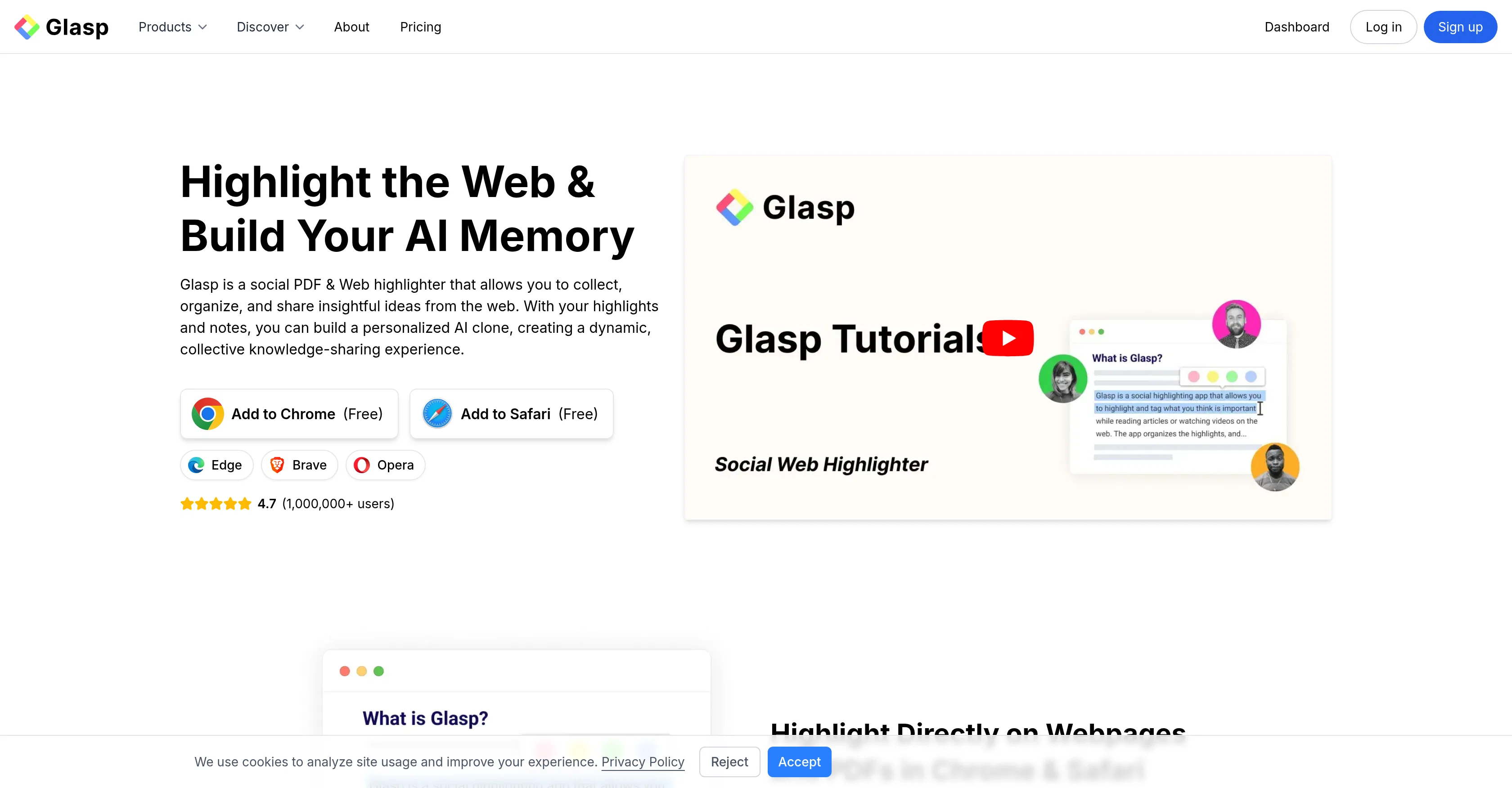
Access & connections
Where you can use Glasp Highlighter, and what it plugs into.
Capabilities
What this tool accepts, produces, and is strongest at.
Input
- API
- Text
- Audio
Output
- API
- Text
Pros & cons
Pros
- Annotates webpages and PDFs
- Transcribes audio files
- Curates diverse digital content
- Creates digital legacy
- Annotation support for videos
- Integration with popular note-taking apps
- Imports notes from Kindle, Pocket, etc.
- Organize with tags
Show 28 more
- Facilitates knowledge sharing
- Glasp Reader feature
- Knowledge graph to track learning
- Cross-platform compatibility
- Glasp Talk Interview series
- Integration with Hypothesis
- Chrome, Safari and Edge extensions
- Exporting notes in markdown, HTML, CSV, JSON
- Works with YouTube and Kindle
- Discover feature for finding content
- Sharing feature for insights
- Student discounts
- PDF summarizer
- Kindle highlights daily review
- Creates quoteshots
- Image Highlighting
- Transcribes audio to text
- Supports knowledge graph
- Collects and shares insights
- Highlights lover by 1M+ users
- Highlights and notes chat
- Highlighting workflow
- Supports social highlighting
- Facilitates collaborative work
- Cross team note accessibility
- Seamless content resharing
- Promotes deep content engagement
- Support video highlight sharing
Cons
- No Firefox support
- Lacking large file support
- Limited third-party app integration
- Potential breach of privacy
- Over-reliance on tagging
- Transcription inaccuracies
- Delayed updates on app
- Inadequate support services
Show 2 more
- No Linux compatibility
- Limited language support
Compare alternatives
Similar tools in the catalog — with a clear reason to open each one.

WithAudio ✓
Free TrialRead and listen to documents simultaneously.
Free + from $34.99
Full comparison
Lexplio ✓
Free TrialKnow what you're signing in 15 seconds.
Why look Typically cheaper
Full comparison
Podsuite ✓
PaidTurn podcast episodes into transcripts, show notes, and more.
Why look Typically cheaper
Full comparisonReleases 1
FAQ 12
What is Glasp?
Can Glasp transcribe audio files into text?
What is the AI clone in Glasp?
Which note-taking apps does Glasp integrate with?
Can I import my Kindle notes onto Glasp?
How can I organize my notes and highlights in Glasp?
What is the Glasp Reader function?
Can Glasp be used on YouTube videos and Kindle books?
What is the Knowledge Graph feature in Glasp?
Can I share my notes and highlights with peers on Glasp?
Which platforms is Glasp available on?
Can Glasp curate articles, books, quotes based on themes?
Related tools
Recommended

VoxBrief ✓
FreemiumMaster any book in 15 minutes.

AI YouTube & Web Summarizer + Instant Translator | TL... ✓
FreeInstantly summarize and translate any YouTube video or website with AI
Dechecker AI ✓
FreemiumInstantly detects AI-generated content from ChatGPT, Claude, and Gemini.

Textglow ✓
FreemiumInstantly rewrite, polish, and perfect any text without leaving your current tab

HandtextAI ✓
Free TrialTransform text into authentic handwritten notes.
AI Humanizer Text ✓
Free TrialTransform robotic AI text into natural writing.