
FreeLipSync
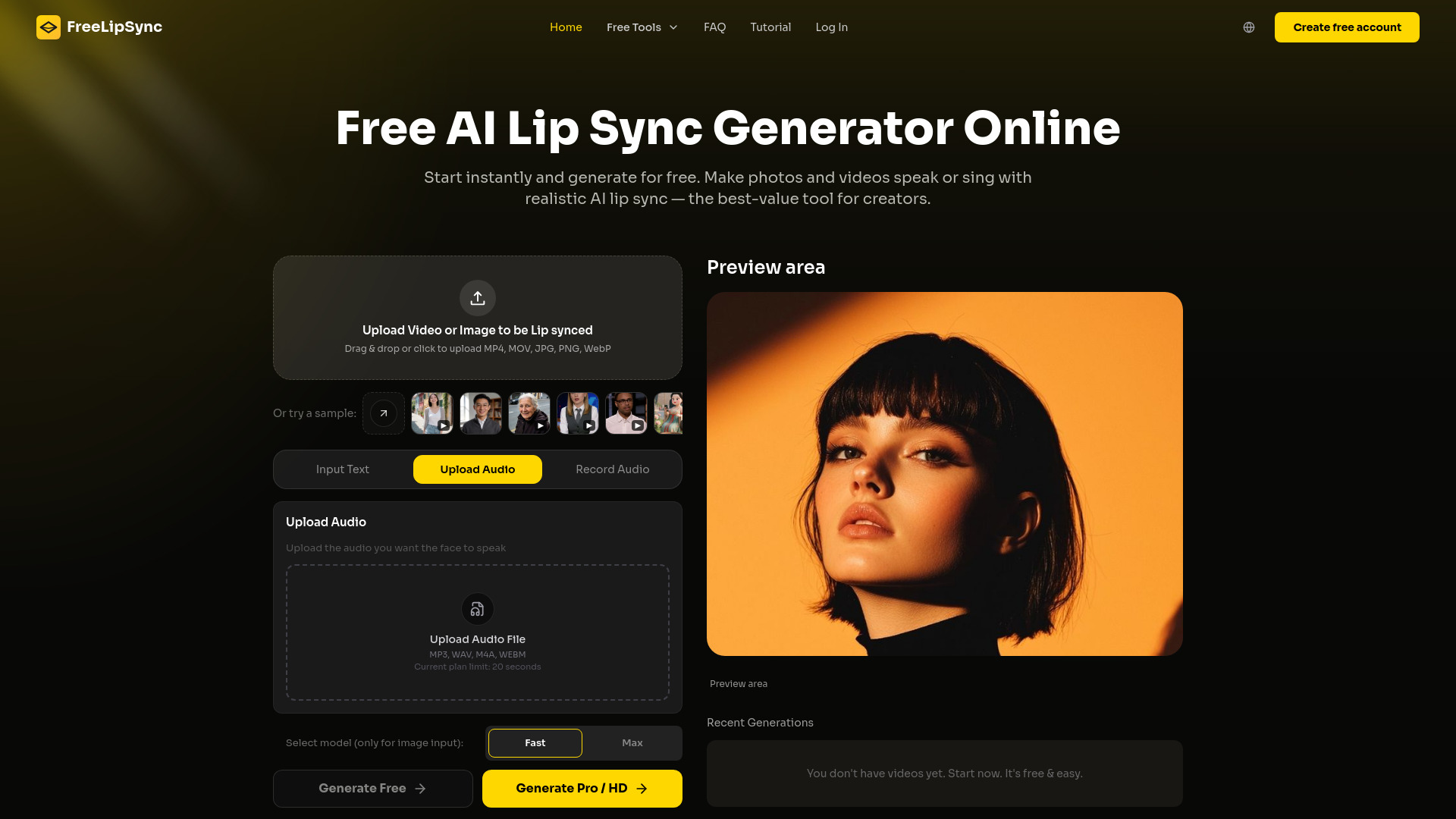
FreeLipSync is a free online AI lip sync generator that turns photos and face videos into realistic talking or singing videos. Add text, upload or record audio, or clone a voice to generate lip-synced content with no sign-up, no credit card, and no watermark.
From $4.99
Verdict
A quick read before you dig into the full page.
- Best if
- You are content creators and need: Creating TikTok, Instagram Reels, and YouTube Shorts content
- Skip if
- You need a free plan with no credit card
- Pick this when
- Paid · From $4.99
Overview
FreeLipSync is a browser-based AI lip sync video generator for creating talking photos, dubbed face videos, singing photos, and AI avatar content. Upload a portrait or face video, then provide text, an audio file, a microphone recording, or a cloned voice. The AI synchronizes the speaker's mouth movements with the new speech or music while preserving the original face and visual context.
The free plan lets users start generating without an account or credit card. Free outputs have no watermark and support up to 20 seconds of audio or 133 characters of text. After signing in, users can download a low-resolution version or use a Pro Video to unlock the original resolution. Starter and Pro plans provide longer inputs, high-resolution generation, and commercial-use rights for eligible outputs.
FreeLipSync supports more than 500 languages and accents. It is suitable for social media clips, talking avatars, localized marketing videos, e-commerce product demos, educational content, corporate training, personalized greetings, video dubbing, and singing-photo videos.
Best for
Short scenarios where FreeLipSync tends to shine.
-
Creating TikTok, Instagram Reels, and YouTube Shorts content
Best for Content creators
-
Dubbing and localizing videos without re-recording
Best for Social media managers
-
Turning portraits into talking avatars, explainers, and greetings
Best for Marketers
-
Producing e-commerce product demos and localized video ads
Best for Educators
-
Updating education, e-learning, and corporate training videos
Best for Corporate trainers
-
Replacing spoken lines in existing videos with new scripts or audio
Best for E-commerce sellers
-
Making singing photos, music clips, and character videos
Best for Video editors
-
Creating founder, marketing, and agency videos without filming
Best for Localization teams
Example outputs 1
Sample generations and before/after results for FreeLipSync.
Access & connections
Where you can use FreeLipSync, and what it plugs into.
Platforms
Integrations
Capabilities
What this tool accepts, produces, and is strongest at.
Highlights
- Generating realistic AI lip-sync videos from photos or face videos
- Creating videos from text, uploaded audio, or microphone recordings
- Cloning voices or choosing from preset AI voices
- Making talking photos and singing-photo videos online
- Starting free with no sign-up, no credit card, and no watermark
- Supporting 500+ languages and accents
- Producing up to 30-minute videos with the Pro plan
- Make Pet/Animals talk with Lip Sync AI
Show 1 more
- Free generation and downloads for videos less than 20 seconds
People also view
Tools that often show up alongside FreeLipSync in collections and comparisons.

FAQ 12
What is FreeLipSync?
The free plan lets users start generating without an account or credit card. Free outputs have no watermark and support up to 20 seconds of audio or 133 characters of text. After signing in, users can download a low-resolution version or use a Pro Video to unlock the original resolution. Starter and Pro plans provide longer inputs, high-resolution generation, and commercial-use rights for eligible outputs.
FreeLipSync supports more than 500 languages and accents. It is suitable for social media clips, talking avatars, localized marketing videos, e-commerce product demos, educational content, corporate training, personalized greetings, video dubbing, and singing-photo videos.
How to use FreeLipSync?
2. Choose how you want to drive the lip sync: enter text, upload an audio file, record audio with your microphone, or upload a short voice sample for voice cloning.
3. Select a preset voice or confirm your uploaded audio and script.
4. Start the generation and wait while FreeLipSync synchronizes the mouth movements with the speech or music.
5. Preview the completed lip-sync video in your browser.
6. Sign in to download the free low-resolution version, or use an eligible Pro Video to generate or unlock the original-resolution output.