Frame0
Sketch app for hand-drawn wireframes and interactive prototypes.
From $79 /device (VAT excl.)
Verdict
A quick read before you dig into the full page.
- Best if
- You are uI/UX Designers and need: Sketching app ideas and building interactive prototypes
- Skip if
- You need a free plan with no credit card
- Pick this when
- Paid · From $79 /device (VAT excl.)
Overview
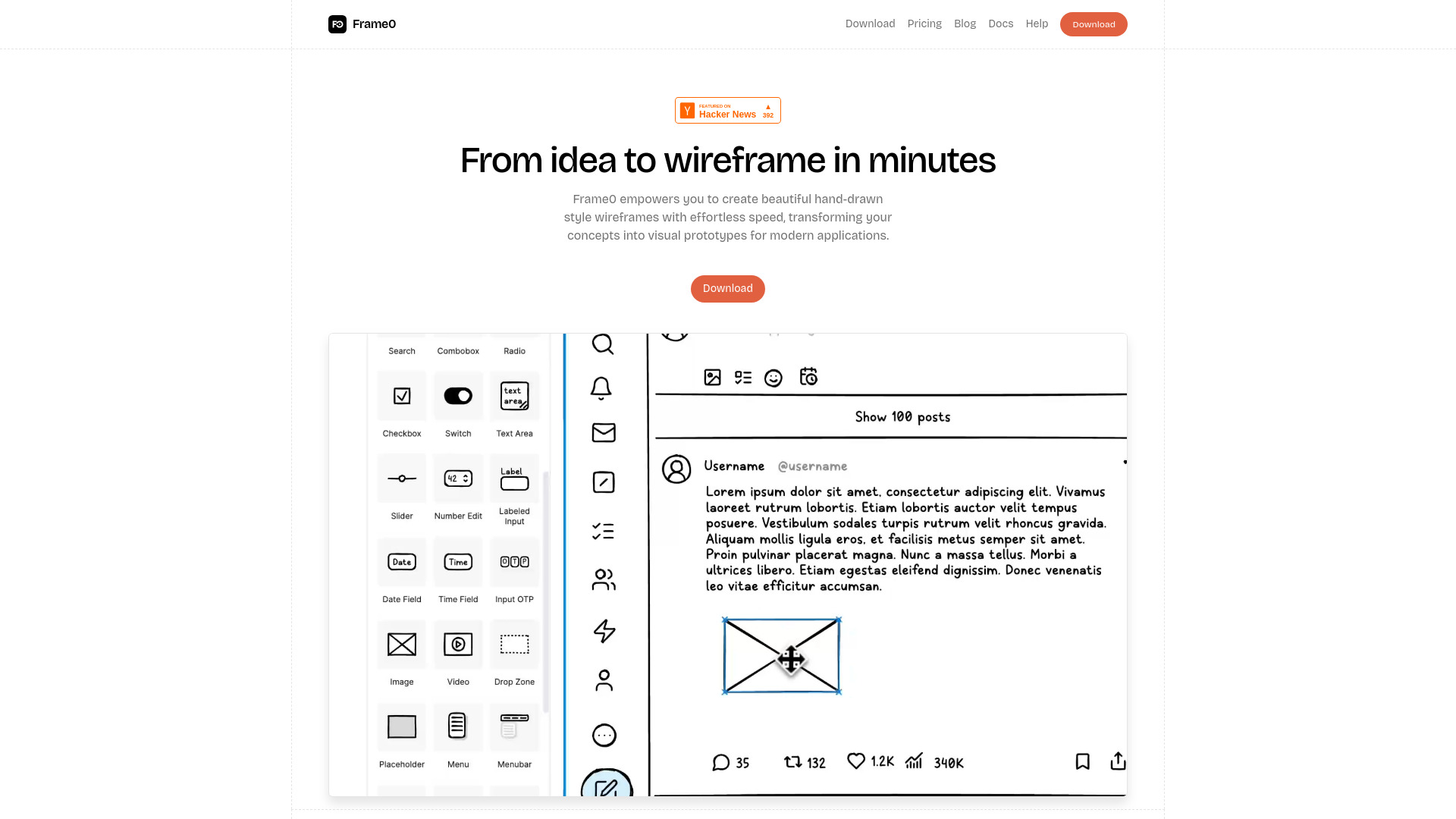
Frame0 is a sketch application designed for effortlessly creating hand-drawn wireframes and building interactive prototypes. It aims to help users innovate faster, reduce design stress, and bring app concepts to life simply and powerfully. The tool allows for quick and easy creation of hand-drawn style wireframes, transforming concepts into visual prototypes for modern applications. Its stress-free hand-drawn aesthetic encourages rapid ideation and collaboration, signaling a prototype rather than a final design to stakeholders. Frame0 offers a comprehensive library of UI components for various interfaces (desktop, mobile, smartwatch, web), over 1,500 sketch-style icons, and features like mirroring frames for consistency. It also integrates with AI services, enabling users to generate wireframes from prompts and code from created wireframes. Users can link shapes to create seamless user flows and present projects as engaging slideshows. Premium features include pre-designed templates for different devices, the ability to export live prototypes to HTML and PDF, meticulously crafted libraries, and tools for creating comprehensive diagrams such as flowcharts, UML, and Entity-Relationship diagrams. Frame0 is cross-platform (Windows, macOS, Linux), supports dark mode, allows locking/unlocking shapes, exporting images, and freehand sketching.
Best for
Short scenarios where Frame0 tends to shine.
-
Sketching app ideas and building interactive prototypes.
Best for UI/UX Designers
-
Creating low-fidelity wireframes quickly for expressing and communicating ideas.
Best for Product Managers
-
Facilitating rapid ideation and collaboration by signaling prototypes.
Best for App Developers
-
Designing user flows, information architecture, and data models within a single file.
Best for Entrepreneurs
-
Showcasing design concepts during meetings and reviews with interactive presentations.
Best for Designers
-
Maintaining consistency across reusable design elements like headers and navigation bars.
Best for Anyone creating app concepts or prototypes
-
Generating wireframes and code efficiently using AI services.
Best for UI/UX Designers
-
Distributing interactive prototypes for feedback without requiring software installation.
Best for UI/UX Designers
Example outputs 1
Sample generations and before/after results for Frame0.
Access & connections
Where you can use Frame0.
Platforms
Capabilities
What this tool accepts, produces, and is strongest at.
Highlights
- Hand-drawn style wireframes
- Interactive prototypes
- Rich UI components and states
- Sketch-style icons (1,500+)
- Mirroring frames for consistency
- AI integration (wireframe and code generation)
- Link to page and presentation mode
- Pre-designed templates for various devices
Show 4 more
- Export live prototype to HTML and PDF
- Comprehensive diagrams (flowcharts, UML, ER)
- Cross-platform support (Windows, macOS, Linux)
- Freehand Sketch
People also view
Tools that often show up alongside Frame0 in collections and comparisons.