
Website analytics 2026 Rank: #639
Flowsery ✓
AI session replay that finds bugs on autopilot
Verdict
A quick read before you dig into the full page.
- Best if
- AI session replay that finds bugs on autopilot
- Skip if
- Limited device compatibility
- Pick this when
- Queries analytics in real time
Considering Page Pulse instead? Compare side by side
Overview
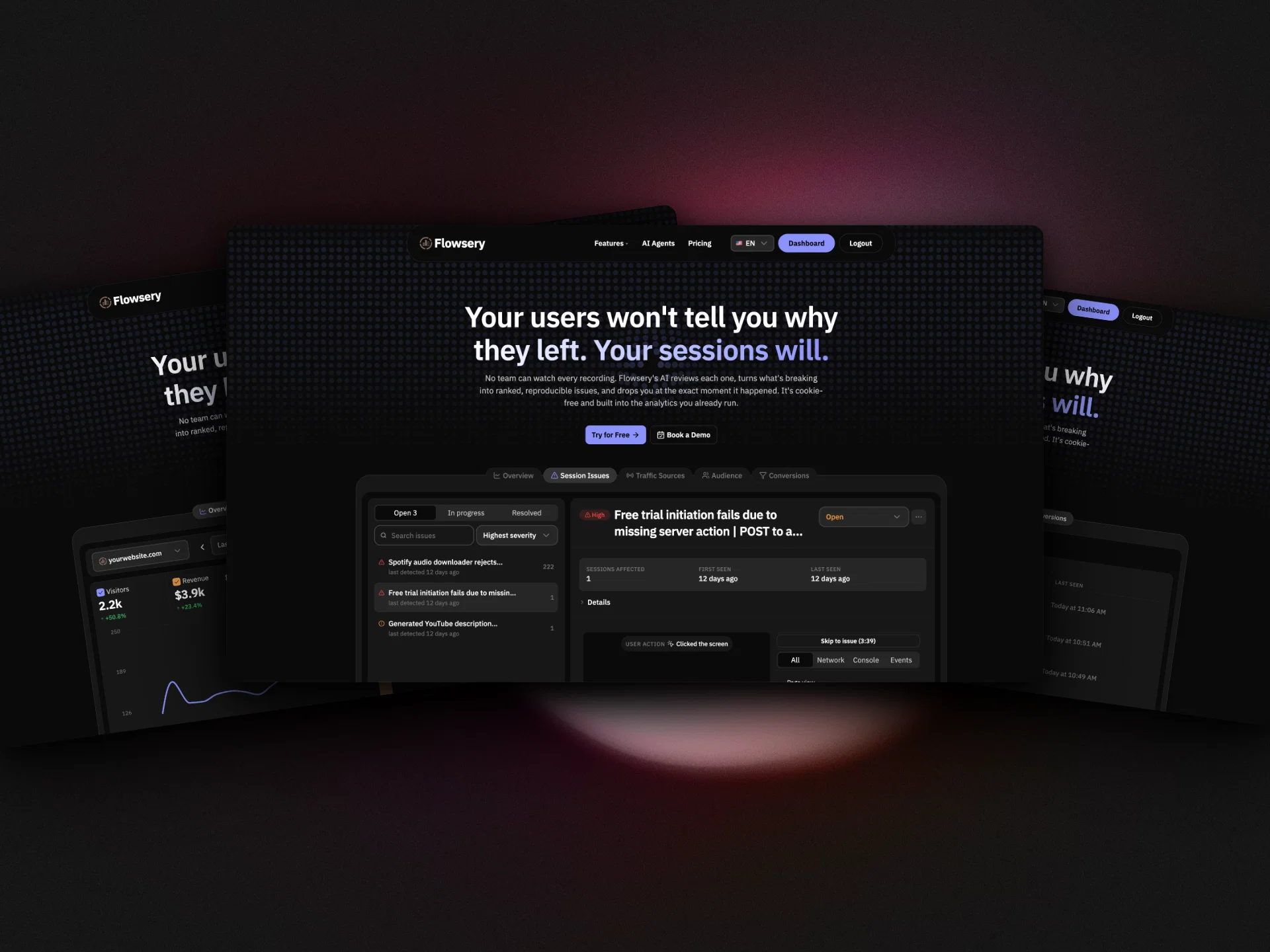
When something breaks, Flowsery ranks the issue by impact, sends an alert with the replay and steps to reproduce, and drafts a fix your team can review, then opens a Linear or Jira ticket in one click. Underneath is a full web analytics layer: real-time traffic, revenue by source, funnels, goals, and user journeys in one dashboard.
It is built in Europe, works without cookies or consent banners, and is made for product and engineering teams that want to know why users leave and fix it fast.
Best for
Short scenarios where Flowsery tends to shine.
-
AI session replay that finds bugs on autopilot
Example outputs 1
Sample generations and before/after results for Flowsery.
Access & connections
Where you can use Flowsery, and what it plugs into.
Platforms
Capabilities
What this tool accepts, produces, and is strongest at.
Input
- API
- Tabular
- Text
Output
- Tabular
- API
- Text
Highlights
- MCP
- API
- Agents
Supported features
- MCP
- API
- Agents
Pros & cons
Pros
- Queries analytics in real time
- Tracks custom events
- Manages analytics across multiple websites
- Analyzes visitor behavior through funnels
- Exports reports in CSV or JSON
- Flexible integration options (MCP, OpenClaw, REST API)
- Quick setup in under a minute
- Capability to compare website performances
Show 15 more
- Provides unified insights across sites
- Tracks conversion rates and revenue trends
- Offers cookie-free analytics
- Ability to query using natural language
- Revenue tracking without using cookies
- Enables conversational data retrieval
- Tracks monthly revenue trending
- Option to set up and monitor goals
- Facilitates Funnel drop-off rate analysis
- Supports custom agents and automations
- Real-time traffic and geographic data querying
- Allows tracking of signups, purchases or any custom events
- Quick export of reports on demand
- Supports managing multiple sites
- Monitor custom events like button clicks, form submissions, file downloads
Cons
- Limited device compatibility
- Needs multiple integrations
- Dependent on external platforms
- No desktop app
- Reports only in CSV/JSON
- No visual data representation
- Requires coding knowledge
- No in-built revenue tracking
Compare alternatives
Similar tools in the catalog — with a clear reason to open each one.

Page Pulse ✓
FreemiumSite analytics that finally feel simple.
Why look Typically cheaper
Full comparison
Flowpoint ✓
FreemiumWebsite Analytics Reports with AI Agents
Why look Typically cheaper
Full comparison

Agentry ✓
FreemiumFewer bugs. Better UX. Higher conversions.
Why look Typically cheaper
Full comparison
Seline Analytics ✓
FreemiumSimple, joyful website analytics without cookies.
Why look Typically cheaper
Full comparison
Analyse ✓
Free TrialKnow why your traffic moves. Fix it before competitors do.
Why look Typically cheaper
Full comparisonPeople also view
Tools that often show up alongside Flowsery in collections and comparisons.
Seline Analytics ✓
FreemiumSimple, joyful website analytics without cookies.
Page Pulse ✓
FreemiumSite analytics that finally feel simple.
Flowpoint ✓
FreemiumWebsite Analytics Reports with AI Agents

Roger ✓
FreemiumAI agent that optimizes your Google Ads campaigns.

remio: Your Personal ChatGPT ✓
FreemiumGet Tailored Answer with Your Personal ChatGPT

Pounce ✓
Free TrialGet real followers and engagement in minutes.

Claude ✓
FreemiumBuilding reliable, interpretable AI systems

ChatGPT ✓
FreemiumAsk anything, create anything, and move from idea to action.
Releases 1
FAQ 12
What is Flowsery?
How can Flowsery support my AI's analytics capabilities?
Can Flowsery manage multiple websites?
How can I export analytics reports from Flowsery?
Can my AI query traffic in real time using Flowsery?
What process does Flowsery use to track custom events?
How does the goal setting and tracking function work in Flowsery?
What is MCP and how is it utilized in Flowsery?
Which AI platforms are compatible with Flowsery?
Is REST API integration possible with Flowsery?
Can I automate weekly reports in Flowsery?
What are the benefits of combining web analytics with AI?
Related tools
Recommended

SureThing.io - "OpenClaw" for Beginners ✓
FreemiumFirst General AI Agency. Designed for long-horizon tasks.
Claude ✓
FreemiumBuilding reliable, interpretable AI systems
remio: Your Personal ChatGPT ✓
FreemiumGet Tailored Answer with Your Personal ChatGPT
Pounce ✓
Free TrialGet real followers and engagement in minutes.

AI Builder | Hostinger Horizons ✓
Free TrialBuild web apps and websites without writing any code.

HappySeeds ✓
FreemiumTurn ideas into AI-powered apps instantly.