
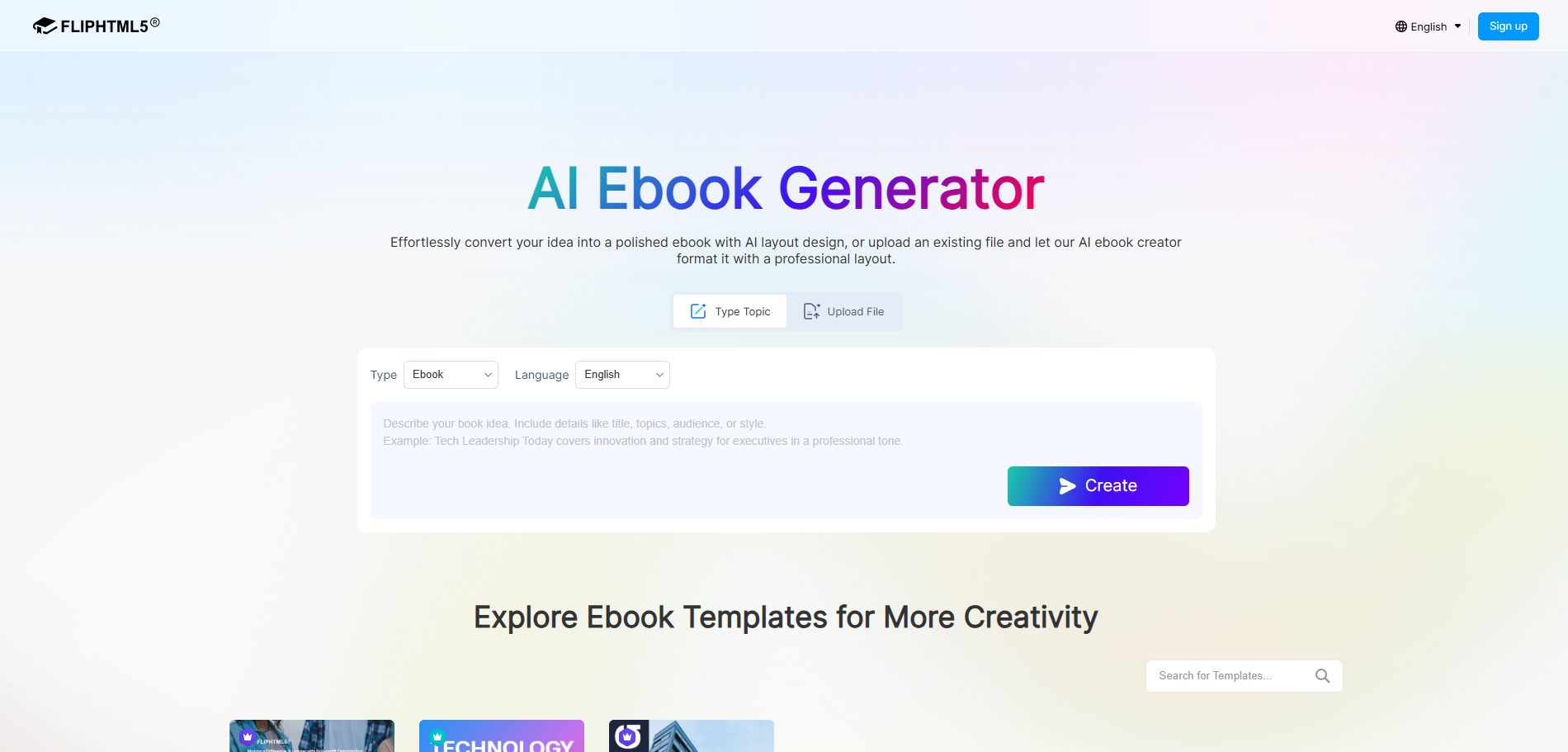
FlipHTML5 AI Ebook Generator
FlipHTML5 AI Ebook Generator is a free online tool that turns your ideas or uploaded files into professionally laid-out ebooks with AI-powered design, supporting 25+ book types like catalogs, magazines, and brochures.
Verdict
A quick read before you dig into the full page.
- Best if
- You are marketing professionals and need: Content Marketing — Create lead magnets, branded ebooks, and whitepapers to attract and convert prospects
- Pick this when
- FlipHTML5 AI Ebook Generator is a free online tool that turns your ideas or uploaded files into professionally laid-out ebooks with AI-powered design…
Overview
FlipHTML5 AI Ebook Generator enables users to instantly create polished, professional ebooks by simply entering a topic or uploading an existing file. Powered by AI-driven layout design, it supports 25+ book types — including catalogs, magazines, brochures, cookbooks, and guidebooks — with full content editing, multimedia embedding, and 30+ languages. No design skills required.
Best for
Short scenarios where FlipHTML5 AI Ebook Generator tends to shine.
-
Content Marketing — Create lead magnets, branded ebooks, and whitepapers to attract and convert prospects.
Best for Marketing professionals
-
Education & Training — Build digital textbooks, guidebooks, handbooks, and training manuals for students or employees.
Best for Educators
-
Product Catalogs & Lookbooks — Showcase product lines or fashion collections in interactive, visually rich digital catalogs.
Best for Authors
-
Internal Communications — Produce company newsletters, employee handbooks, and onboarding materials quickly.
Best for Small business owners
-
Self-Publishing — Turn your ideas, stories, or expertise into polished ebooks ready for online distribution.
Best for Graphic designers
-
Event & Campaign Promotion — Design digital brochures, flyers, and pamphlets for events, launches, or campaigns.
Best for Content creators
-
Portfolio & Personal Branding — Showcase creative work, case studies, or achievements in a professional digital portfolio.
Best for Marketing professionals
-
Recipe & Lifestyle Content — Compile recipes, travel guides, or lifestyle tips into beautifully formatted digital cookbooks and guidebooks.
Best for Marketing professionals
How it works
Method 1: Type a Topic
1. Select "Type Topic," choose book type and language, then describe a book idea in the text box.
2. Click "Create" — AI will analyze the topic and generate a structured outline.
3. Review and edit the outline — polish titles or content as needed.
4. Click "Start AI Layout" — AI will design and render each page into a professionally laid-out ebook.
5. Fine-tune the generated ebook in the Page Editor — add multimedia, adjust design — then publish and share online.
Method 2: Upload a File
1. Select "Upload File," choose a book type, then upload a PDF or Word file (up to 50 MB / 50 pages).
2. AI will analyze the file and generate a structured outline for review.
3. Click "Start AI Layout" — AI will transform the content into a beautifully designed ebook.
4. Edit in the Page Editor if needed, then publish and share online.
Example outputs 1
Sample generations and before/after results for FlipHTML5 AI Ebook Generator.
Access & connections
Where you can use FlipHTML5 AI Ebook Generator.
Platforms
Capabilities
What this tool accepts, produces, and is strongest at.
Highlights
- AI-Powered Content Generation — Generate complete ebook content from just a topic description, with AI handling writing, structuring, and outlining.
- File-to-Ebook Conversion — Upload existing PDF or Word documents and let AI reformat them into professionally designed ebooks.
- AI Layout Design — Automatically arrange text, images, and design elements into polished, print-ready page layouts.
- 25+ Book Types — Support for catalogs, magazines, brochures, cookbooks, guidebooks, lookbooks, newsletters, handbooks, and more.
- Page Editor — Fine-tune every page with a built-in editor to add multimedia elements like videos, images, audio, links, animations, and interactive components.
- Online Publishing & Sharing — Instantly publish your ebook online with a shareable link, embed it on websites, or download it for offline use.
People also view
Tools that often show up alongside FlipHTML5 AI Ebook Generator in collections and comparisons.



FAQ 7
What is FlipHTML5 AI Ebook Generator?
How to use FlipHTML5 AI Ebook Generator?
Method 1: Type a Topic
1. Select "Type Topic," choose book type and language, then describe a book idea in the text box.
2. Click "Create" — AI will analyze the topic and generate a structured outline.
3. Review and edit the outline — polish titles or content as needed.
4. Click "Start AI Layout" — AI will design and render each page into a professionally laid-out ebook.
5. Fine-tune the generated ebook in the Page Editor — add multimedia, adjust design — then publish and share online.
Method 2: Upload a File
1. Select "Upload File," choose a book type, then upload a PDF or Word file (up to 50 MB / 50 pages).
2. AI will analyze the file and generate a structured outline for review.
3. Click "Start AI Layout" — AI will transform the content into a beautifully designed ebook.
4. Edit in the Page Editor if needed, then publish and share online.