AI facial editing

FacePoke

Free online AI facial editing tool for manipulating expressions and features.

Source rating 5.0 (78) 6.3k views 6.3k/mo traffic 0 saves Unknown
More categories (3)

Verdict

A quick read before you dig into the full page.

Best if
You are digital artists and need: Adjusting facial expressions for marketing visuals
Pick this when
Free online AI facial editing tool for manipulating expressions and features

Overview

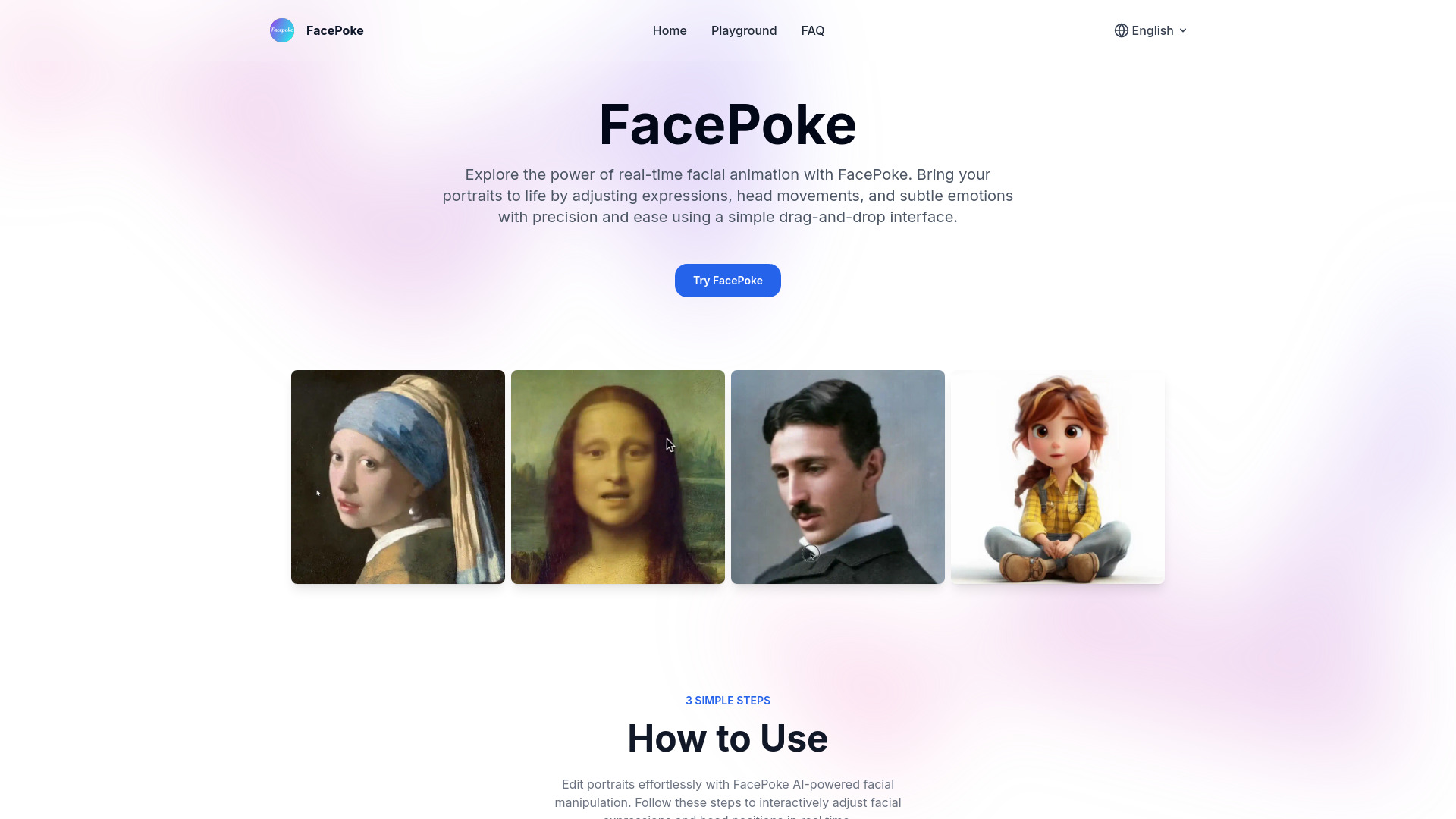
FacePoke is a free online facial editing tool that harnesses AI to manipulate facial features and expressions in digital portraits. It offers a simple drag-and-drop interface for adjusting expressions, head movements, and subtle emotions with precision and ease. FacePoke is ideal for creating dynamic images, animations, and digital art.

FacePoke screenshot

Best for

Short scenarios where FacePoke tends to shine.

  • Adjusting facial expressions for marketing visuals

    Best for Digital artists

  • Creating dynamic images for digital art

    Best for Content creators

  • Enhancing character expressions in animations

    Best for Marketing specialists

Example outputs 1

Sample generations and before/after results for FacePoke.

Access & connections

Where you can use FacePoke.

Platforms

Web

Capabilities

What this tool accepts, produces, and is strongest at.

Highlights

  • AI-powered facial manipulation
  • Real-time interactive editing
  • High-resolution output
  • Simple drag-and-drop interface

People also view

Tools that often show up alongside FacePoke in collections and comparisons.

FAQ 7

What is FacePoke?
FacePoke is a free online facial editing tool that harnesses AI to manipulate facial features and expressions in digital portraits. It offers a simple drag-and-drop interface for adjusting expressions, head movements, and subtle emotions with precision and ease. FacePoke is ideal for creating dynamic images, animations, and digital art.
How to use FacePoke?
1. Upload a portrait photo. 2. Adjust facial features by clicking and dragging. Enable 'Show Face Markers' for precise control. 3. Preview and save the edited image.
What is FacePoke?
FacePoke is an AI-powered facial editing tool that lets users adjust facial features and expressions in portraits. It offers real-time manipulation, making it ideal for creating dynamic images, animations, and digital art.
How does FacePoke work?
FacePoke uses advanced AI algorithms to detect facial landmarks in images, allowing users to click and drag on specific areas to adjust expressions, head angles, and facial features for lifelike results.
What image quality does FacePoke support?
FacePoke supports high-resolution outputs, with edited images retaining their original quality. This makes it suitable for projects requiring detailed visuals, from digital art to professional content creation.
Can FacePoke be used for video editing?
Yes, FacePoke can be used in video editing workflows. While it primarily edits still images, it integrates well with animation tools to create dynamic facial expressions, which can be applied to video content for added realism.
Is there a way to fine-tune facial feature adjustments?
Yes, FacePoke allows you to enable 'Show Face Markers' for more precise control over facial features. This feature displays adjustable points around key facial areas, providing greater accuracy for fine-tuning expressions and details.
FacePoke
