

FaceHarmony ✓
Generate cinematic AI profile pictures
Free + from $1.99
Verdict
A quick read before you dig into the full page.
- Best if
- Generate cinematic AI profile pictures
- Skip if
- Limited to profile pictures
- Pick this when
- Cinematic-quality profile pictures
Considering Real Fake Photos instead? Compare side by side
Overview
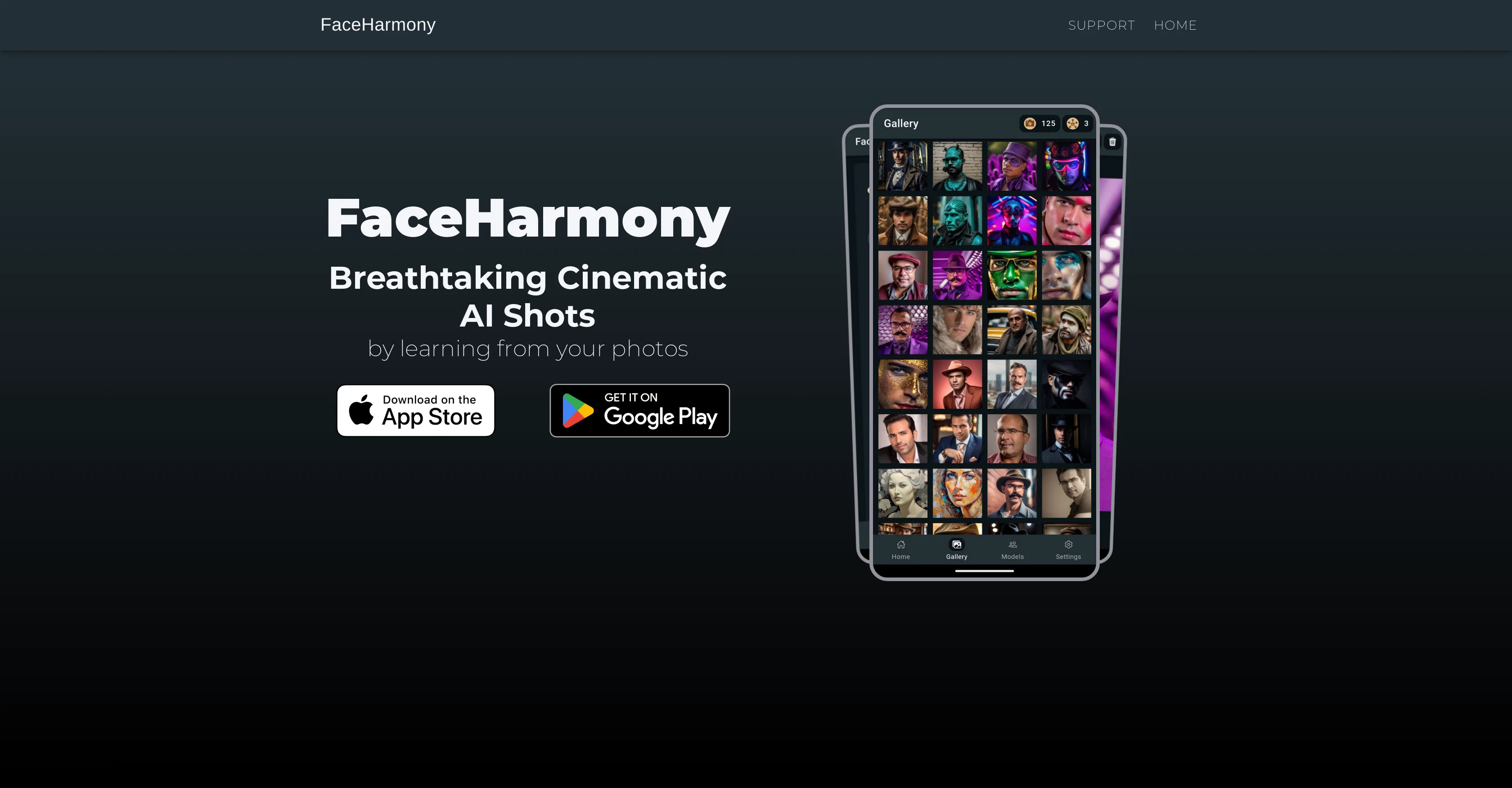
FaceHarmony simplifies the production of cinematic-quality profile pictures through the implementation of artificial intelligence. The tool effectively utilizes your given input and processes the data to render a cinematic profile picture output.
It embodies a blend of art and technology that is designed to cater to a user's aesthetic needs for personal/brand image display on various platforms.
The key strength of FaceHarmony lies in converting normal profile pictures into something more dramatic and visually striking. Noteworthy is its adaptability across a range of digital platforms and its potential uses for both individual users and businesses in visual content creation.
The rendered output enhances visual storytelling and aesthetic appealessential in the digital landscape. FaceHarmony does not, however, replace professional cinematography, but provides a complementary tool for users wanting to boost the quality and appeal of their digital presence.
It should be noted that the level of output quality may vary depending on the original input picture provided by the user. Furthermore, FaceHarmony might not fully replicate the photographic style of a specific cinematographer or crowning aspects of cinematic photography.
Instead, it emulates general cinematic aesthetics with the goal of enhancing regular profile pictures.
Access & connections
Where you can use FaceHarmony.
Platforms
Capabilities
What this tool accepts, produces, and is strongest at.
Input
- Image
Output
- Image
Pros & cons
Pros
- Cinematic-quality profile pictures
- Aesthetically pleasing results
- Adaptable across digital platforms
- Fits individual and business needs
- Enhances visual storytelling
- Boosts online image appeal
- Complements professional cinematography
- Emulates cinematic aesthetics
Show 12 more
- Effective data utilization
- Easy brand image enhancement
- Dramatically transforms profile pictures
- Ideal for diverse social media
- Art and technology blend
- Variety in output quality
- Convenient image processing
- Enhances regular profile pictures
- Source of digital art
- Convenient for visual content creation
- Can follow specific photographic styles
- Produces visually striking effects
Cons
- Inconsistent output quality
- Doesn't replicate specific styles
- Dependent on input quality
- Doesn't replace professional cinematography
- Limited to profile pictures
- General cinematic aesthetics only
- Can't customise output aesthetics
- No batch processing
Show 2 more
- No offline functionality
- No API integration
Compare alternatives
Similar tools in the catalog — with a clear reason to open each one.


1photoai
PaidAI photo generator for professional headshots, avatars, and image enhancement.
Why look Stronger for image work
Full comparison
daisy | Labubufy ✓
FreeTurn anyone into a Labubu in seconds! 🎁
Why look Fully free option
Full comparison
Releases 1
FAQ 12
What is FaceHarmony?
What does FaceHarmony do?
How does FaceHarmony implement AI?
In what ways does FaceHarmony enhance a regular profile picture?
Can FaceHarmony replicate the style of a specific cinematographer?
How does the input quality affect FaceHarmony's output?
What platforms can FaceHarmony work on?
How can businesses use FaceHarmony?
Does FaceHarmony replace professional cinematography?
How does FaceHarmony cater to a user's aesthetic needs?
What are the key strengths of FaceHarmony?
How fast can FaceHarmony generate cinematic portraits?
Related tools
Recommended

LearningStudioAI ✓
Free TrialAI-powered authoring tool for effortless online course creation.

CreateAiCourse ✓
PaidSimplify course creation with the best AI Course Creator.

AppsMakerStore ✓
FreemiumCreating and sharing your own mobile application has never been easier.

Dream Machine AI ✓
PaidTransform text and images into high-quality videos instantly with Dream Machine AI.

AI Ease: AI Headshot Generator ✓
FreemiumCreate professional AI headshots instantly for free

Calvin - AI Shorts Maker ✓
FreemiumEffortless video creation like never before with AI.