

Excel formulas 2026 Rank: #2495
ExcelGen ✓
Generate Excel formulas and edits in one conversation.
Trial; then from $6.58/mo
Verdict
A quick read before you dig into the full page.
- Best if
- Generate Excel formulas and edits in one conversation
- Skip if
- 10 MB file upload limit
- Pick this when
- Generates Excel formulas
Considering GPTExcel instead? Compare side by side
Overview
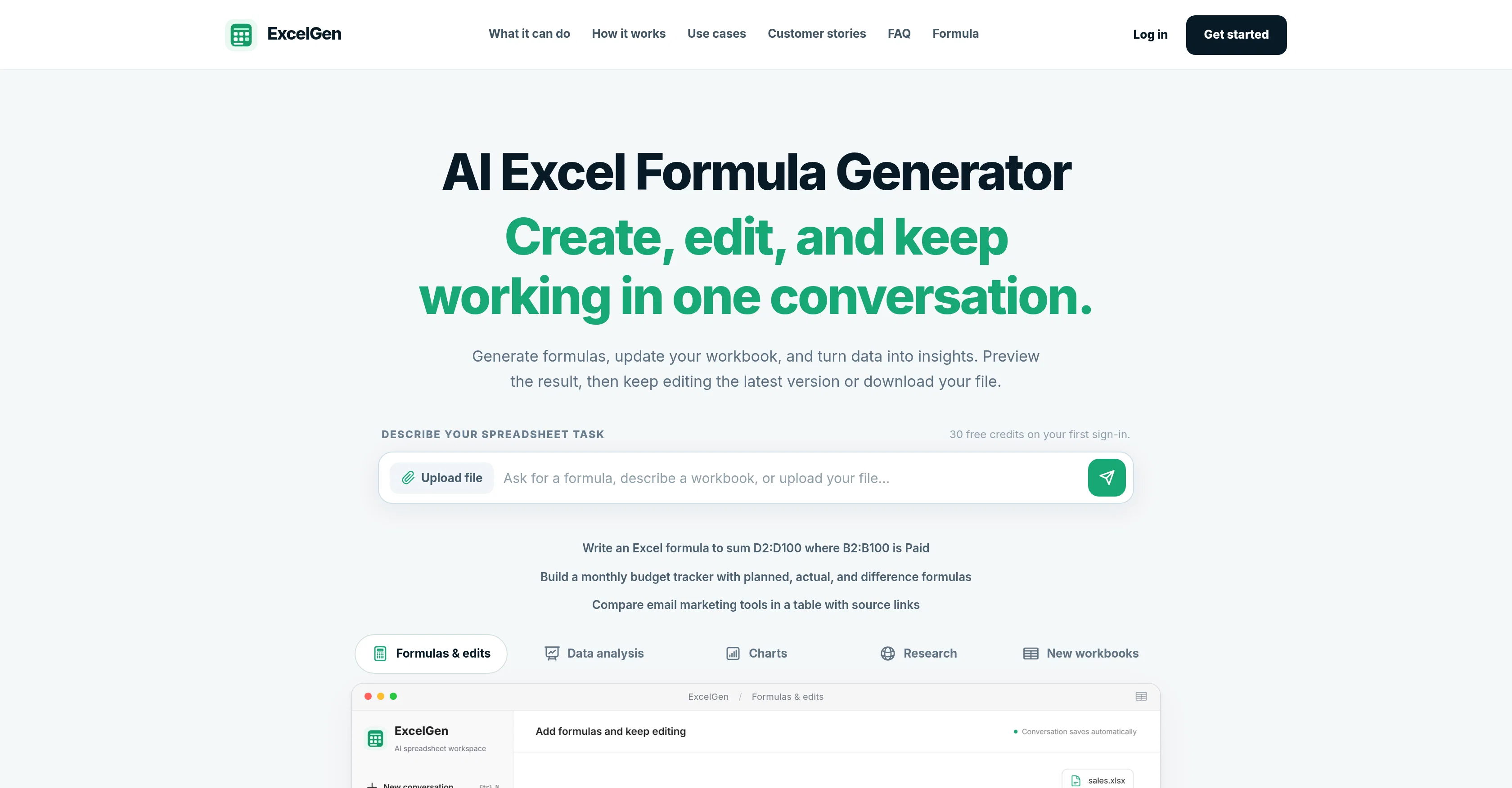
ExcelGen is an intelligent tool specifically designed to assist with creating, editing, and understanding Excel formulas. With the ability to generate formulas based on given tasks or questions, it streamlines the process of spreadsheet analysis and creation.
Users initiate a task by describing it in the chat interface, and ExcelGen proceeds to analyze data, build indicators, and produce spreadsheets accordingly.
Not limited to formula generation, ExcelGen can also build charts, analyze data, and turn it into functional insights. Furthermore, it facilitates real-time modifications; users can preview, refine, and download editable versions of their files.
Examples of use-cases include preparing sales reviews, constructing adjustable budgets, applying commission rules to sales data, converting project notes into trackers, and comparing tools in a table format.
While it primarily targets data and operations teams, it is also user-friendly for those without extensive knowledge of Excel formulas.
Access & connections
Where you can use ExcelGen, and what it plugs into.
Platforms
Integrations
Capabilities
What this tool accepts, produces, and is strongest at.
Input
- Text
- Structured data
Output
- Structured data
Pros & cons
Pros
- Generates Excel formulas
- Assists in spreadsheet analysis
- Builds charts
- Offers real-time modifications
- Previews, refines, downloadable files
- User-friendly interface
- Functional for non-experts
- Automates task execution
Show 42 more
- Facilitates data visualization
- Provides comparison analysis
- Handles commission calculation
- Assists in budget creation
- Helps in sales tracking
- Streamlines report generation
- Chat interface for task description
- Tutorials for Excel usage
- Automates operations management
- Effective for project management
- Assists in data analysis
- Facilitates data teams' work
- Real-time excel formula generation
- Modifiable excel formula creation
- Helps in sales reviews
- Automates project notes conversion to trackers
- Supports tool comparisons in tables
- Interactive tool for excel learning
- Integrates data analytics and spreadsheet tasks
- Customizable use-cases
- Excel formula creation through conversation
- Generates charts from provided data
- Helps understand excel formulas
- Easy task initiation in chat interface
- User-friendly for data and operations teams
- Builds adjustable budgets
- Real-time editing of files
- Reviews data analytics in real-time
- Turns data into functional insights
- Allows file upload for analysis
- Step-by-step guide for task execution
- Provides workspace for excel related tasks
- Transparent work process with real-time previews
- Produces editable versions of files
- Analyzes and organizes data based on user's task description
- Allows user to review and refine results
- Enables users to describe a new workbook idea
- Notifications for missing data in input
- Allows previous successful edits to be current version
- Supports XLSX, XLS, CSV format
- ExcelGen does not overwrite original files
- Allows user to choose from available versions of the workbook
Cons
- Limited to Excel formulas
- No support for macros
- No support for Excel's advanced features
- Exclusive file formats (XLSX, XLS, CSV)
- Formula compatibility issues
- Server-side calculations not supported
- Account required for workspace use
- Limited free usage credits
Show 2 more
- Lacks some workbook editing features
- 10 MB file upload limit
Compare alternatives
Similar tools in the catalog — with a clear reason to open each one.


SheetGod ✓
FreemiumTurn English into Excel formulas instantly.
Free + from $8.00/mo
Full comparison
Formulas HQ ✓
FreemiumSupercharge your spreadsheets with AI-powered formulas and scripts.
Why look Typically cheaper
Full comparison

Ajelix ✓
FreemiumAI-powered Excel & Sheets tools for boosted productivity.
Free + from $6/mo
Full comparison
AI Excel Bot ✓
FreemiumGenerate Excel formulas instantly with AI
Free + from $5.99/mo
Full comparisonReleases 1
FAQ 12
What is ExcelGen?
How does ExcelGen create Excel formulas?
How does ExcelGen facilitate real-time modifications to files?
Can ExcelGen be used for generating charts and visual data representation?
What is the process for initiating a task on ExcelGen?
Can ExcelGen convert project notes into trackers?
Who are the primary users targeted by ExcelGen?
Can ExcelGen be used by individuals with limited knowledge of Excel formulas?
How does ExcelGen analyze data?
Are the documents generated by ExcelGen downloadable and editable?
Can ExcelGen assist in building adjustable budgets?
Can ExcelGen apply commission rules to sales data?
Related tools
Recommended

MagicSlides.app AI PPT Maker ✓
FreemiumCreate Stunning PPTs in Seconds with the AI PPT Maker

GetLogit ✓
FreemiumArtificial intelligence, available for everyone.

ChatGPT ✓
FreemiumAsk anything, create anything, and move from idea to action.

Automateed ✓
Free TrialCreate eBooks effortlessly with Automateed, the AI-powered writing tool.

Kin - Personal AI Advisors ✓
FreePrivacy-first & designed your for mind, and life at work

Aiter.io | Paste a URL. Ship a Campaign That Sounds L... ✓
FreemiumAI marketing that sounds like you, not everyone else.