Data analysis

Endex AI Agent

Excel-native AI agent for financial modeling and data analysis automation.

Source rating 5.0 (69) 16k views 16k/mo traffic 0 saves Unknown
More categories (12)

Verdict

A quick read before you dig into the full page.

Best if
You are hedge Fund Portfolio Managers and need: Accelerating financial modeling and data analysis
Pick this when
Excel-native AI agent for financial modeling and data analysis automation

Overview

Endex AI Agent is an Excel-native AI agent designed to automate Excel work and accelerate financial modeling and data analysis. Backed by OpenAI and ChatGPT, it provides integrated citations for auditable outputs, uses custom-built LLMs engineered for finance to understand complex financial documents, and unifies internal files, external data, and trusted sources into a single searchable plane for comprehensive analysis.

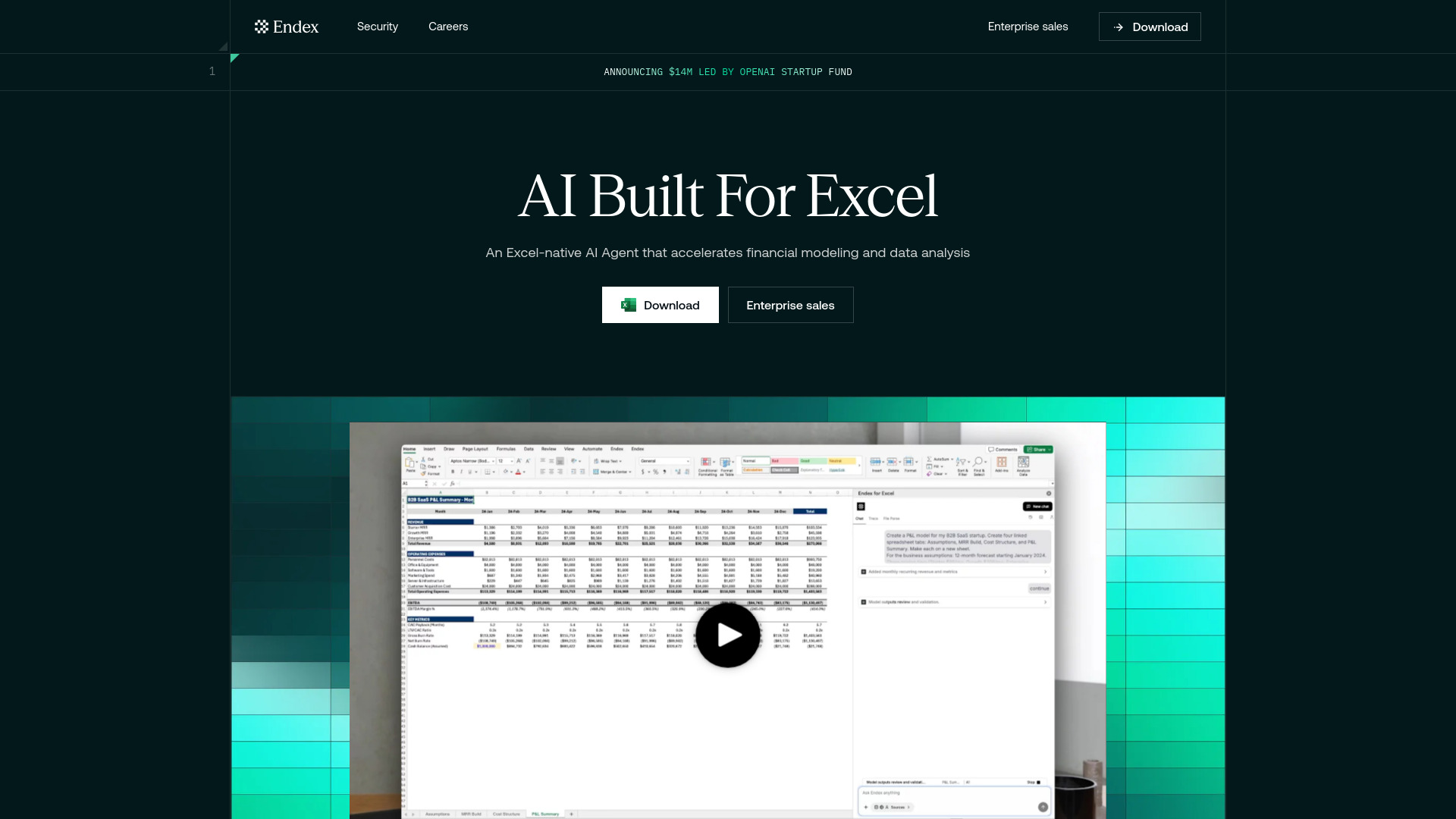
Endex AI Agent screenshot

Best for

Short scenarios where Endex AI Agent tends to shine.

  • Accelerating financial modeling and data analysis

    Best for Hedge Fund Portfolio Managers

  • Creating three-statement models and DCFs rapidly

    Best for Financial Analysts

  • Automating nearly any Excel task across diverse professional work categories

    Best for Investment Bankers

  • Eliminating manual data entry from financial statements, pitch decks, and research reports

    Best for Private Equity Professionals

  • Spotting trends, highlighting data anomalies, performing calculations, and providing intuitive reasoning across analyses

    Best for Asset Management Professionals

Example outputs 1

Sample generations and before/after results for Endex AI Agent.

Access & connections

Where you can use Endex AI Agent, and what it plugs into.

Platforms

Web

Integrations

Capabilities

What this tool accepts, produces, and is strongest at.

Highlights

  • Excel-native AI Agent
  • Auditable outputs with integrated citations
  • Custom-built LLMs engineered for finance
  • Unifies internal, external, and trusted data sources
  • AI-labeled tracing of cell references
  • Sheet navigation and jump to cells/ranges
  • Creation of repeatable firm templates
  • Customizable formatting shortcuts
Show 7 more
  • Native access to OpenAI Deep Research
  • Memory for style preferences and workflows
  • Integration with major model providers with zero data retention
  • One-click undo for changes
  • PDF to Table Conversion for data entry elimination
  • Enterprise-grade security (AES-256, TLS 1.2/1.3, SOC 2, ISO, CCPA, GDPR)
  • No training on user data

People also view

Tools that often show up alongside Endex AI Agent in collections and comparisons.

FAQ 12

What is Endex AI Agent?
Endex AI Agent is an Excel-native AI agent designed to automate Excel work and accelerate financial modeling and data analysis. Backed by OpenAI and ChatGPT, it provides integrated citations for auditable outputs, uses custom-built LLMs engineered for finance to understand complex financial documents, and unifies internal files, external data, and trusted sources into a single searchable plane for comprehensive analysis.
How to use Endex AI Agent?
Endex is an Excel-based add-in that operates as a sidebar within your Excel application. Users interact with it by providing prompts that include their ideal deliverable, formatting standards, data/data sources, specific data manipulation instructions, and any assumptions. Endex can pull data from various trusted public financial data sources and user-uploaded documents, and it can make changes directly to Excel sheets, which can be undone.
Is Endex its own web application separate from Excel?
No, Endex is an Excel-based add-in and lives as a sidebar in your Excel application. No need to constantly sign into or keep a separate web app open to use Endex.
Can Endex pull in data from outside my excel workbook?
Yes, Endex directly integrates with trusted public data sources across the financial services domain, such as CapIQ, VisibleAlpha, FactSet, SEC filings and company earnings. Users can also upload documents from which to pull data alongside their Excel workbook - expert call transcripts, broker research, market maps and much more.
Can Endex give me actionable insights, rather than just AI-generated summaries?
Yes, Endex agents are able to reason over Excel workbooks and financial data at the level of an analyst. Powered by OpenAI’s Deep Research integration and other industry-leading models, Endex’s agents can spot trends, highlight data anomalies, perform calculations and provide intuitive reasoning across your analyses.
Is Endex limited to a specific set of workflows?
No, Endex can be used for nearly any Excel task across a diverse set of professional work categories. Although tailored with rigor for financial professionals, Endex is a free form tool for all Excel work and carries an inherent understanding of financial terminology, workbook context and supporting files.
How does Endex manage the data in my Excel files? Are my Excel files and queries used for model training?
Endex maintains a strict set of enterprise-grade security and compliance frameworks to protect user data. Endex ensures no training on user data - period. To learn more about security and compliance with Endex, please visit their trust portal at https://trust.endex.ai/.
How can I trust Endex’s outputs to be accurate?
Endex outputs are completely auditable with direct citations to cells and cell ranges in your workbook, as well as in-line citations to public and independently uploaded documentation.
Am I allowed to download Endex at my firm?
Endex is utilized by analysts and associates at leading financial institutions across the US & globally, backed by a strong security & compliance framework. Firms can learn more about Endex's security & compliance policy at https://trust.endex.ai/ or reach out to [email protected] for specific security-related questions.
What if Endex builds an analysis I don’t like?
Endex features the ability to undo changes it makes to Excel sheets quickly and efficiently. However, versioning up your workbooks while using Endex, just as you normally would, is recommended.
How do I best prompt Endex to complete a task?
Endex will ask for follow-ups if prompting is ambiguous, but generally prompts should include your ideal deliverable, formatting standards, data / data sources, any specific data manipulation and any assumptions.
Can Endex help me build charts and create other visualizations?
Today, Endex is optimized for tabular and cell-based data manipulation rather than charting and other data visualizations. New updates covering charting capabilities are on Endex’s roadmap.
Endex AI Agent
