Verdict

A quick read before you dig into the full page.

Best if
AI Chrome extension for real-time emotion and cognitive analysis in Google Meet
Pick this when
Unknown · Free

Overview

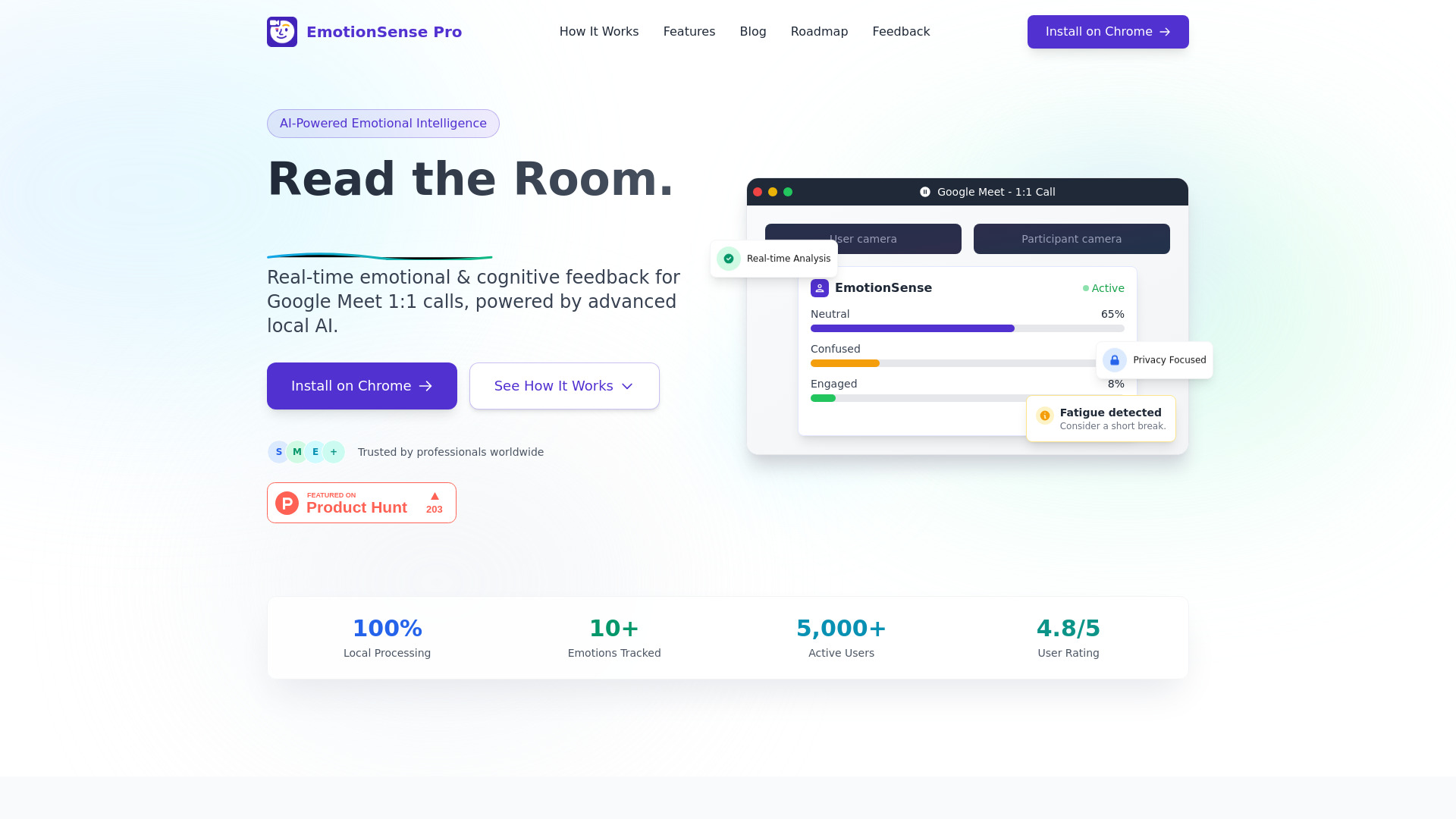
EmotionSense Pro is a Chrome extension designed for Google Meet that uses AI to detect real-time emotions and cognitive states without sending data to external servers. It provides valuable insights into participant engagement, attention levels, and emotional dynamics, making it ideal for UX researchers, recruiters, educators, and remote teams seeking ethical, local emotion analytics. The tool offers features like facial emotion detection, cognitive state analysis, emotion timelines, and session reports to enhance communication and understanding in virtual meetings.

EmotionSense Pro screenshot

Access & connections

Where you can use EmotionSense Pro, and what it plugs into.

Platforms

Integrations

Capabilities

What this tool accepts, produces, and is strongest at.

Highlights

  • Real-time emotional & cognitive feedback
  • 100% Local Processing (Privacy Focused)
  • Facial Emotion Detection (Happy, sad, angry, fearful, surprised, neutral, disgusted, frustration)
  • Cognitive State Analysis (Attentiveness, confusion, engagement, fatigue, confidence, motivation)
  • Emotion Timeline & Journey Mapping
  • Session Reports & Smart Analytics
  • Duchenne Smile Analysis
  • Micro-Expression Capture
Show 2 more
  • Speech Emotion Analysis
  • Smart Break Recommendations

FAQ 7

What is EmotionSense Pro?
EmotionSense Pro is a Chrome extension designed for Google Meet that uses AI to detect real-time emotions and cognitive states without sending data to external servers. It provides valuable insights into participant engagement, attention levels, and emotional dynamics, making it ideal for UX researchers, recruiters, educators, and remote teams seeking ethical, local emotion analytics. The tool offers features like facial emotion detection, cognitive state analysis, emotion timelines, and session reports to enhance communication and understanding in virtual meetings.
How to use EmotionSense Pro?
To use EmotionSense Pro, first, install the extension from the Chrome Web Store with one click. Next, join any Google Meet call. Grant camera access when prompted, as all processing happens locally on your device for privacy. Finally, receive real-time emotional analysis and feedback directly within your Google Meet interface to better understand conversation dynamics and engagement.
Is EmotionSense Pro free to use?
Yes, EmotionSense Pro is 100% free forever, with no credit card required for installation or usage.
How does EmotionSense Pro ensure my privacy?
EmotionSense Pro processes all emotion and cognitive analysis entirely on your device. Your video data never leaves your computer, is not stored, recorded, or saved, and is not shared with any third parties. It is GDPR & COPPA Compliant and SOC 2 compliant.
What emotions and cognitive states can EmotionSense Pro detect?
It can detect 7 primary emotions (Happy, sad, angry, fearful, surprised, neutral, disgusted), Duchenne smiles, micro-expressions, and cognitive states such as attentiveness, fatigue, confusion, frustration, confidence, and motivation.
Does EmotionSense Pro record my video or audio?
No, EmotionSense Pro does not store, record, or save any of your video, audio, or emotional data. Everything is processed in real-time and discarded immediately.
What platforms is EmotionSense Pro compatible with?
EmotionSense Pro is a Chrome extension designed for Google Meet calls and works seamlessly within the existing interface on all major operating systems.
EmotionSense Pro Free
