
EditTextImage
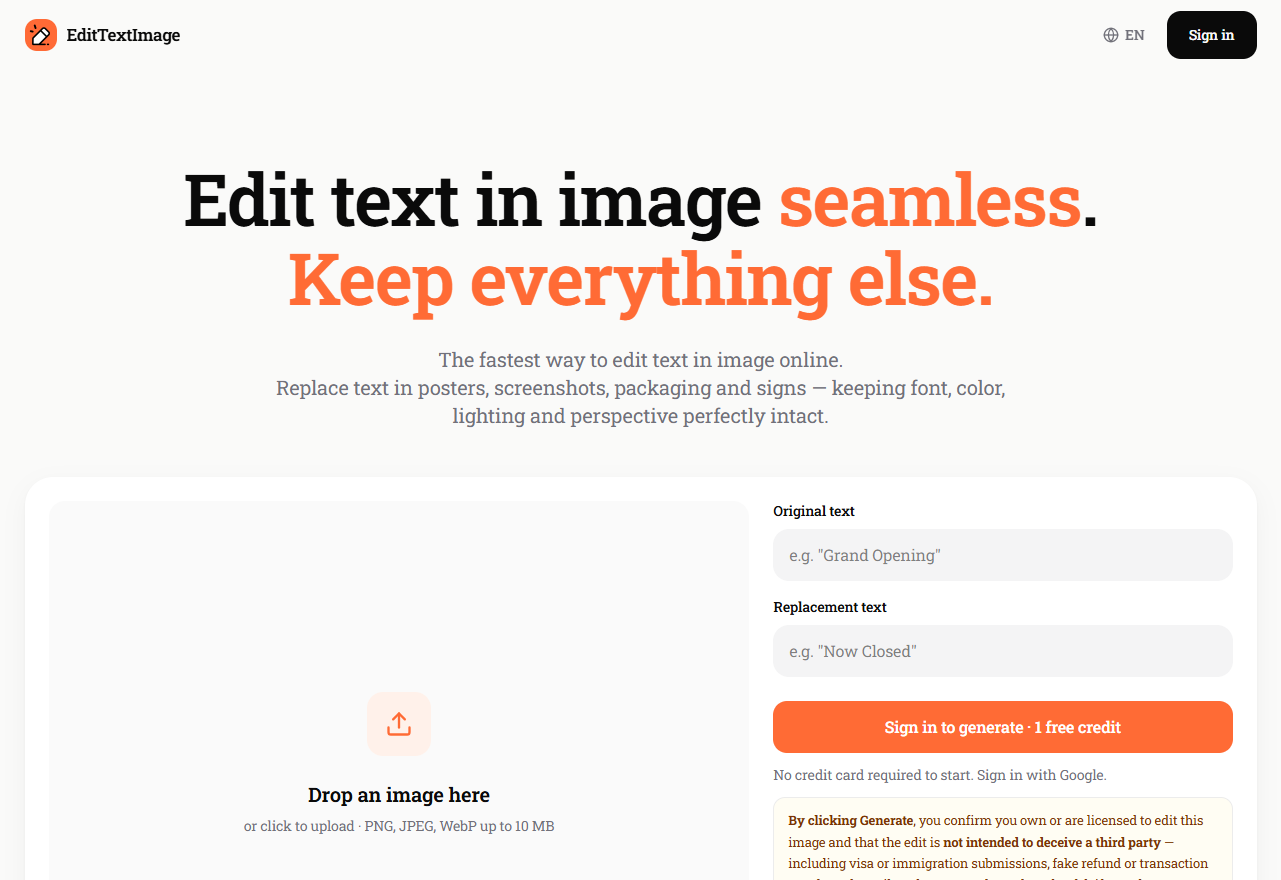
EditTextImage is an online AI tool that edits text in images while keeping the original font, color, size, lighting and perspective perfectly intact. Upload any image — a poster, screenshot, product photo, thumbnail or AI-generated artwork — type the original text and its replacement, and download a 2K-resolution result in about 12 seconds. No Photoshop, no font hunting, no design skills, and no subscription: you buy one-time credit packs that never expire, and failed edits are automatically ref
Free + from $9.90
Verdict
A quick read before you dig into the full page.
- Best if
- You are graphic designers and need: Fix a typo on a finished poster, flyer or slide when the source design file is lost
- Skip if
- You need enterprise SLAs or a fully managed team plan right away
- Pick this when
- Freemium · Free + from $9.90
Overview
EditTextImage (edittextimage.com) is an AI-powered image text editor that lets anyone replace, change or fix text inside an image without Photoshop or design skills.
Most image editors fail at this exact job: they reset the font, smear the background, or warp the perspective the moment you touch the text. EditTextImage samples the typography from the visible pixels and re-renders your new text in the same font, weight, color, shadow and perspective — while every pixel around the text stays exactly where it was. There is no font identification step, no manual content-aware fill, and no color matching by eye.
WHAT YOU CAN EDIT
It works on any image with legible text: posters and flyers, screenshots, YouTube / TikTok / Instagram thumbnails, product photos and packaging, menus, banners, memes, and AI-generated images. Two scenarios deserve a special mention:
• Fix garbled text in AI images — Midjourney, DALL-E and Stable Diffusion are famous for producing mangled lettering. Instead of re-rolling the prompt, fix just the text and keep the artwork.
• Translate text in image — swap the language of the text in place (e.g. English → Spanish app screenshots) while the design stays pixel-identical.
SPEED, QUALITY, FORMATS
Uploads accept PNG, JPEG and WebP up to 10 MB. The average edit takes about 12 seconds and downloads at 2K resolution, ready for print, web or social media. A built-in before/after compare lets you verify the result before downloading. An official Chrome extension adds a right-click "Edit text in this image" flow for any image on any webpage.
HONEST PRICING
No subscription. You buy one-time credit packs (from $9.90 for 30 credits) that never expire; one credit equals one text-edit generation. Failed generations are automatically detected and refunded to your balance — you only pay for results. Full commercial rights are included on every image you generate. New accounts get 1 free credit with no credit card required.
PRIVACY AND RESPONSIBLE USE
Uploaded images and generated results are automatically deleted from storage about 7 days after the edit. EditTextImage enforces a strict Acceptable Use Policy: government IDs, official or stamped documents, currency, and deceptive edits are blocked. It is a tool for fixing and localizing your own designs, not for forging documents.
The interface is available in 9 languages: English, Spanish, French, German, Japanese, Korean, Portuguese, Russian and Traditional Chinese.
Best for
Short scenarios where EditTextImage tends to shine.
-
Fix a typo on a finished poster, flyer or slide when the source design file is lost
Best for Graphic designers
-
Update the date, venue or speaker on last year's event poster instead of paying for a redesign
Best for Marketing managers
-
Localize App Store / Play Store screenshots into 10+ languages without rebuilding every UI mockup
Best for Social media managers
-
Update prices, offers and sale badges on e-commerce product photos without a new photo shoot
Best for E-commerce teams
-
A/B test different headlines and CTAs on the same ad creative in minutes
Best for Localization specialists
-
Fix garbled or misspelled text in Midjourney, DALL-E and Stable Diffusion images while keeping the artwork
Best for Content creators
-
Translate text in menus, banners and marketing images for international audiences
Best for Photo editors
-
Update restaurant menu prices while keeping the brand typography intact
Best for Event coordinators
Example outputs 1
Sample generations and before/after results for EditTextImage.
Access & connections
Where you can use EditTextImage, and what it plugs into.
Platforms
Capabilities
What this tool accepts, produces, and is strongest at.
Highlights
- Same-font text replacement — AI samples the typography from the pixels and re-renders new text in the identical font, weight, color and shadow
- Pixel-perfect background preservation — everything around the edited text stays untouched, no smearing or artifacts
- 2K HD output — download results at 2K resolution, ready for print, web and social media
- ~12-second generations — average edit completes in about 12 seconds
- Translate text in image — swap the text's language in place while the design stays pixel-identical
- Fix garbled text in AI-generated images — repair Midjourney / DALL-E / Stable Diffusion lettering without re-prompting
- Perspective-aware editing — text on angled signs, curved packaging and tilted posters keeps its original geometry
- One-time credits, never expire — pay-per-use packs from $9.90, no subscription
Show 3 more
- Failed edits auto-refunded — you only pay for successful generations
- Commercial use included — full rights to every image you generate
- Privacy by default — uploads and results are auto-deleted from storage after about 7 days
People also view
Tools that often show up alongside EditTextImage in collections and comparisons.


FAQ 11
What is EditTextImage?
Most image editors fail at this exact job: they reset the font, smear the background, or warp the perspective the moment you touch the text. EditTextImage samples the typography from the visible pixels and re-renders your new text in the same font, weight, color, shadow and perspective — while every pixel around the text stays exactly where it was. There is no font identification step, no manual content-aware fill, and no color matching by eye.
WHAT YOU CAN EDIT
It works on any image with legible text: posters and flyers, screenshots, YouTube / TikTok / Instagram thumbnails, product photos and packaging, menus, banners, memes, and AI-generated images. Two scenarios deserve a special mention:
• Fix garbled text in AI images — Midjourney, DALL-E and Stable Diffusion are famous for producing mangled lettering. Instead of re-rolling the prompt, fix just the text and keep the artwork.
• Translate text in image — swap the language of the text in place (e.g. English → Spanish app screenshots) while the design stays pixel-identical.
SPEED, QUALITY, FORMATS
Uploads accept PNG, JPEG and WebP up to 10 MB. The average edit takes about 12 seconds and downloads at 2K resolution, ready for print, web or social media. A built-in before/after compare lets you verify the result before downloading. An official Chrome extension adds a right-click "Edit text in this image" flow for any image on any webpage.
HONEST PRICING
No subscription. You buy one-time credit packs (from $9.90 for 30 credits) that never expire; one credit equals one text-edit generation. Failed generations are automatically detected and refunded to your balance — you only pay for results. Full commercial rights are included on every image you generate. New accounts get 1 free credit with no credit card required.
PRIVACY AND RESPONSIBLE USE
Uploaded images and generated results are automatically deleted from storage about 7 days after the edit. EditTextImage enforces a strict Acceptable Use Policy: government IDs, official or stamped documents, currency, and deceptive edits are blocked. It is a tool for fixing and localizing your own designs, not for forging documents.
The interface is available in 9 languages: English, Spanish, French, German, Japanese, Korean, Portuguese, Russian and Traditional Chinese.
How to use EditTextImage?
2. Upload your image (PNG, JPEG or WebP, up to 10 MB): a poster, screenshot, thumbnail, product photo or AI-generated image.
3. Type the original text as it appears in the image, then type the replacement text.
4. Click Generate. The AI locates the text and re-renders your replacement in the same font, color, size and perspective — average time is about 12 seconds.
5. Check the before/after preview, then download the 2K result — ready for print, web or social media.
Tips:
• Sign in with Google (one click) to claim 1 free credit — no credit card required.
• If a generation fails, the credit is automatically refunded to your balance.
• Install the Chrome extension to right-click any image on the web and edit it in a side panel without leaving the page.