

Meal plans 2026 Rank: #1022
DineCraft ✓
AI meal planner that builds your weekly meal prep around your macros.
Verdict
A quick read before you dig into the full page.
- Best if
- AI meal planner that builds your weekly meal prep around your macros
- Skip if
- Limited pro meals per week
- Pick this when
- Personalized meal prep
Considering MealMate instead? Compare side by side
Overview
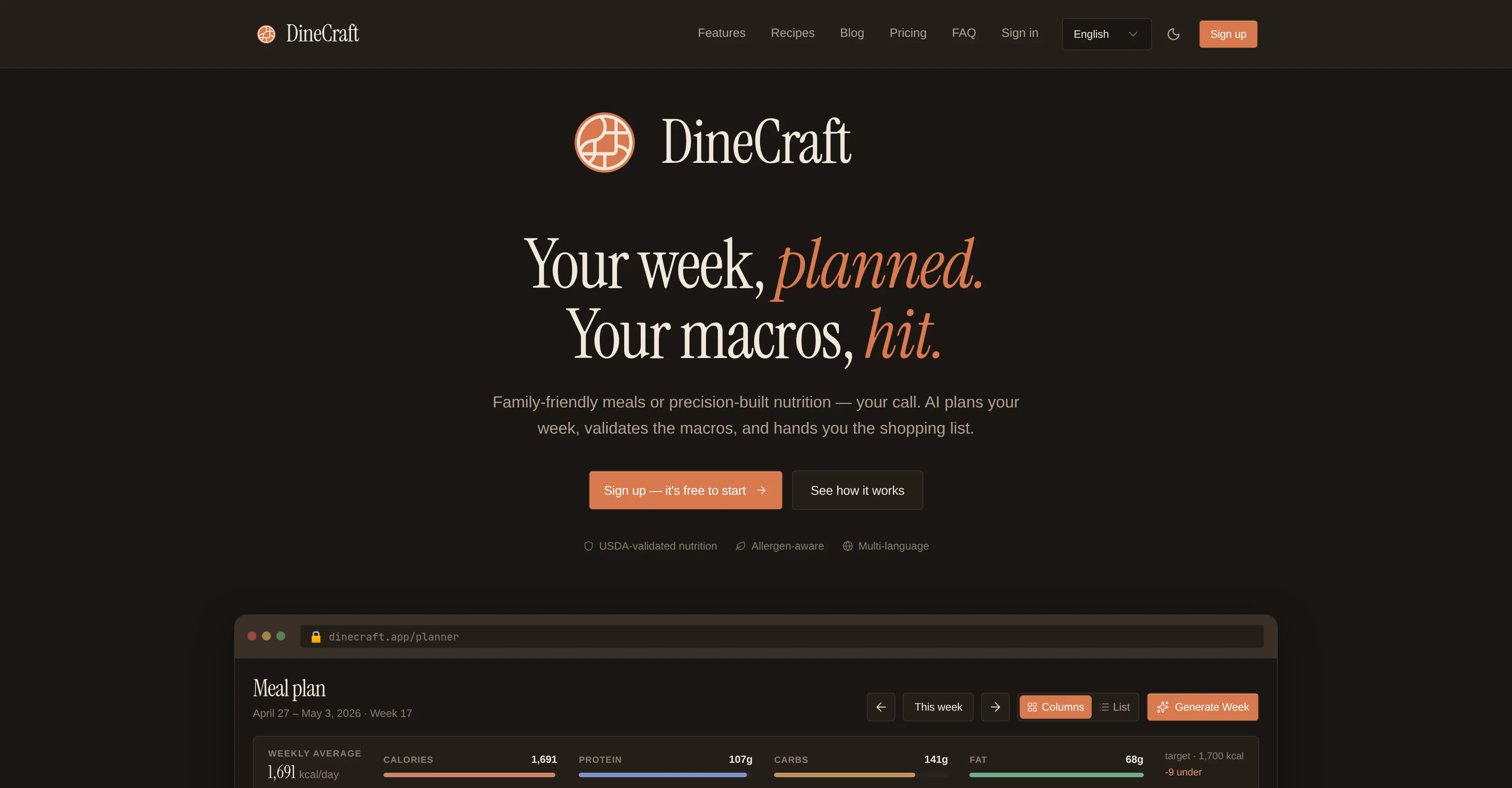
DineCraft is an AI-assisted meal planner designed for comprehensive diet management and meal planning. This tool generates weekly meal plans based on your personal dietary macros.
It offers personalized recipe recommendations and provides USDA-validated nutritional information for each suggested meal. Additionally, it develops a shopping list automatically sorted by aisle for convenience.
DineCraft offers two modes of use. The 'Simple' mode is suitable for families and casual users, allowing them to chat their cravings, and get an auto-generated meal plan that caters to their diet preference.
For those who track macros and require precise meal plans, like athletes, the 'Pro' mode is ideal. This mode employs a multi-agent pipeline, which includes a 'Researcher' that finds the recipe, a 'Refiner' that scales the recipe to the user's exact macros, and a 'Validator' that checks every ingredient against the USDA food database.
The result is a precise meal plan that accurately matches the user's nutritional targets. Changes can be made to the plan anytime and users have the option to use both pre-existing meals and new AI-generated meals in their weekly plans.
A unique feature of DineCraft is its capability to generate a shopping list from the weekly meal plan, automatically grouped by supermarket sections, complete with price estimates and filtering options.
Best for
Short scenarios where DineCraft tends to shine.
-
AI meal planner that builds your weekly meal prep around your macros.
Example outputs 1
Sample generations and before/after results for DineCraft.
Access & connections
Where you can use DineCraft.
Platforms
Capabilities
What this tool accepts, produces, and is strongest at.
Input
- Tabular
Output
- Text
Highlights
- Agents
Supported features
- Agents
- Assistant
- Automation
- Text Generation
Pros & cons
Pros
- Personalized meal prep
- Macro-nutrient based meal planning
- Family-friendly meals included
- Precise nutritional plans
- Meal breakdown (breakfast, lunch, etc.)
- USDA-validated macro-nutrient profiles
- Shopping lists sorted by aisles
- Multi-language support
Show 43 more
- Secure data privacy
- Simple Mode and Pro Mode
- Fits different use-cases
- Recipes based on macro goals
- Direct links to meals
- Meal plans include calorie counts
- Auto-generated shopping lists
- Nutritional details for each meal
- Suitable for families and athletes
- Option to tweak meal plans
- Incorporates pre-existing and new meals
- Shopping list with price estimates
- Filtering options for shopping list
- Weekly macro target tracking
- Option to change meal plans
- Easy plan customization
- Meal recommendation and generation
- Individual and family serving options
- Proactive dietary management
- Scaled recipes for precise macros
- Ingredient validation against USDA
- Meal categorization by type
- Advanced meal planning algorithms
- Automated meal plan generation
- Data-driven personalization
- Meal plan variety control
- Plan includes new/generated meals
- Meal plan influenced by user library
- USDA validated nutrition pipeline
- Ingredient list made during cooking
- Screen stays on during cooking
- Goals and macros tracking
- Multi-platform availability
- Option to filter shopping by day
- Meals sync across devices
- TDEE calculator
- Protein floor, fat ceiling control
- Feedback on cooking progress
- Options to avoid allergens
- Customizable cuisines
- Public recipe library access
- Step-by-step recipe instructions
- Ready-made shopping lists
Cons
- Limited free plan
- Paid mode required for USDA validation
- Limited weekly meal generations in free mode
- Limited pro meals per week
- Household profiles only in highest plan
- High cost for Max plan
- Pro mode required for clearly validated macros
Compare alternatives
Similar tools in the catalog — with a clear reason to open each one.
People also view
Tools that often show up alongside DineCraft in collections and comparisons.
My AI Food Buddy ✓
UnknownSmart pantry management and recipe discovery AI.
Kitchendary ✓
Free TrialStress Free Meals Planning

Strongr Fastr ✓
FreemiumCreate custom meal plans for fitness pros.

MealMate ✓
UnknownAI-powered meal planning for healthy eating.

AI Meal Planner ✓
PaidAI-powered meal plans for your fitness goals

ReciBites: Recipes & Meal Planner ✓
FreemiumSave recipes plan meals and create grocery lists.

CoachArc ✓
Free TrialStop restarting every Monday.

Cognitive Bias Labs ✓
FreeAI-powered platform that diagnoses your cognitive biases.
Releases 1
FAQ 12
What is DineCraft?
What is the 'Pro Mode' and 'Simple Mode' in DineCraft?
How does DineCraft generate meal plans based on my macro-nutrient goals?
Can I customize my meal plans on DineCraft?
How does DineCraft validate the nutritional information of its recipes?
What is the source of DineCraft's nutritional information?
How does DineCraft create shopping lists?
Can DineCraft accommodate my dietary restrictions or food allergies?
Does DineCraft offer multi-language support?
What measures does DineCraft take for data privacy?
Can I use DineCraft for family meal planning?
Is DineCraft suitable for athletes or individuals with specific nutritional goals?
Related tools
Recommended

Notis ✓
Free TrialThe first WhatsApp assistant that runs on your ChatGPT and Claude subscriptions

AppDeploy ✓
FreeDeploy real apps directly from ChatGPT or Claude

PrompTessor ✓
FreemiumAI Prompt Workspace for Better AI Results

Vidu AI Video Generator ✓
FreemiumTransform text and images into high-quality AI videos.

Pounce ✓
Free TrialGet real followers and engagement in minutes.

ToDo.is ✓
FreemiumEfficient project management with generated tasks