Verdict

A quick read before you dig into the full page.

Best if
You are writers and need: Taking notes in meetings
Skip if
You need a free plan with no credit card
Pick this when
Paid · $4/mo

Overview

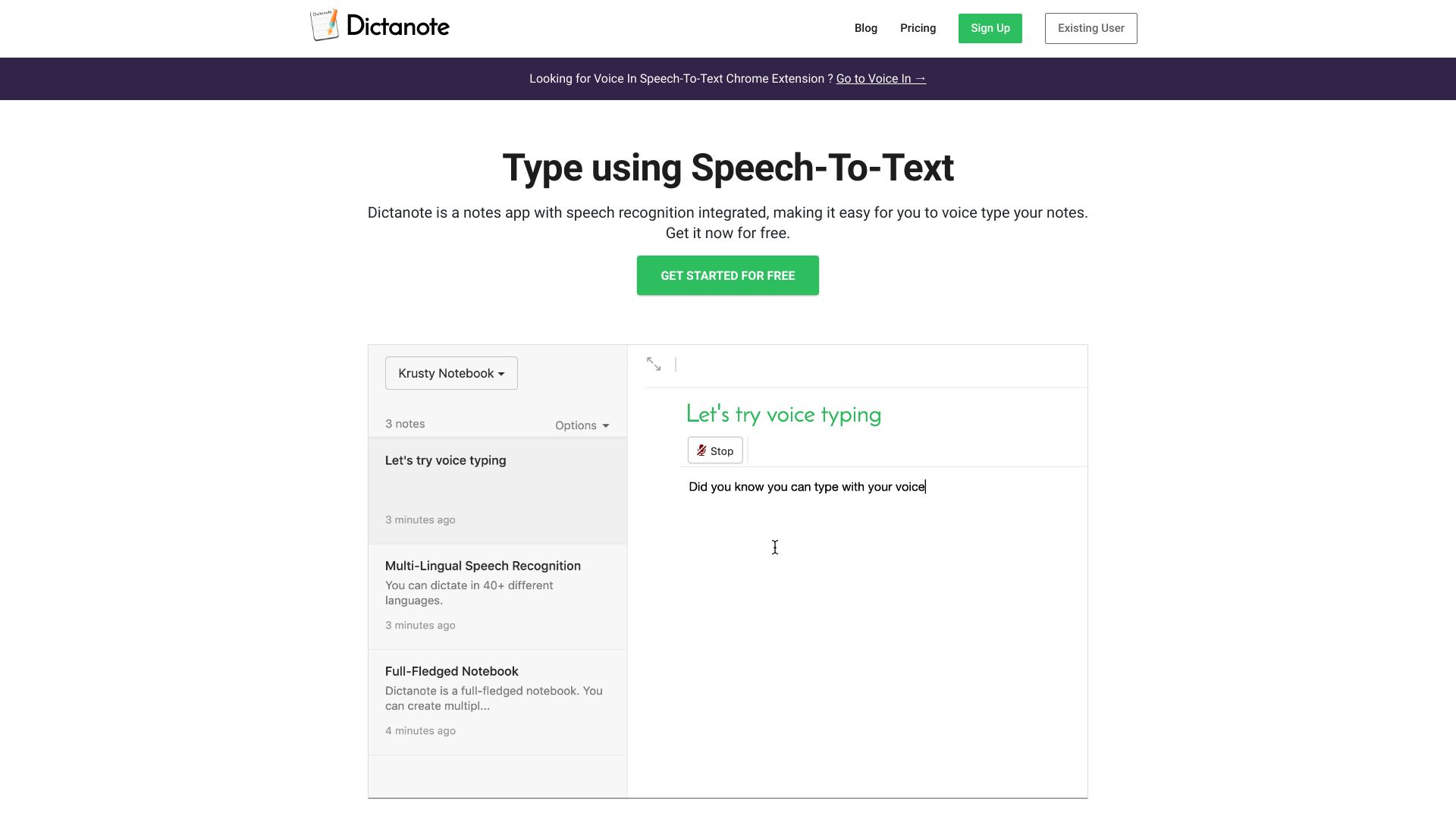
Dictanote is a modern notes app with built-in speech-to-text integration, allowing users to effortlessly voice type their notes in over 50 languages. It offers a seamless experience between keyboard and voice input, enhancing productivity with accurate dictation and transcription. Dictanote also provides features like AudioScribe, a smart AI writing assistant that converts voice notes into clearly summarized text.

Dictanote screenshot

Best for

Short scenarios where Dictanote tends to shine.

  • Taking notes in meetings

    Best for Writers

  • Writing books and documents

    Best for Journalists

  • Transcribing audio files

    Best for Students

  • Creating summarized text from voice notes

    Best for Professionals in meetings

  • Drafting emails and blog posts

    Best for Anyone needing to transcribe audio

How it works

Users can switch between keyboard and voice input to create notes. Dictanote accurately transcribes speech to text in real-time, allowing for the addition of paragraphs, punctuation marks, and smileys using voice commands. The AudioScribe feature converts voice notes into summarized text.

Example outputs 1

Sample generations and before/after results for Dictanote.

Access & connections

Where you can use Dictanote.

Platforms

Web

Capabilities

What this tool accepts, produces, and is strongest at.

Highlights

  • Speech-to-text in 50+ languages
  • Real-time transcription
  • Voice commands for punctuation and formatting
  • AudioScribe AI writing assistant
  • Offline access to notes
  • Custom Voice Commands
  • Unlimited Notebooks

People also view

Tools that often show up alongside Dictanote in collections and comparisons.

FAQ 6

What is Dictanote?
Dictanote is a modern notes app with built-in speech-to-text integration, allowing users to effortlessly voice type their notes in over 50 languages. It offers a seamless experience between keyboard and voice input, enhancing productivity with accurate dictation and transcription. Dictanote also provides features like AudioScribe, a smart AI writing assistant that converts voice notes into clearly summarized text.
How to use Dictanote?
Users can switch between keyboard and voice input to create notes. Dictanote accurately transcribes speech to text in real-time, allowing for the addition of paragraphs, punctuation marks, and smileys using voice commands. The AudioScribe feature converts voice notes into summarized text.
What are the system requirements to use Dictanote?
Dictanote works on Windows/Linux/Mac in Google Chrome and Microsoft Edge (as a standalone app), Android in Google Chrome (as a standalone app), and iPhone Safari 12+ (editing only, no voice dictation). It requires an inbuilt/external microphone.
Are Dictanote and Voice In different products?
Yes, they are separate products by the same team. Dictanote is a note-taking app with built-in voice-to-text, while Voice In is a Chrome extension for speech-to-text on any website.
Can I convert audio files to text?
Yes, use Dictanote Transcribe to convert pre-recorded audio files to text.
Can I use Dictanote offline?
You can access and edit your notes offline, but dictation requires an internet connection.
Dictanote $4/mo