
Verdict
A quick read before you dig into the full page.
- Best if
- Redesign your room in seconds with AI-generated designs from a single photo
- Pick this when
- Redesign your room in seconds with AI-generated designs from a single photo
Overview
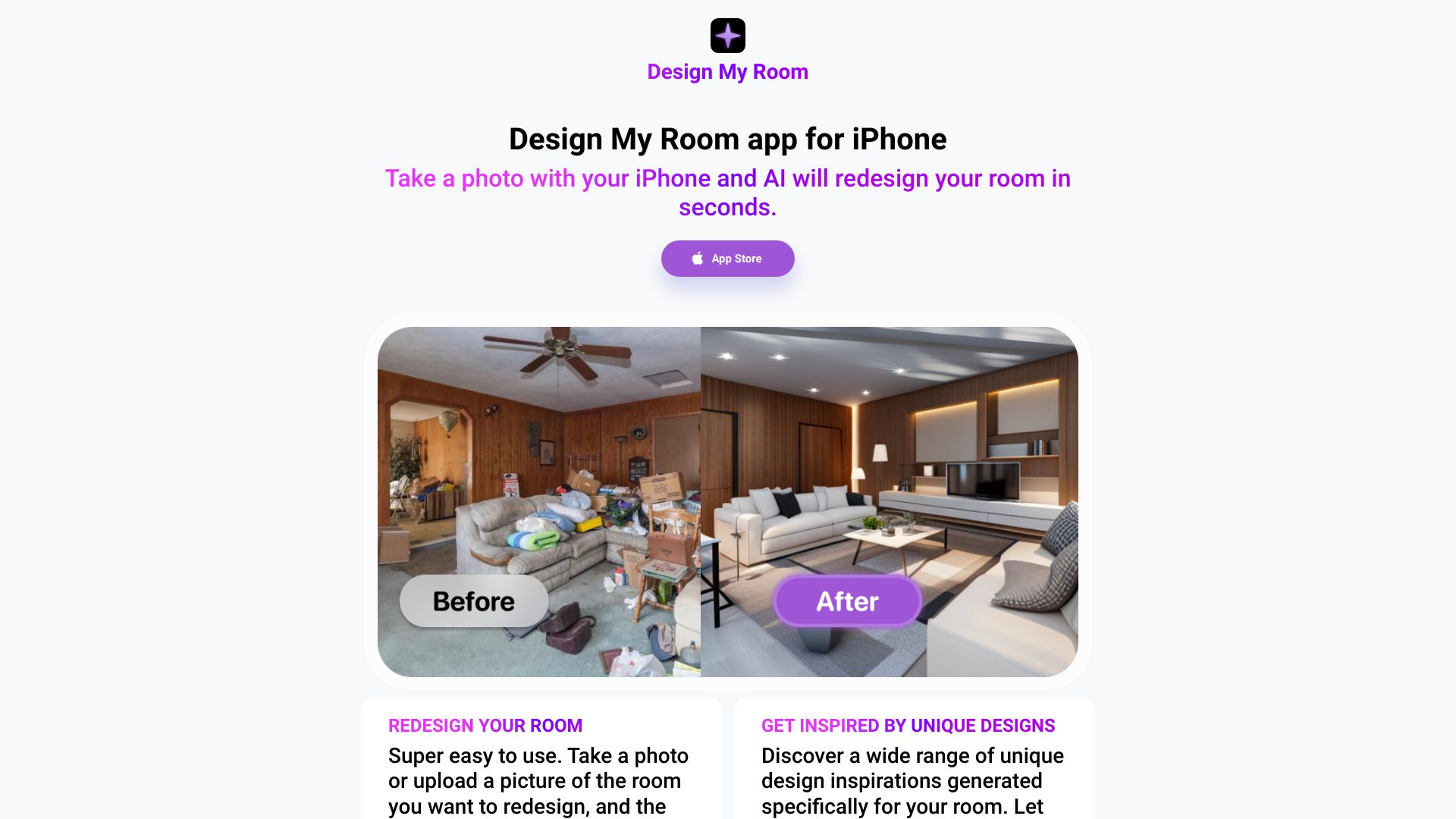
Design My Room app can redesign your room with just a photo in seconds. Just take a photo of your room, and the iPhone app will give you 5 new designs for your specific room. It's super easy to use. Take a photo or upload a picture of the room you want to redesign, and the app will spit out 5 different design ideas for you. Discover a wide range of unique design inspirations generated specifically for your room. Let the app spark creativity in your home makeover projects.
Access & connections
Where you can use Design My Room.
Platforms
Capabilities
What this tool accepts, produces, and is strongest at.
Highlights
- AI-powered room redesign
- Generates 5 design options per photo
- Easy to use photo upload
- Unique design inspirations
FAQ 4
What is Design My Room?
Design My Room app can redesign your room with just a photo in seconds. Just take a photo of your room, and the iPhone app will give you 5 new designs for your specific room. It's super easy to use. Take a photo or upload a picture of the room you want to redesign, and the app will spit out 5 different design ideas for you. Discover a wide range of unique design inspirations generated specifically for your room. Let the app spark creativity in your home makeover projects.
How to use Design My Room?
Take a photo of your room with your iPhone, or upload an existing picture. The app will then generate 5 different design ideas for your room.
How does Design My Room work?
You take a photo of your room with your iPhone, and the AI will generate 5 new designs for your specific room in seconds.
How many design ideas does the app provide?
The app provides 5 different design ideas for each photo you upload.
Related tools
Recommended


Design My Room