

DapperGPT ✓
A better UI for ChatGPT with powerful features.
Free + from $23.40/mo
Verdict
A quick read before you dig into the full page.
- Best if
- A better UI for ChatGPT with powerful features
- Skip if
- Limited by API key limit
- Pick this when
- Enhanced UI for ChatGPT
Considering ChatGPT instead? Compare side by side
Overview
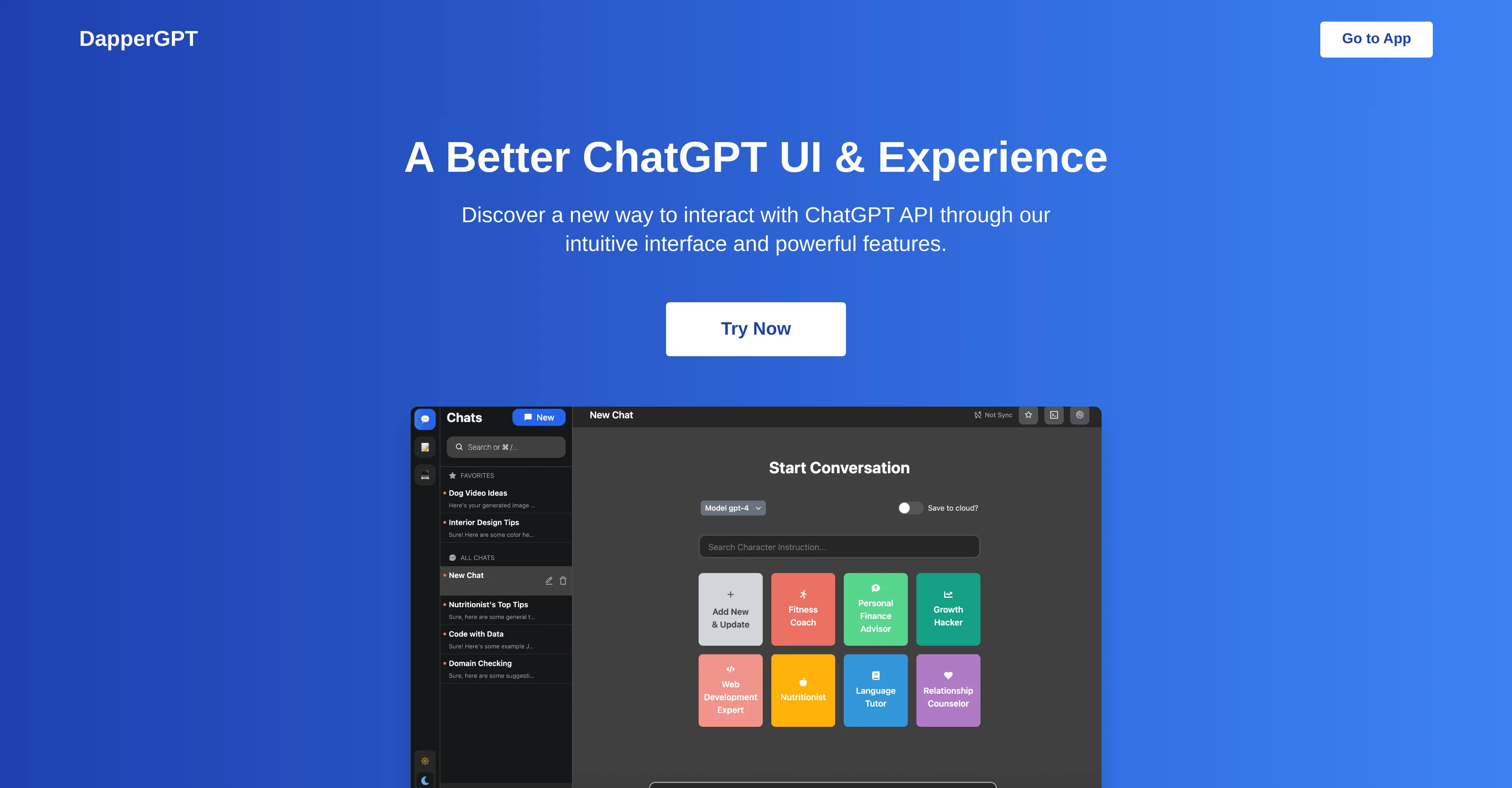
DapperGPT is an enhanced user interface for ChatGPT. The tool provides an intuitive layout to interact with the ChatGPT API, boasting a multitude of powerful features.
From creating AI-powered notes to implementing AI-driven Chrome extensions, DapperGPT has significantly amplified the way users experience ChatGPT. Key features of the tool include a smart search function, an option to pin favorite chats, and the facility to create images.
It also supports character instructions and provides a library to manage prompts effectively. Significantly, the tool offers voice-to-text and text-to-voice features, allowing users to communicate with the system more interactively.DapperGPT raises the usability scale by seamlessly integrating with popular online platforms through autofill capabilities.
It does not have limitations on the number of chats a user can have, the constraints being only the limit of an individual's OpenAI API key and their browser storage capacity.While DapperGPT's basic features are available for free, premium features are unlocked with a one-time purchase or yearly plan.
These premium features offer additional tools, including enhanced customization and cloud sync.Users need a valid OpenAI API key to avail themselves of the service.
While the software doesnt store API keys to the cloud by default, it maintains rigorous security measures for those who opt-in, conducting regular security audits and implementing industry-standard encryption methods.DapperGPT is not currently available for self-hosting but it is continuously updated and enhanced to meet user requirements.
Access & connections
Where you can use DapperGPT, and what it plugs into.
Platforms
Integrations
Capabilities
What this tool accepts, produces, and is strongest at.
Input
- API
- Text
- Audio
Output
- Code
- Audio
- API
- Text
- Image
Pros & cons
Pros
- Enhanced UI for ChatGPT
- API interaction facilitation
- Intuitive chatbot creation
- Chrome extension integration
- Efficient smart search
- PinSync feature
- Unlimited chat capability
- Voice-to-text feature
Show 14 more
- Text-to-voice feature
- Autofill capabilities integration
- Effective prompt management
- Image generation capability
- Character instructions support
- Free basic features
- Premium features available
- Security measures integration
- Regular security audits
- Industry-standard encryption methods
- Continuous updates
- Not self-hosting required
- Cloud sync in premium
- Team features in premium
Cons
- Premium features not free
- Not self-hostable
- Relies on browser storage
- Limited by API key limit
- No multi-language support
- No offline functionality
- No mobile app version
- Lack of detailed documentation
Compare alternatives
Similar tools in the catalog — with a clear reason to open each one.

ChatGPT ✓
FreemiumAsk anything, create anything, and move from idea to action.
Free + from $20/mo
Full comparison
Smarter ChatGPT by Athena AI ✓
FreemiumAI assistant that gets your tasks done. Smarter than ChatGPT.
Why look Typically cheaper
Full comparison
Free AI Chatbot & Image Generator ✓
FreeFree AI chat and image creation, no signup required
Why look Fully free option
Full comparison
KoalaChat ✓
FreemiumThe best AI writer and chatbot for your needs
Why look Typically cheaper
Full comparison
FlowGPT ✓
FreemiumVisualize ChatGPT conversations on a canvas board.
Free + from $50
Full comparison
Chatmind app ✓
PaidAI-powered mind mapping for effortless brainstorming
Why look Typically cheaper
Full comparisonReleases 1
FAQ 12
What is DapperGPT?
What are key features of DapperGPT?
How does the AI-powered notes feature work in DapperGPT?
What is the purpose of the AI-Powered Chrome Extension in DapperGPT?
How does the Smart Search feature function in DapperGPT?
What does the PinSync feature do in DapperGPT?
Can I integrate DapperGPT with other web applications?
How does DapperGPT facilitate the creation and management of chatbots using ChatGPT API?
What is the significance of Voice-to-Text and Text-to-Voice features in DapperGPT?
How do unlimited chats work in DapperGPT?
Is there any pricing involved for using DapperGPT?
What are the premium features available in DapperGPT?
Related tools
Recommended

Chatbase ✓
FreemiumBuild custom AI chatbots for your website

AiryChat ✓
UnknownDo less, achieve more with AI assistants

Chatcraft ✓
FreeWeb-based AI assistant for software developers

Stunning ✓
PaidBuild AI-powered websites in seconds

Harpa ✓
FreemiumAI-powered web assistant for automation and productivity

Superpower GPT ✓
FreemiumManagement and export of ChatGPT conversations.