Video editing

CurseCut

AI-powered tool to remove profanity from audio and video files.

Source rating 5.0 (82) 13k views 13k/mo traffic 0 saves Unknown
More categories (5)

Verdict

A quick read before you dig into the full page.

Best if
You are video editors and need: Creating child-friendly edits of movies, shows, and podcasts
Pick this when
AI-powered tool to remove profanity from audio and video files

Overview

CurseCut is an AI-powered tool designed to detect and mute profanity and other unwanted keywords from audio and video files. It allows users to easily create family-friendly, professional content by filtering out offensive language. The tool offers customizable filtering capabilities, enabling users to define which words are considered inappropriate based on their specific needs and preferences.

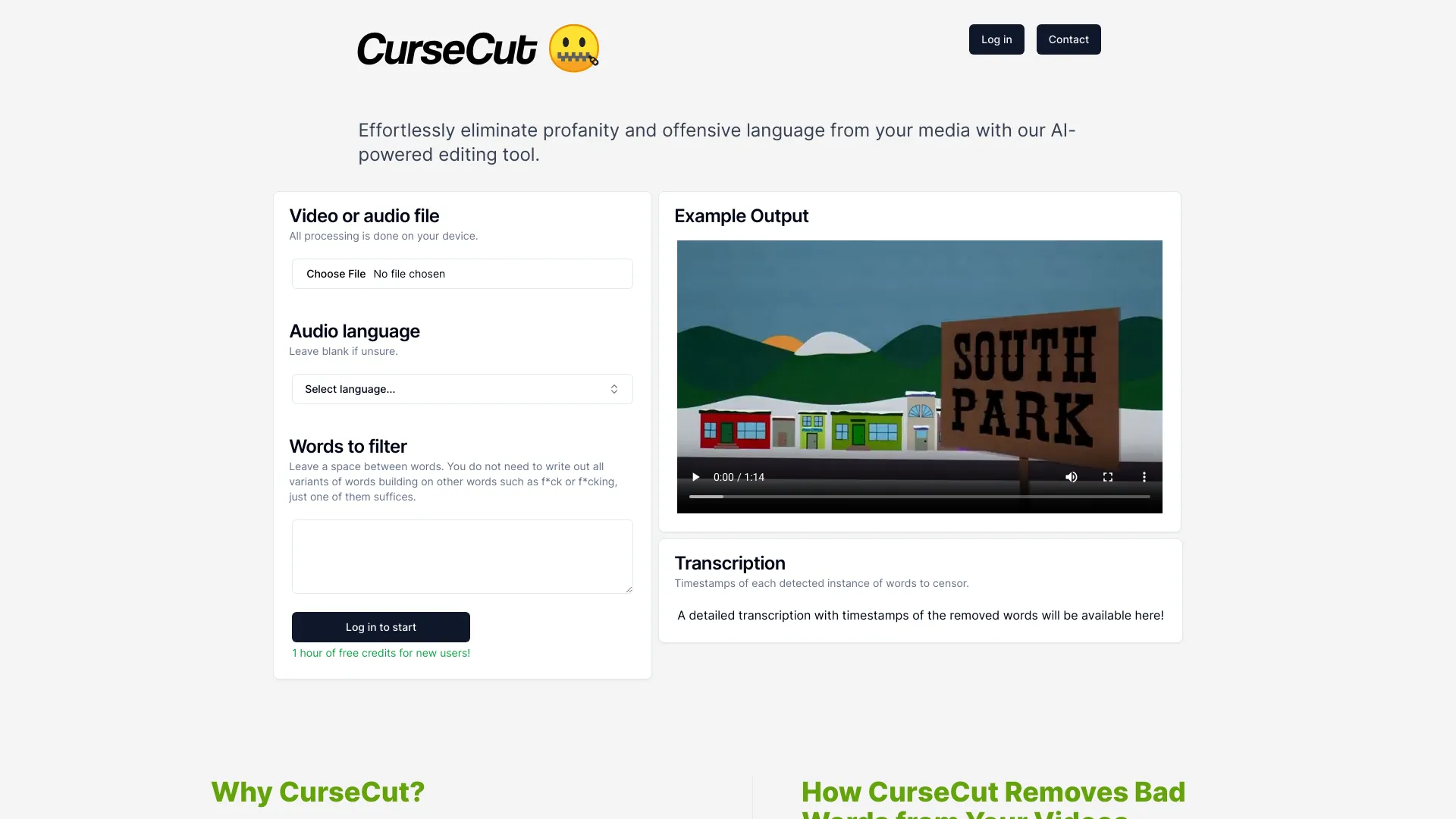
CurseCut screenshot

Best for

Short scenarios where CurseCut tends to shine.

  • Creating child-friendly edits of movies, shows, and podcasts

    Best for Video editors

  • Polishing workplace videos and training materials

    Best for Podcasters

  • Preparing live streams and broadcast content

    Best for Content creators

  • Filtering explicit language from YouTube videos

    Best for Educators

  • Ensuring compliance with platform/network policies

    Best for Businesses

Example outputs 1

Sample generations and before/after results for CurseCut.

Access & connections

Where you can use CurseCut.

Platforms

Web

Capabilities

What this tool accepts, produces, and is strongest at.

Highlights

  • AI-powered profanity detection and removal
  • Customizable word filtering
  • Local processing for data security
  • Transcription with timestamps of censored words
  • Support for various audio and video file formats

People also view

Tools that often show up alongside CurseCut in collections and comparisons.

FAQ 6

What is CurseCut?
CurseCut is an AI-powered tool designed to detect and mute profanity and other unwanted keywords from audio and video files. It allows users to easily create family-friendly, professional content by filtering out offensive language. The tool offers customizable filtering capabilities, enabling users to define which words are considered inappropriate based on their specific needs and preferences.
How to use CurseCut?
Users upload their video or audio file, select the audio language (or leave blank if unsure), and input a list of words to filter. CurseCut then automatically detects and mutes or bleeps those audio segments. The processed file can then be downloaded.
How does CurseCut ensure data security?
All processing is done locally on your device, ensuring your video files never leave your computer.
What file formats does CurseCut support?
CurseCut supports a wide range of video and audio file formats, including .mp4, .mov, .avi, .wmv, .mkv, .flv, .mp3, .wav, .aac, .flac, and .ogg.
How accurate is CurseCut's profanity detection?
CurseCut's accuracy depends on the quality of the audio and the completeness of the user-defined word list. It is recommended to process separate audio tracks for better detection.
Does CurseCut support multiple languages?
Yes, CurseCut supports transcription and censorship in a wide range of languages, including Afrikaans, Arabic, Armenian, Azerbaijani, Belarusian, Bosnian, Bulgarian, Catalan, Chinese, Croatian, Czech, Danish, Dutch, English, Estonian, Finnish, French, Galician, German, Greek, Hebrew, Hindi, Hungarian, Icelandic, Indonesian, Italian, Japanese, Kannada, Kazakh, Korean, Latvian, Lithuanian, Macedonian, Malay, Marathi, Maori, Nepali, Norwegian, Persian, Polish, Portuguese, Romanian, Russian, Serbian, Slovak, Slovenian, Spanish, Swahili, Swedish, Tamil, Telugu, Thai, Turkish, Ukrainian, Urdu, Vietnamese, Welsh, Xhosa, and Zulu.
CurseCut