

CleverType ✓
AI keyboard that polishes your writing instantly
from $4.99/mo
Verdict
A quick read before you dig into the full page.
- Best if
- AI keyboard that polishes your writing instantly
- Skip if
- Limited in over 30 languages
- Pick this when
- ChatGPT integration
Considering AITextTune instead? Compare side by side
Overview
CleverType is an AI-powered keyboard application designed for Android devices. It is powered by ChatGPT, a language model developed by OpenAI. The tool is primarily designed to enhance typing and writing experiences, featuring AI-assisted text editing functionalities as well as customization options.
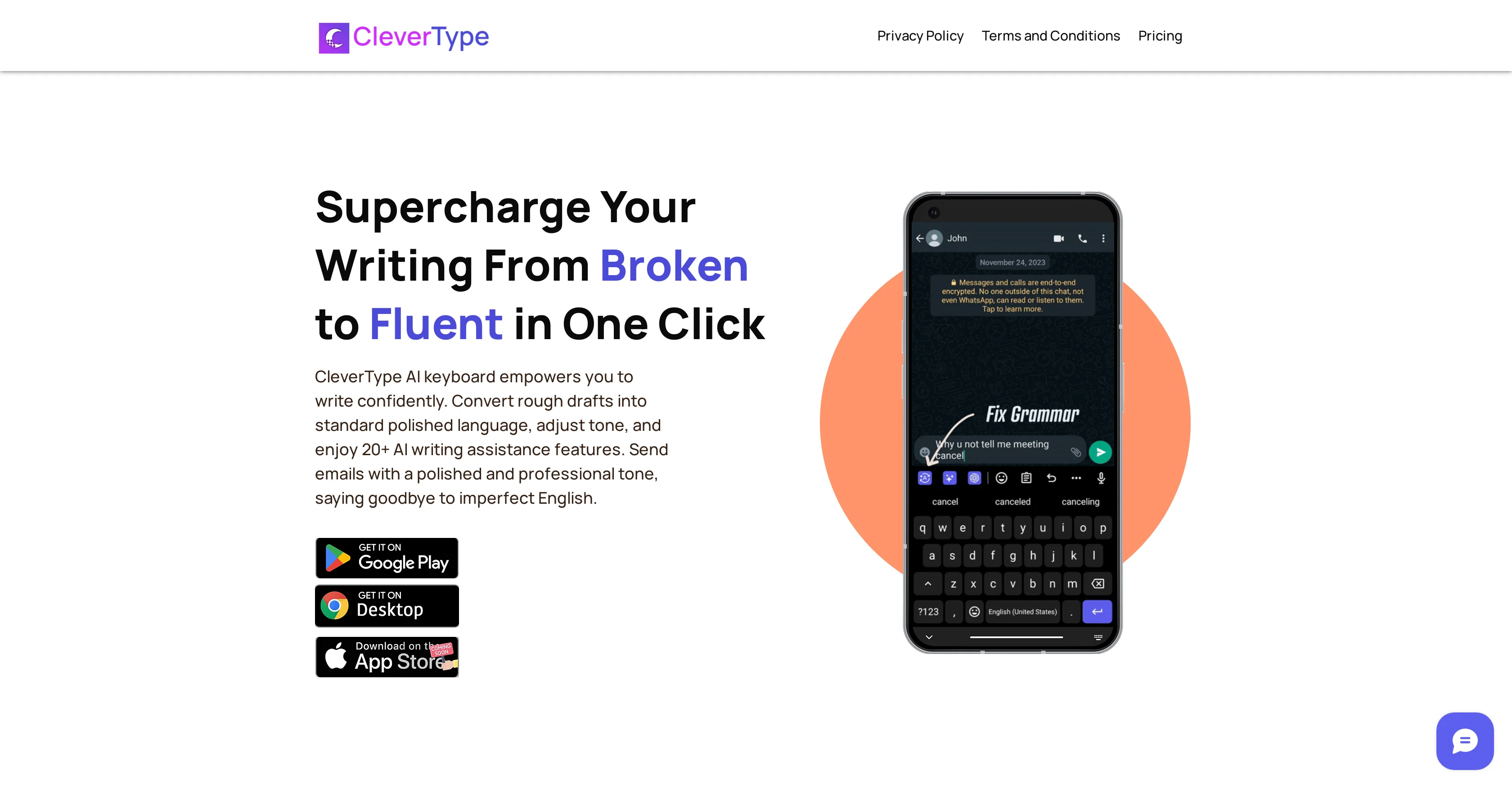
One of its key features includes 'Word Toning', which enables users to adjust the tone of their text to be formal, casual, sarcastic, among others. The application also has a 'Fix Grammar' feature, which allows users to refine their writing and eliminate grammatical errors with a simple click.
This feature can handle different text issues including punctuation, tense inconsistencies, sentence structure, and word usage. Additionally, CleverType provides a ChatGPT feature, where users can type their message in the app's input text field and receive a personalized response from the language model.
Once users receive a response, they can easily replace their originally typed text, streamlining the correcting process. Another notable feature of CleverType is its customizability.
Users can personalize their typing experience by choosing from a range of themes, use glide typing for faster input, or add emojis. It also has clipboard management for easy access and reuse of frequently used phrases.
Currently, CleverType supports over 30 languages, ensuring smooth communication in the users preferred language. Lastly, the app is highly compatible, able to work seamlessly across various other applications.
This offers users the convenience of AI-enhanced typing and writing across different digital platforms.
Access & connections
Where you can use CleverType.
Platforms
Capabilities
What this tool accepts, produces, and is strongest at.
Input
- Text
Output
- Text
Pros & cons
Pros
- ChatGPT integration
- Word toning feature
- Real-time grammar correction
- Tone customization
- Simple click error fixing
- Handles punctuation errors
- Ensures tense consistency
- Improves sentence structure
Show 22 more
- Emoji addition
- Clipboard management
- Supports 30+ languages
- Highly compatible
- Adjusts word usage
- Personalized writing experience
- Range of themes
- Supports glide typing
- Streamlines correction process
- Effective communication enhancement
- Uses user's preferred language
- Android application
- Communication with precision
- Effortless typing experience
- Text length adjustment
- Promotes professional tone
- Craft accurate emails
- Improve social media posts
- Easy text replacement
- Fun and expressive communication
- Easy phrase reuse
- Integrates with various applications
Cons
- Only for Android devices
- Dependent on ChatGPT responses
- No offline mode
- Possibly weak data privacy
- Punctuation errors possible
- Limited customizability options
- One-click changes may mismatch
- May not understand colloquial language
Show 2 more
- Limited in over 30 languages
- May have compatibility issues
Compare alternatives
Similar tools in the catalog — with a clear reason to open each one.

AITextTune ✓
Free TrialImprove your text with AI in just one click!
Why look Typically cheaper
Full comparison

Hemingway Editor Plus ✓
Free TrialAI-powered editing to make writing bold and clear.
Why look Better for writing
Full comparison
AI Word Changer ✓
FreemiumSupercharge your writing with one-click word alternatives.
Why look Freemium alternative
Full comparisonReleases 1
Imported reviews 1
This keyboard app stands out as one of the top choices thanks to its built-in AI assistants. It's not only user-friendly but also exceptionally helpful and distinctive. Whether you're correcting grammar or using writing assistants, I can also create any assistants for fast typing. I created one for my customer support service. This app simplifies the process of accessing LLM directly, eliminating the need to open a browser.
FAQ 12
What is CleverType?
What is the Word Toning feature in CleverType?
What languages does CleverType support?
What is the Fix Grammar feature in CleverType?
How does CleverType's ChatGPT feature work?
How can I customize my CleverType interface?
Does CleverType only work on Android devices?
What is glide typing in CleverType?
How can I use emojis in CleverType?
How does the clipboard management work in CleverType?
Are there themes available in CleverType?
Where can I download CleverType?
Related tools
Recommended

LearningStudioAI ✓
Free TrialAI-powered authoring tool for effortless online course creation.

VenturusAI ✓
FreemiumBusiness idea analysis and reporting.

Agentgpt ✓
FreemiumDeploy autonomous AI Agents effortlessly in your browser.

SEO Writing AI ✓
Freemium1-click SEO-optimized articles generation

GPTinf ✓
PaidBypass AI detectors with one-click rephrasing.

Free Text-To-Speech ✓
FreeText transformed into customizable spoken output.