
ChatGPT Watermark Remover
Free online tool to detect and remove invisible AI watermarks from text.
Source rating 5.0
(59)
4.7k views
4.7k/mo traffic
0 saves
Unknown
Verdict
A quick read before you dig into the full page.
- Best if
- Free online tool to detect and remove invisible AI watermarks from text
- Pick this when
- Free online tool to detect and remove invisible AI watermarks from text
Overview
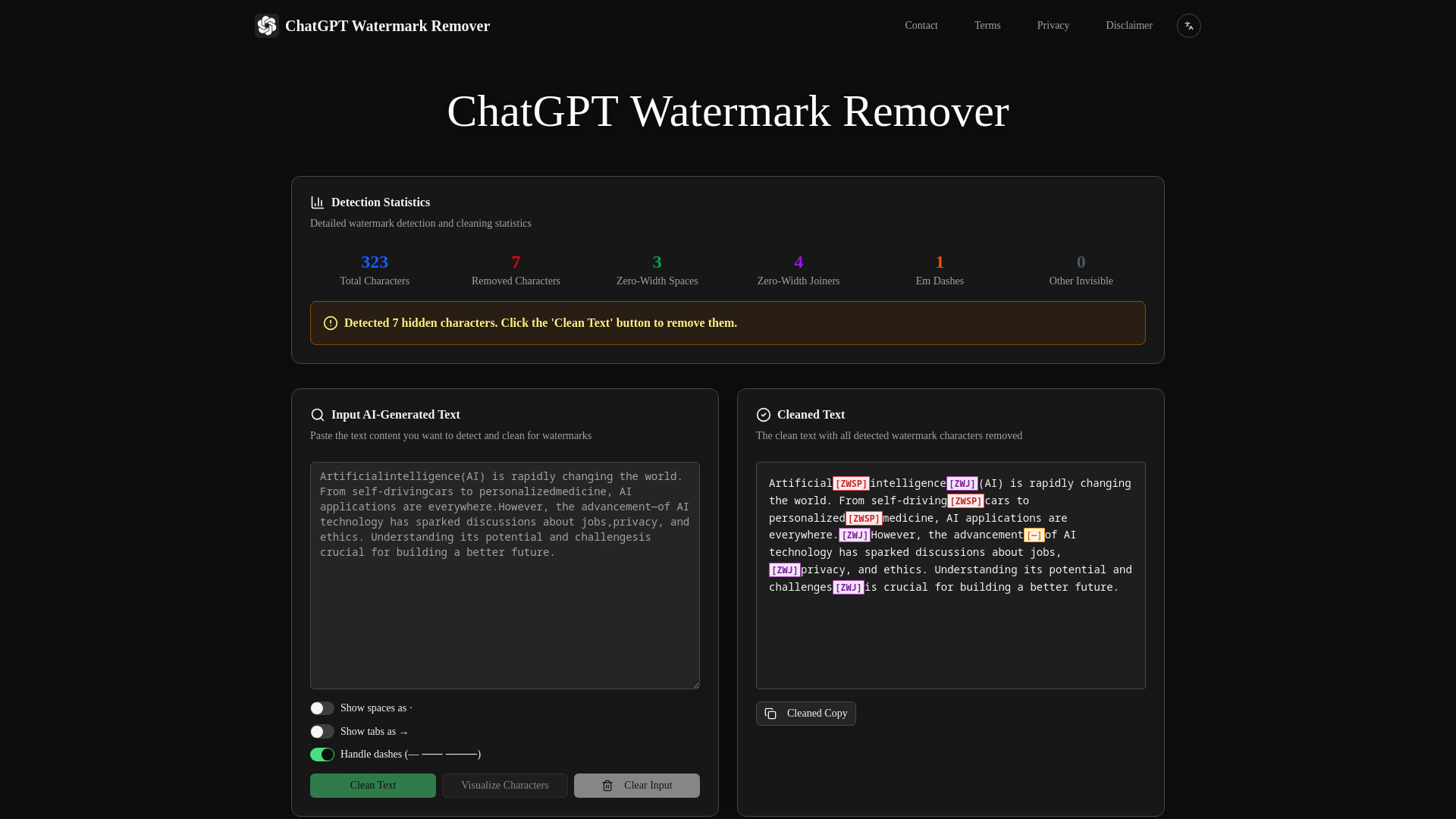
The ChatGPT Watermark Remover is a free online tool designed to instantly detect and remove invisible AI watermarks and zero-width characters from text. It is described as the most advanced tool for cleaning text generated by AI systems like ChatGPT and Claude, ensuring content is watermark-free. The tool operates by identifying various invisible Unicode characters and hidden markers used by AI detection systems, offering a private, secure, and fast solution.
Access & connections
Where you can use ChatGPT Watermark Remover.
Platforms
Capabilities
What this tool accepts, produces, and is strongest at.
Highlights
- Detects 30+ types of invisible Unicode characters
- Real-time statistics and detection results
- Color-coded visualization for easy identification
- 100% privacy-focused with local processing
- Works completely offline
- Removes invisible AI watermarks and zero-width characters
FAQ 6
What is ChatGPT Watermark Remover?
The ChatGPT Watermark Remover is a free online tool designed to instantly detect and remove invisible AI watermarks and zero-width characters from text. It is described as the most advanced tool for cleaning text generated by AI systems like ChatGPT and Claude, ensuring content is watermark-free. The tool operates by identifying various invisible Unicode characters and hidden markers used by AI detection systems, offering a private, secure, and fast solution.
How to use ChatGPT Watermark Remover?
To use the tool, first, copy and paste your AI-generated text into the input box, which will automatically scan for invisible watermarks. Optionally, click 'Visualize Characters' to see all hidden characters highlighted. You can configure options like showing spaces and tabs or enabling Em dash handling. Next, click 'Clean Text' to remove all detected watermark characters and view detailed statistics. Finally, click the 'Copy' button to get your watermark-free text.
How does the tool work?
The tool identifies and removes invisible characters and hidden markers that AI detection systems use for watermarking text.
Is it safe to use?
Yes, all processing happens directly in your browser, ensuring 100% privacy and security as no data is uploaded to any server.
What watermarks can it detect?
It detects over 30 types of invisible Unicode characters, including Zero Width Space (ZWSP), Zero Width Joiner (ZWJ), Non-Breaking Space (NBSP), Em Dash, and various other formatting controls and separators.
How is my privacy protected?
Your data never leaves your device as all processing occurs locally in your browser, guaranteeing complete privacy with no uploads, tracking, or data collection.
Related tools
Recommended

ChatGPT Watermark Remover