

ChatGPT Outlook Plugin
Integrate ChatGPT into Outlook
From £4k or less
Verdict
A quick read before you dig into the full page.
- Best if
- You are business professionals and need: Quick identification of important information in emails
- Skip if
- Limited to Outlook client
- Pick this when
- Email summarization
Overview
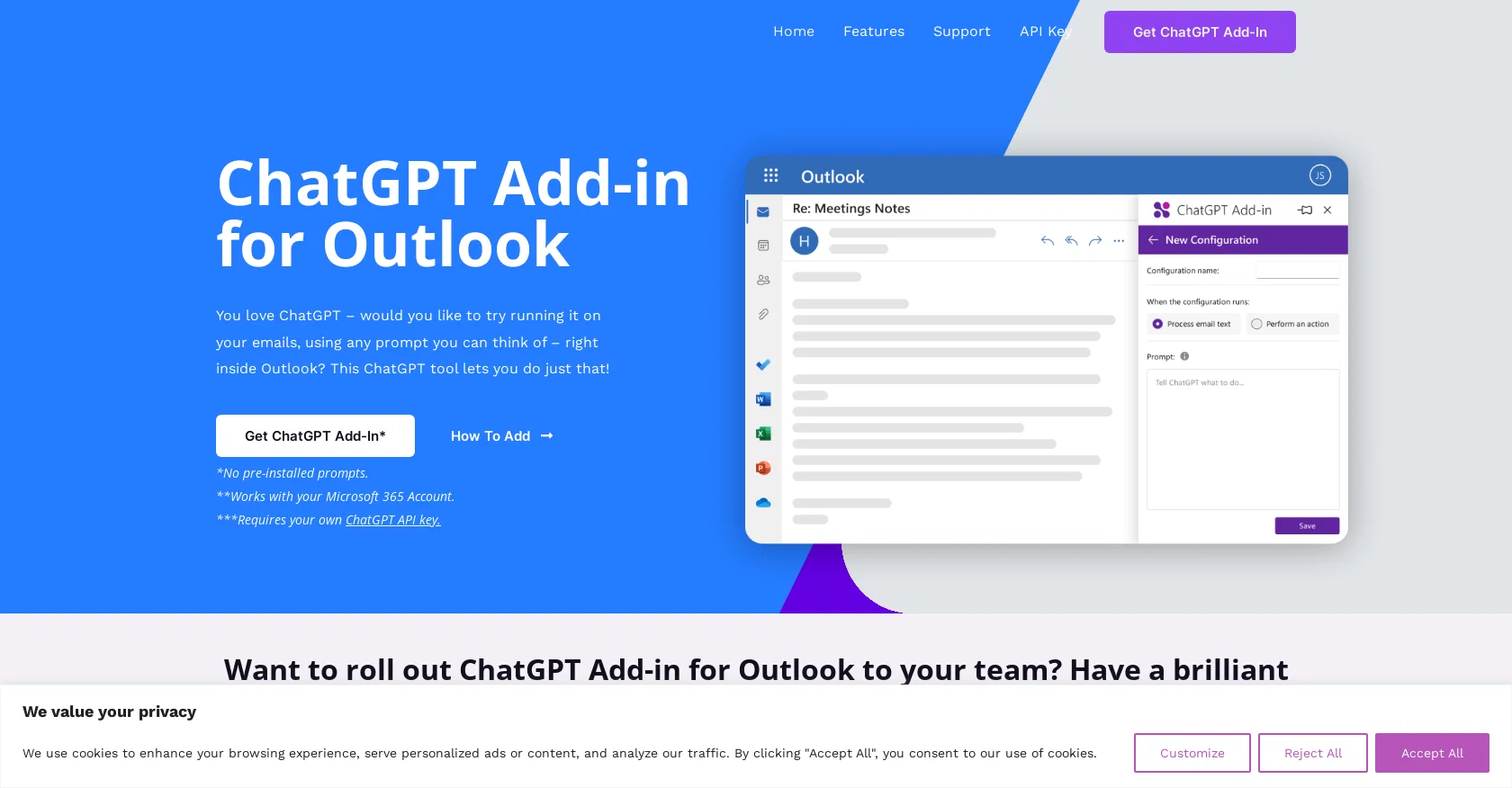
ChatGPT for Outlook is an add-in that allows users to run ChatGPT, a language model developed by OpenAI, within the Outlook email client. With this tool, users can generate responses to emails based on their own prompts, directly within the Outlook interface.Key features of ChatGPT for Outlook include the ability to install custom prompts to guide ChatGPT in generating relevant summaries or highlights based on specific needs.
Users can choose to process the entire email or select specific sections, such as the body, subject, or attachments, to focus on the most important information.
The generated output can be displayed in a separate window or replace the original email body for easy comparison and identification of important information.
Additionally, the tool can automatically update the email's importance based on the generated output, such as flagging it as high priority or marking it as important.ChatGPT for Outlook also allows for the management of multiple configurations for different types of emails or scenarios, each with its own set of conditions, prompts, and display preferences.Blueberry Consultants, the creator of this add-in, offers the option to roll out a custom version of ChatGPT for Outlook to teams and businesses.
This custom version can have unique prompts and can be resold to unlimited users, providing an opportunity for businesses to turn their prompt ideas into profitable ventures.Please note that ChatGPT is a registered trademark of OpenAI, and Blueberry Consultants is not affiliated with OpenAI or Microsoft, although they are a Microsoft Partner.
Best for
Short scenarios where ChatGPT Outlook Plugin tends to shine.
-
Quick identification of important information in emails
Best for Business professionals
-
Automatically update email importance based on ChatGPT output
Best for Email marketers
-
Summarize long email threads
Best for Customer service teams
-
Generate highlights of key points in emails
Best for Researchers
Example outputs 1
Sample generations and before/after results for ChatGPT Outlook Plugin.
Access & connections
Where you can use ChatGPT Outlook Plugin, and what it plugs into.
Platforms
Integrations
Capabilities
What this tool accepts, produces, and is strongest at.
Input
- API
Output
- API
Supported features
- Data Analysis
Pros & cons
Pros
- Email summarization
- Response automation
- Custom prompts installation
- Flexible text processing
- Separate output display
- Replace original email body
- Automatically updates email importance
- Multiple configurations management
Show 6 more
- Custom version for teams
- Profitable prompt reselling
- Integrated with Outlook
- Customizable focus sections
- Microsoft Partner
- Automated high priority marking
Cons
- Requires own ChatGPT API key
- No pre-installed prompts
- Limited to Outlook client
- Depends on user's prompts
- No multi-platform support
- Customization costs extra
- Doesn't process attachments
- Potential privacy concerns
People also view
Tools that often show up alongside ChatGPT Outlook Plugin in collections and comparisons.

PostPerfect ✓
FreemiumAutomated social media posts.

Photo AI ✓
PaidCreate beautiful AI photos and videos of real people

LearningStudioAI ✓
Free TrialAI-powered authoring tool for effortless online course creation.

MindMateGPT: Reflection ✓
FreePersonalized mental health guidance & coping tactics.

Hyperis ✓
FreemiumOrganized task prioritization.

GPTinf ✓
PaidBypass AI detectors with one-click rephrasing.

GPTExcel ✓
FreemiumGenerate spreadsheet formulas with AI

Elicit ✓
Free TrialAI-powered research assistant for literature reviews and analysis.
Releases 1
Imported reviews 2
Very limited functionality and not easy to configure. No predefined configs. Ugly UI
The site is down or it doesn't exist anymore.
FAQ 12
What is ChatGPT for Outlook?
How does the ChatGPT for Outlook work?
Can you customize the prompts on ChatGPT for Outlook?
What key features does ChatGPT for Outlook offer?
How can specific sections of an email in Outlook be processed using ChatGPT?
Can ChatGPT for Outlook update email importance automatically?
What is the function of multiple configurations in ChatGPT for Outlook?
Can a custom version of ChatGPT for Outlook be rolled out to a team?
How does the potential reselling of a custom ChatGPT for Outlook version work?
What prompts can I use with ChatGPT for Outlook?
How can ChatGPT for Outlook highlight important information in emails?
Can ChatGPT for Outlook replace the original email body?
Related tools
Recommended
GPTExcel ✓
FreemiumGenerate spreadsheet formulas with AI
Hyperis ✓
FreemiumOrganized task prioritization.
LearningStudioAI ✓
Free TrialAI-powered authoring tool for effortless online course creation.

Agentgpt ✓
FreemiumDeploy autonomous AI Agents effortlessly in your browser.
GPTinf ✓
PaidBypass AI detectors with one-click rephrasing.

Stratup.ai ✓
FreemiumInnovative idea generation for businesses.