
ChatDox AI
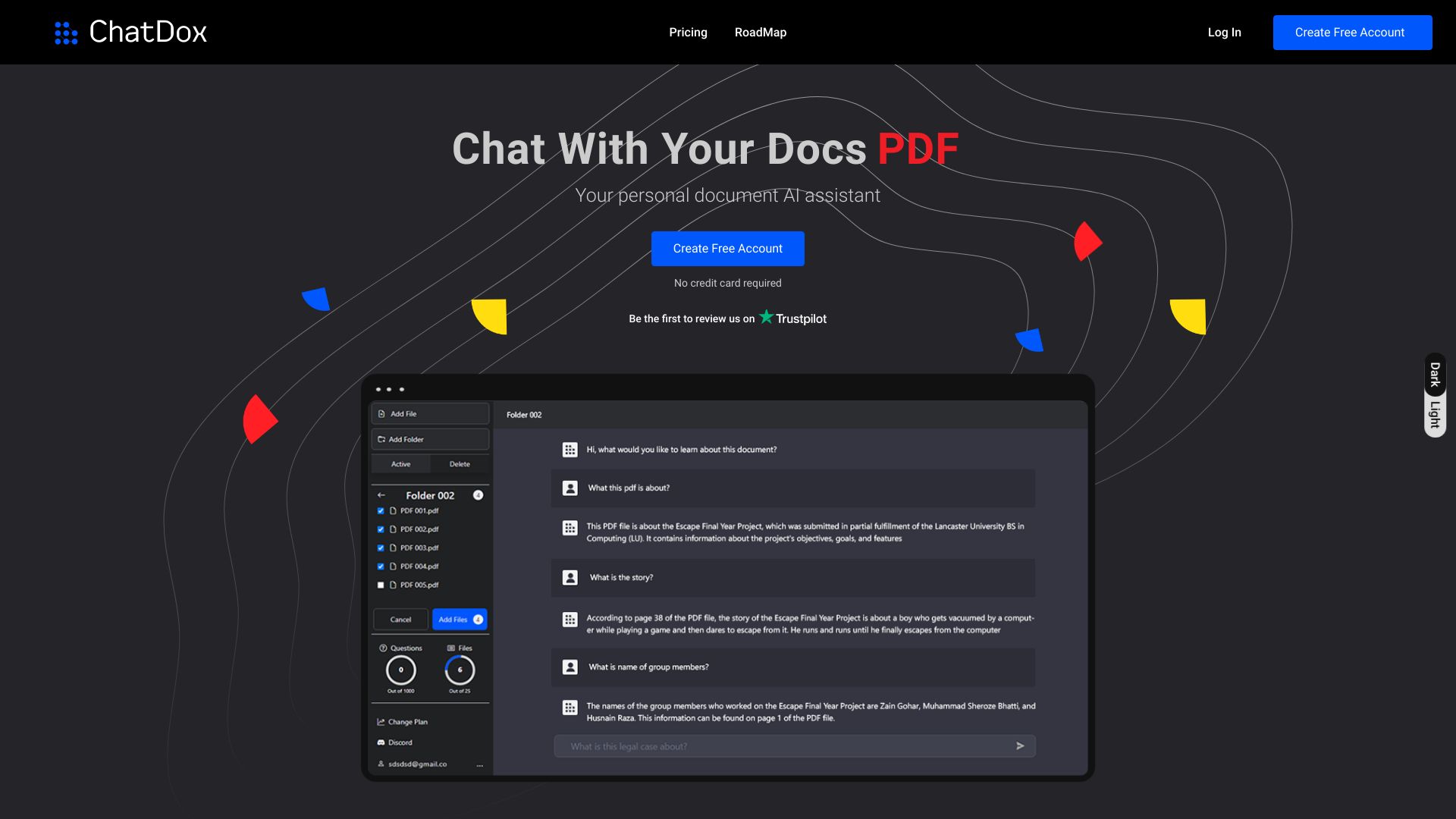
Chat Dox AI: Interact with documents and YouTube videos using ChatGPT.
Source rating 5.0
(50)
0 views
0 saves
Unknown
Verdict
A quick read before you dig into the full page.
- Best if
- Chat Dox AI: Interact with documents and YouTube videos using ChatGPT
- Pick this when
- Chat Dox AI: Interact with documents and YouTube videos using ChatGPT
Overview
Chat Dox AI allows users to leverage the power of ChatGPT to interact with their documents. Users can upload documents in various formats (.pdf, .txt, .docx, .csv) and ask questions to receive instant answers from their personal document assistant. It simplifies how users interact with documents and YouTube videos, providing quick answers within seconds.
Access & connections
Where you can use ChatDox AI.
Platforms
Capabilities
What this tool accepts, produces, and is strongest at.
Highlights
- Document interaction using ChatGPT
- Support for multiple document formats (.pdf, .txt, .docx, .csv)
- YouTube video summarization and Q&A
- Instant answers from documents
FAQ 5
What is Chat Dox AI?
Chat Dox AI allows users to leverage the power of ChatGPT to interact with their documents. Users can upload documents in various formats (.pdf, .txt, .docx, .csv) and ask questions to receive instant answers from their personal document assistant. It simplifies how users interact with documents and YouTube videos, providing quick answers within seconds.
How to use Chat Dox AI?
Upload documents (.pdf, .txt, .docx, .csv) or link YouTube videos, then ask questions to get instant answers powered by ChatGPT.
What types of documents can I upload?
You can upload documents in .pdf, .txt, .docx, and .csv formats.
Can I ask questions about YouTube videos?
Yes, you can get answers from YouTube videos using Chat Dox AI.
How quickly can I get answers from my documents?
You can get answers from your documents within seconds.
Related tools
Recommended


ChatDox AI