
Caricatures 2026 Rank: #2809
Caricature Studio ✓
Turn your photo into a hand-drawn caricature in minutes.
Verdict
A quick read before you dig into the full page.
- Best if
- Turn your photo into a hand-drawn caricature in minutes
- Skip if
- Extra step for watermark removal
- Pick this when
- Photo to caricature conversion
Considering Caricature Maker instead? Compare side by side
Overview
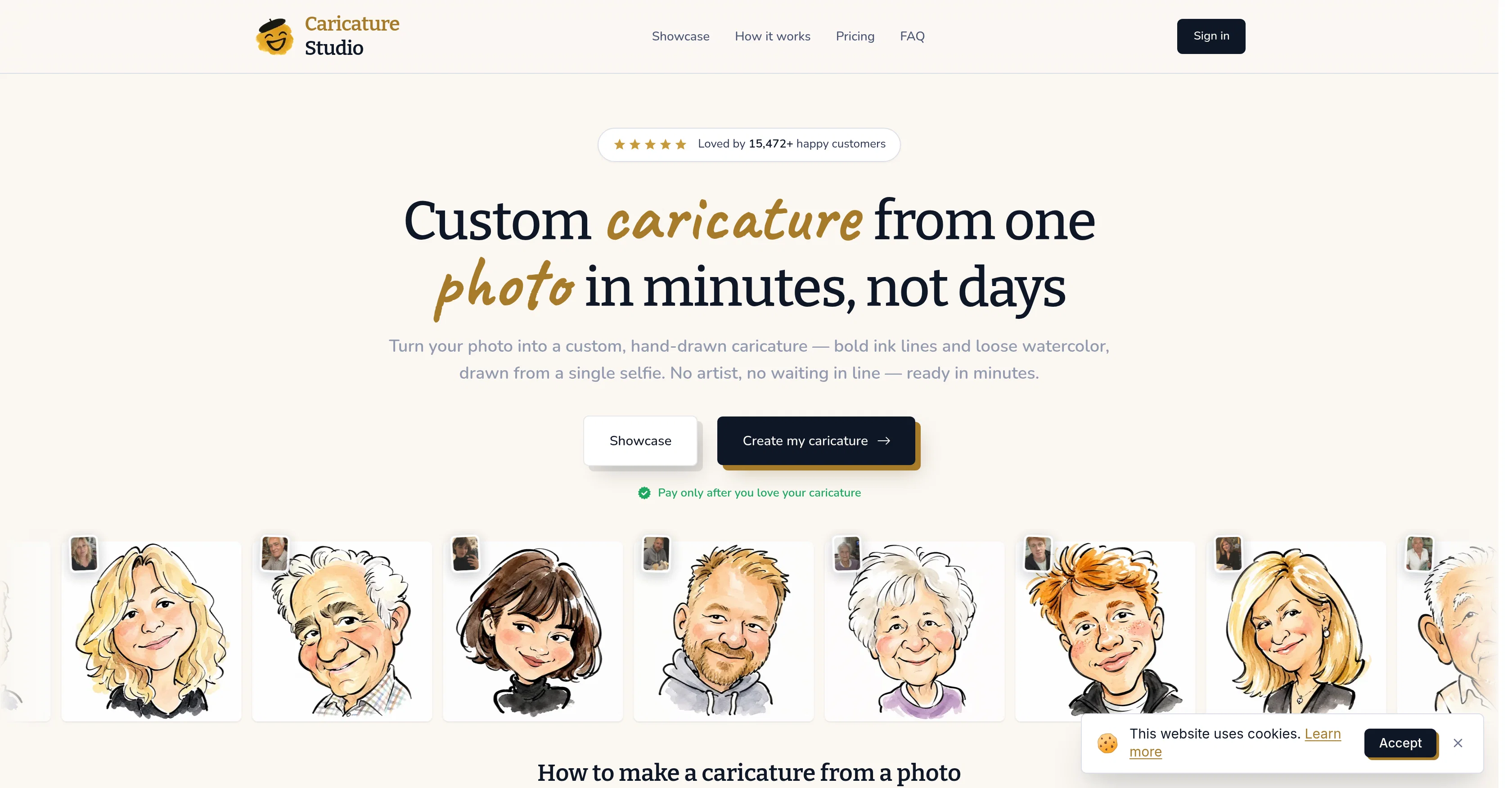
Caricature Studio is an AI-assisted tool that allows users to convert photos into hand-drawn caricatures. The software employs artificial intelligence to analyze a photo uploaded by the user then creates, within minutes, a caricature that emphasizes and exaggerates the subject's underlying characteristics in a humorous and complimentary manner.
Designed to straddle the line between a portrait and a cartoon, the tool mimics the output you might expect from a street artist - a recognizable, yet lighthearted and exaggerated interpretation of the subject.
The caricature, which exhibits the boldness of ink lines and the fluidity of watercolor, is unique and personalized, resulting in an image that is unmistakably reflective of the original photo.
While the idea of caricature in itself is not new, Caricature Studio revolutionizes the way caricatures are designed by offering instant, AI-driven results enabling users to skip the traditional time-consuming process where you would have to sit for an artist.
Access & connections
Where you can use Caricature Studio.
Platforms
Capabilities
What this tool accepts, produces, and is strongest at.
Input
- Image
Output
- Image
Supported features
- Styling
- Image Edit
- Image Understanding
- Image Generation
- Visual Creation
Pros & cons
Pros
- Photo to caricature conversion
- Emphasizes subject's underlying characteristics
- Mimics hand-drawn caricatures
- Unique, personalized output
- Reflective of the original photo
- Skip traditional artist process
- Ink lines and watercolor style
- From a single selfie
Show 7 more
- Pay only after satisfaction
- Wide range of applications
- Readiness in minutes
- Fun and flattering
- Images fit for framing
- Profile picture creation
- Revolutionises caricature creation
Cons
- No free version available
- No mobile application
- Doesn't support multiple photo inputs
- Single caricature style
- Limited to selfies
- Unspecified processing time
- Extra step for watermark removal
- Limited file export options
Compare alternatives
Similar tools in the catalog.

Releases 1
FAQ 12
What is the purpose of Caricature Studio?
How does Caricature Studio use AI to create caricatures?
What are some key features of Caricature Studio?
What is the process of turning a photo into a caricature?
How long does it take to create a caricature with Caricature Studio?
What kind of photos work best with Caricature Studio?
Can I use Caricature Studio for any type of photo?
What happens if I don't like the caricature Caricature Studio creates?
What does Caricature Studio mean by 'unmistakably reflective of the original photo'?
What is the cost to use Caricature Studio?
What kind of artistic style does Caricature Studio use on the caricatures?
Is there a money-back guarantee with Caricature Studio?
Related tools
Recommended
Atlas Browser ✓
FreeBrowse with intelligence.

Enliven Music ✓
FreemiumTransform text prompts into professional-quality songs instantly.
Meloflow AI ✓
FreemiumAI Music Generator & AI Song Maker for Creators

VideoThis ✓
PaidCreate stunning AI videos instantly, no skills required.

AI Clothes Changer - NanoPro ✓
PaidAI outfit changer to see yourself in different styles.